Quick answer
For most laptops and tablets, a 100W GaN charger offers the best balance of fast charging and portability. Choose one with the right wattage for your device and a reputable brand for safety.
Why wattage matters for laptops and tablets
Laptops and tablets have different power requirements. A 100W charger can fast-charge most USB-C laptops and tablets, but you need to check your device's maximum charging speed. Using a charger with too little wattage may charge slowly or not at all, while a higher-wattage charger is generally safe because devices draw only what they need.
GaN technology makes high-wattage chargers smaller and cooler than older silicon-based chargers. This is a key advantage if you travel with your laptop and want to reduce bulk.
Portability vs. power trade-off
A 100W GaN charger is more compact than a traditional 100W brick, but it's still larger than a typical phone charger. If you only need to charge a tablet or a lightweight ultrabook, a 65W charger might be lighter and easier to pack. However, if you have a power-hungry laptop or want to charge multiple devices at once, 100W gives you more headroom.
Consider how you'll use the charger: at a desk, in a bag, or plugged into a wall socket behind furniture. The physical size and cable length matter for everyday convenience.
Safety and certification considerations
High-power chargers generate heat. GaN technology helps manage that, but you should still look for chargers from reputable brands that include safety features like overcurrent protection and temperature control. Certified chargers are tested to meet safety standards, reducing the risk of damage to your devices.
If a charger doesn't specify its safety certifications or comes from an unknown brand, be cautious. Cheap chargers may not deliver the promised wattage or may fail under load.
Decision rules for choosing a 100W GaN charger
- Check your device's wattage needs: Look up the maximum charging wattage for your laptop or tablet. If it's 100W or less, a 100W charger will work. If it's higher, you'll need a more powerful charger. Confirm the wattage before buying.
- Consider the number of ports: If you plan to charge multiple devices simultaneously, check the charger's port configuration and how the wattage is shared. Some chargers split power across ports, which can slow charging when all are in use.
- Prioritize brand and safety: Choose a charger from a reputable brand that lists safety certifications. Avoid unknown brands that may not meet safety standards or deliver consistent power. Check for safety certifications.
Product spotlight
-
USB-C®-Core-GaN-Netzteil (100 W): The Belkin USB-C Core GaN Charger delivers up to 100W of power and uses GaN technology for efficient power delivery in a compact design. This charger can fast-charge a wide range of laptops and tablets while staying small enough to travel with.
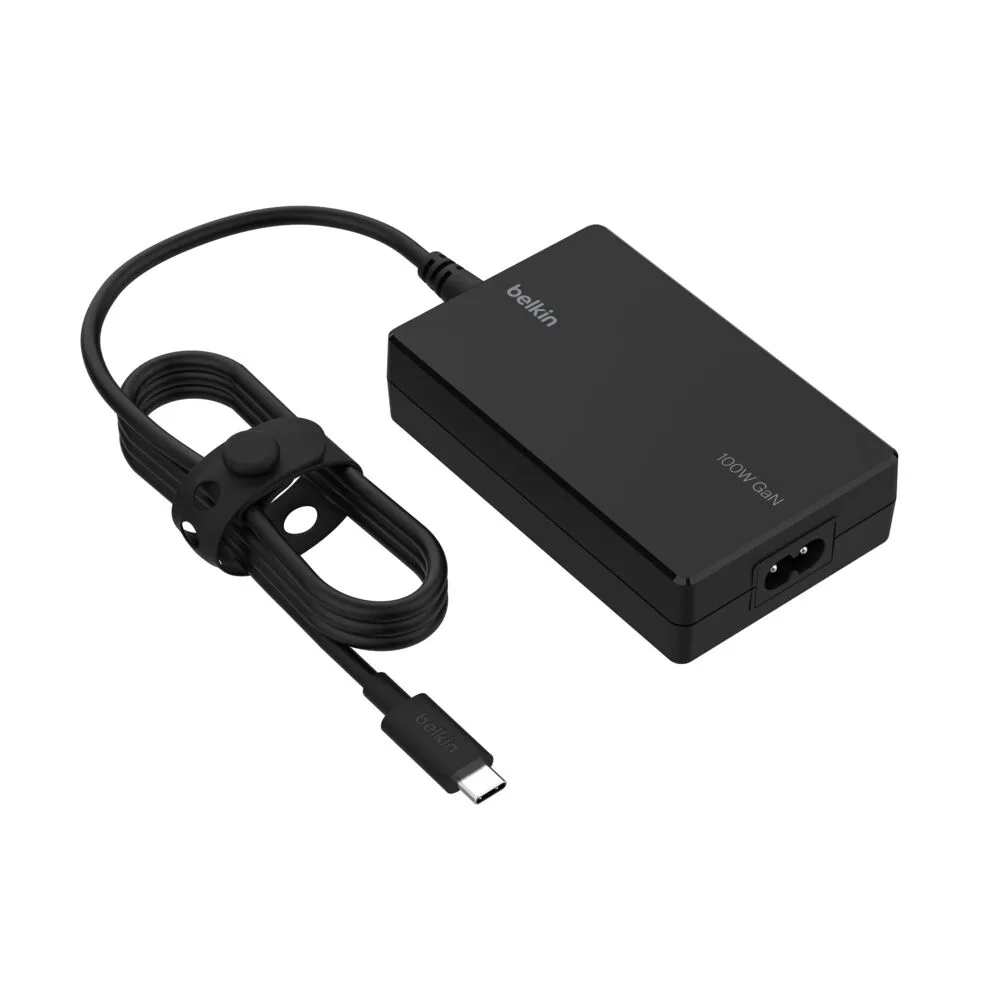
USB-C®-Core-GaN-Netzteil (100 W)
Who should buy a 100W GaN charger?
Best for
- Travelers who need a compact charger for a powerful laptop
- Users who want to fast-charge laptops and tablets with one adapter
Not for
- Users with only a small tablet or phone who can use a lighter 65W or lower charger
- Those with laptops that require more than 100W of power