Quick answer
For most remote workers in 2026, the Logitech Brio 300 offers the best balance of video quality and price, while the Brio 500 adds extra clarity and features for those who take more calls or stream.
Why your webcam matters more in 2026
With hybrid work now the norm, your webcam is your primary face to colleagues and clients. A blurry or poorly lit image can undermine your professionalism and make communication harder. Upgrading from a basic built-in laptop camera to a dedicated webcam is one of the simplest ways to improve your video call experience.
Key trade-offs: Brio 300 vs Brio 500
The Brio 300 and Brio 500 are both excellent options, but they serve slightly different needs. The Brio 300 is more affordable and still delivers sharp video for everyday meetings. The Brio 500, on the other hand, offers higher resolution and better low-light performance, making it a better fit for frequent calls or streaming. Neither model includes a privacy shutter, so consider that if you need physical lens coverage.
What about budget-friendly options?
If your budget is tight, the Logitech C270 HD Webcam and BRIO 100 are reliable choices for basic video calls. They lack the higher resolutions and advanced features of the Brio series, but they provide solid plug-and-play performance for occasional use. The trade-off is that they may not look as crisp in well-lit rooms or handle dim lighting as well.
Decision rules for your next webcam
- Rule 1: Match resolution to your use: For standard video calls (Zoom, Teams, Google Meet), 720p is sufficient. If you stream or record, aim for 1080p or higher. The Brio 300 provides solid 1080p, while the Brio 500 offers even better detail.
- Rule 2: Consider lighting conditions: If your home office has inconsistent lighting, a webcam with better low-light performance (like the Brio 500) will keep you visible. In a well-lit room, the Brio 300 performs admirably.
- Rule 3: Check your monitor setup: Most webcams clip onto a monitor or sit on a desk. Ensure the model you choose fits your display thickness. The Brio 300 and Brio 500 both have compact, adjustable mounts. Measure your monitor bezel if it's unusually thick or thin.
Product facts
-
Brio 300 - Graphite: The Logitech Brio 300 in Graphite is a reliable webcam designed for clear video communication. It delivers consistent quality for daily meetings without breaking the bank.
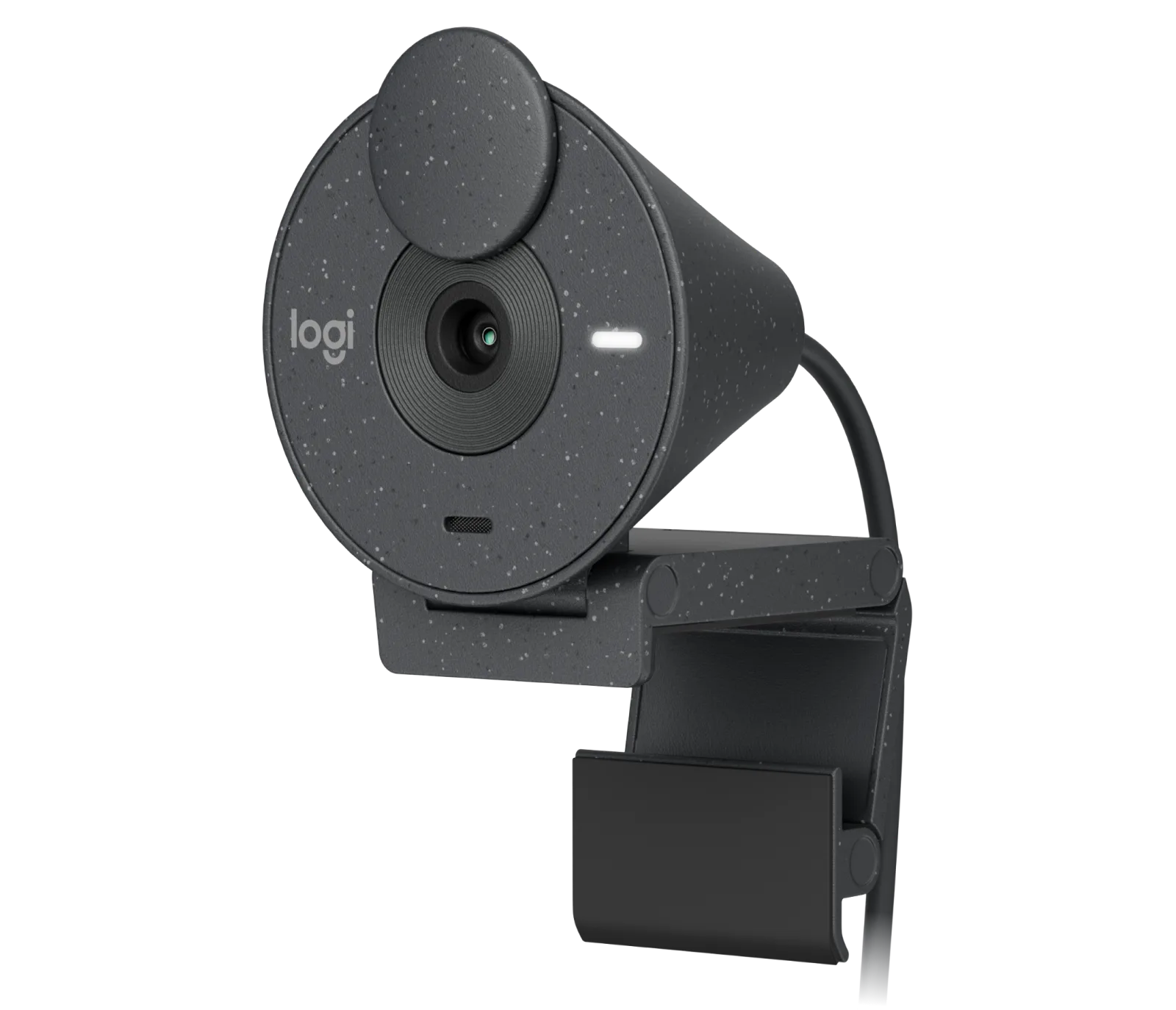
Brio 300 - Graphite
-
Brio 500 - Graphite: The Logitech Brio 500 in Graphite is a high-quality webcam designed for clear and reliable video communication. Its enhanced optics provide sharper video and better performance in varied lighting, ideal for frequent callers.
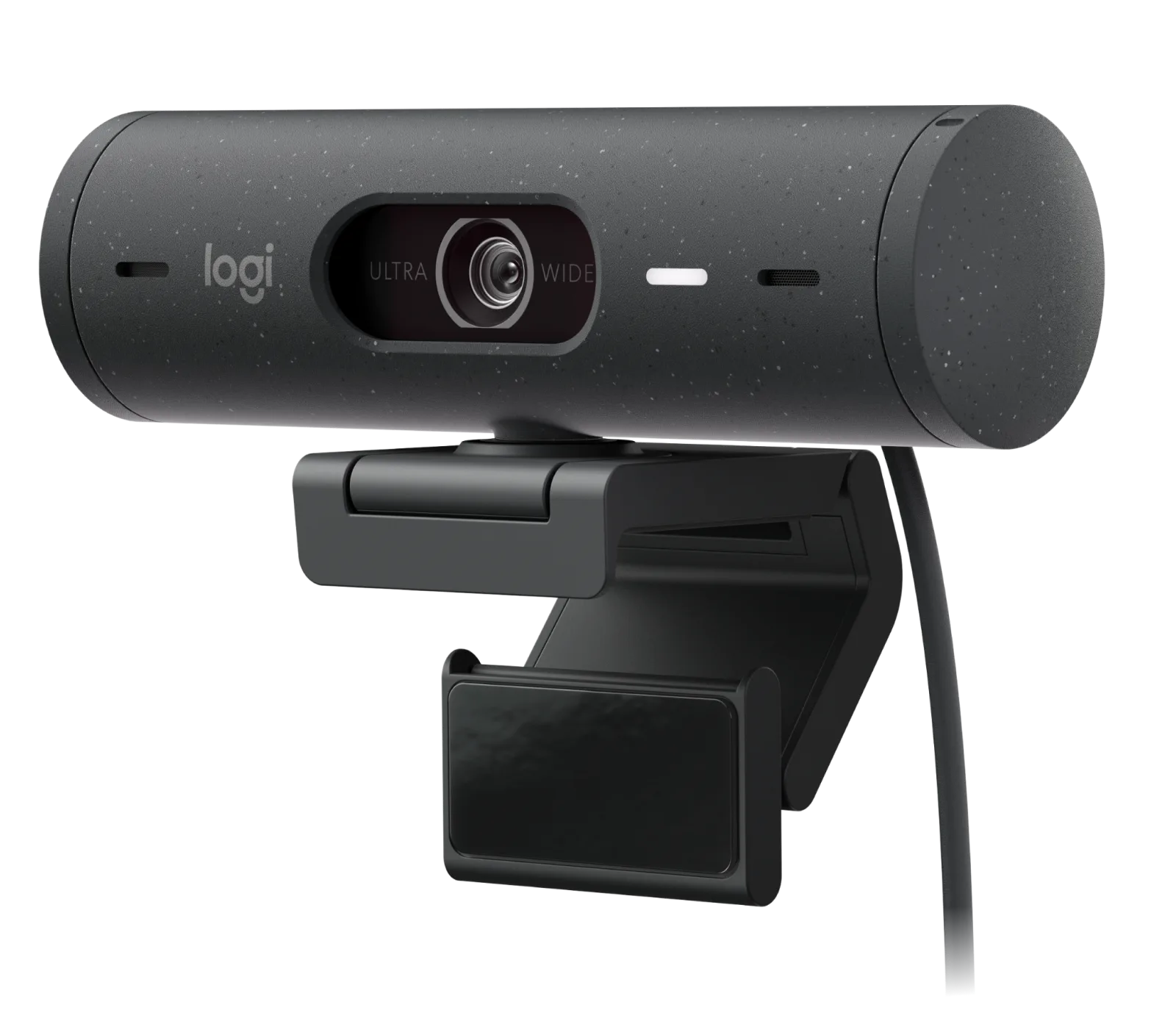
Brio 500 - Graphite
Which webcam fits you?
Best for
- Regular meeting attendees who want clear video without overspending – choose the Logitech Brio 300.
- Power users who take many calls or stream – the Logitech Brio 500 offers superior image quality.
Not for
- Anyone who needs a built-in privacy shutter – neither the Brio 300 nor Brio 500 includes one.
- Budget-only buyers – consider the Logitech C270 HD Webcam or BRIO 100 for occasional calls.