Quick answer
Most AirFort problems come down to three things: the fan, the airflow path, or the fabric seal. If your AirFort is not inflating, check that a standard box fan is seated correctly and pushing air into the inlet. If it inflates but keeps deflating, look for gaps around the fan opening or a partially open exhaust. If the fan runs but the fort stays limp, the fan may be too weak or blocked. Work through the diagnosis below before assuming you need a repair or replacement.
You set up the AirFort, turn on the fan, and wait. Nothing happens. Or it inflates beautifully, then slowly sags while your kid is inside. These are the two most common airfort problems, and in most cases they are fixable in a few minutes without tools or replacement parts.
AirFort is an inflatable structure, so it depends on continuous airflow to hold its shape. That means troubleshooting is mostly about finding where the air is going, or why it is not going in fast enough. This guide walks through the likely causes, the corrective action for each, and the point where you should stop troubleshooting and consider a different setup or a new fan.
AirFort not inflating: check the fan and power first
The most common reason an AirFort will not inflate is that the fan is not moving enough air into it. AirFort works with any standard box fan, but it needs to be the right size and seated correctly against the inlet. A small desk fan or a fan with a clogged grille will not produce enough pressure to fill the fabric. Start by confirming the fan is plugged in, turned on, and set to its highest speed. Then check that the fan is positioned so its output blows directly into the AirFort opening, not across it.
If the fan is running but the fort stays flat, remove the fan and inspect the inlet area for obstructions. Dust, pet hair, or a folded section of fabric can block airflow. Also check that the fan blades spin freely when the power is off. A fan that hums but does not spin may have a seized motor or a broken blade, which is a fan problem, not an AirFort problem.
- Use a standard box fan, not a small clip-on or tower fan.
- Set the fan to high and confirm it is blowing into the inlet.
- Clean the fan grille and blades if they are dusty.
- Make sure the AirFort fabric is not folded over the inlet.
AirFort deflating or sagging while in use
If your AirFort inflates but loses shape over time, air is escaping faster than the fan can replace it. The usual culprit is a gap where the fan meets the fabric. The fan should fit snugly into the inlet sleeve or opening. If there is a visible gap, air will leak out and the fort will slowly deflate. Reposition the fan so it sits flush, and if the design uses a drawstring or elastic opening, tighten it around the fan housing.
Another common cause is an open exhaust or exit. Some AirFort designs have a secondary opening that lets kids crawl in and out. If that opening is left wide open, the fort will not hold pressure. Keep the main entry closed or partially closed when the fort is in use. If the fort still deflates with the fan on high and the entry closed, check the seams and fabric for small tears or pinholes. A tiny hole can bleed enough air to cause a slow sag.
- Seat the fan flush against the inlet with no gaps.
- Close or partially close the crawl-in opening.
- Inspect seams and fabric for tears or pinholes.
- Run the fan on high while kids are inside.
AirFort fan issues: noise, overheating, and weak airflow
A fan that is noisy, hot, or weak can make the AirFort unusable. If the fan is overheating, turn it off and let it cool. Check that the fan is not placed against a wall or curtain that blocks its intake. Box fans need open space behind them to pull air in. If the fan is making a grinding or rattling noise, turn it off and inspect the blades for debris or damage. A damaged fan should be replaced rather than repaired.
Weak airflow can also come from a fan that is simply too small for the AirFort. If you are using a fan that is smaller than a standard box fan, the fort may inflate partially but never fully. In that case, the fix is a larger fan, not a repair. If you have a combo like the Starry Night AirFort + Glow In The Dark Box Fan Combo, the included fan is matched to the fort, so start there before assuming the AirFort itself is faulty.
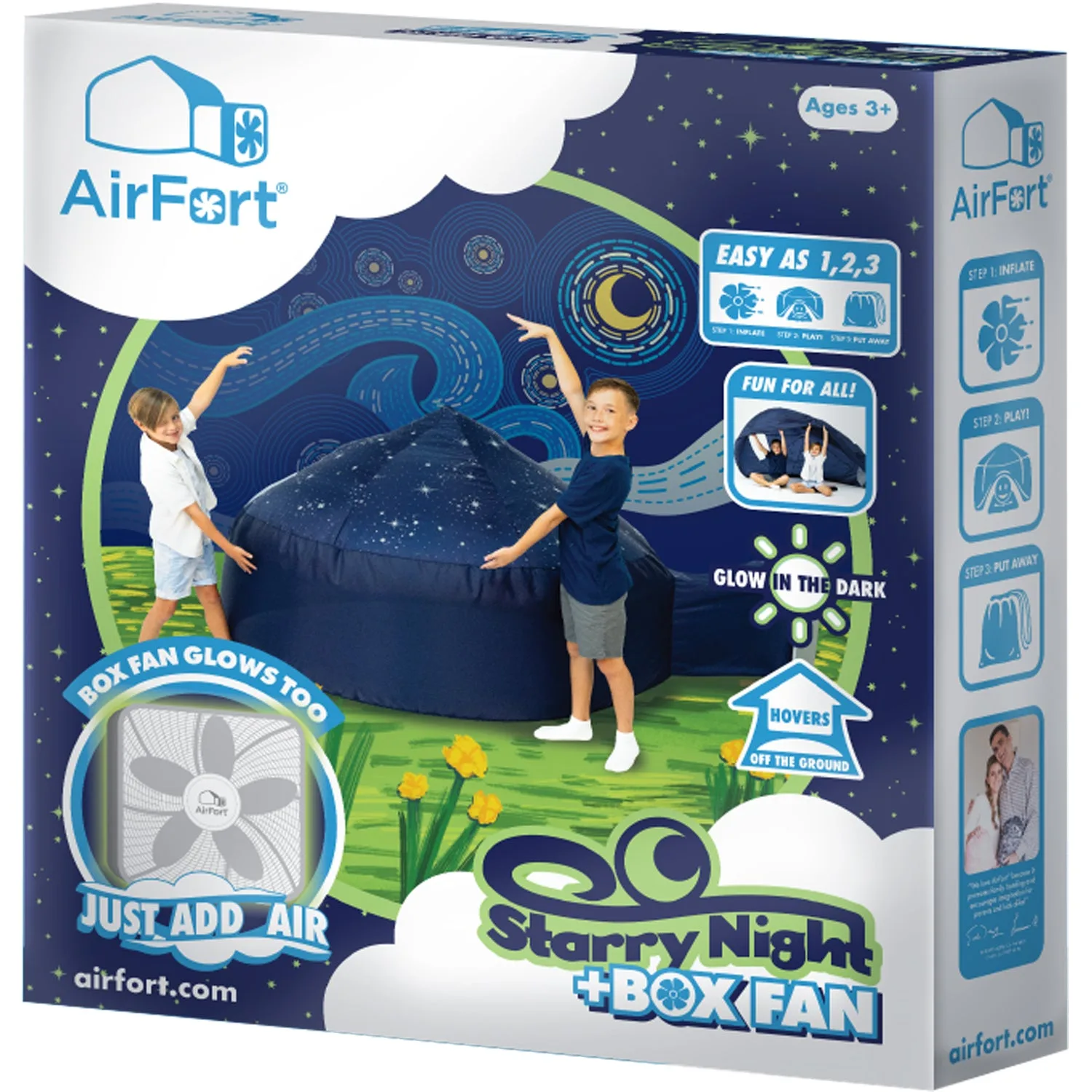
Starry Night AirFort + Glow In The Dark Box Fan Combo
- Give the fan open space behind it for intake.
- Let an overheating fan cool down before restarting.
- Replace a fan that grinds, rattles, or smells hot.
- Match fan size to the AirFort; standard box fan is the baseline.
When to stop troubleshooting and choose another option
If you have confirmed the fan works, the inlet is clear, the entry is closed, and the fabric has no visible holes, but the AirFort still will not hold air, the problem may be a manufacturing defect. In that case, stop troubleshooting and contact the retailer or AirFort support. Do not try to sew or glue the fabric unless the instructions specifically allow it, as that can void a warranty or damage the material.
If the AirFort is simply not working in your space, consider whether a different design or fan setup would suit you better. For example, if you have a very large room, a single box fan may not be enough to fill a larger fort. If you are constantly fighting deflation, a combo that includes a matched fan, like the Starry Night AirFort + Glow In The Dark Box Fan Combo, removes the guesswork. If you prefer a theme that does not include a fan, the Constellation, Tiki Hut, and Royal Castle models all work with any standard box fan, but you will need to supply one.
- Stop if you see a tear or seam separation that you did not cause.
- Contact support if the fan and fabric check out but it still fails.
- Consider a combo with an included fan if you are unsure about fan matching.
- Remember that box fan is not included with most AirFort models.
AirFort problem diagnosis: symptom, cause, fix, and stop point
- Symptom: AirFort will not inflate at all: Likely cause: fan is off, unplugged, too small, or not blowing into the inlet. Corrective action: confirm the fan is a standard box fan on high, seated flush against the inlet, with clear space behind it. Check for obstructions in the inlet. If the fan spins freely and is correctly placed but the fort stays flat, the issue may be the fan's motor or the AirFort inlet. Try a different known-working box fan before concluding the AirFort is defective.
- Symptom: AirFort inflates but slowly deflates: Likely cause: air escaping through gaps around the fan, an open entry, or small holes in the fabric. Corrective action: reseat the fan, close the entry, and inspect seams and fabric for tears. Run the fan on high. If the fort holds air with the entry closed and the fan on high, the issue is airflow management, not a defect. If it still deflates with no visible gaps, check for pinholes under bright light.
- Symptom: Fan is noisy, hot, or weak: Likely cause: blocked intake, debris in blades, or a fan that is too small for the AirFort. Corrective action: clear space behind the fan, clean the blades, and let it cool. If it still underperforms, replace the fan with a standard box fan. Stop using a fan that smells hot or grinds. That is a fire or injury risk. Replace it. If you are unsure which fan to use, a combo like the Starry Night AirFort + Glow In The Dark Box Fan Combo includes a matched fan.
- Symptom: AirFort has a visible tear or seam separation: Likely cause: accidental damage or a manufacturing defect. Corrective action: do not attempt to repair with household glue or tape unless the manufacturer instructions allow it. Contact support for guidance. This is the point to stop troubleshooting and seek a replacement or warranty claim. DIY repairs can make the damage worse and may void coverage.
AirFort products and what they tell us about troubleshooting
- Starry Night AirFort + Glow In The Dark Box Fan Combo: Comes with a glow in the dark box fan and builds in seconds. If you are troubleshooting airfort fan issues, a combo with a matched fan eliminates the guesswork of finding the right fan.
- The Original AirFort - Constellation (Glow): Box fan not included. If your Constellation AirFort is not inflating, the first thing to check is that you have a compatible box fan, since one is not in the box.
- The Original AirFort - Tiki Hut: Works with any standard box fan (box fan not included). This confirms that fan choice matters. If you are using a non-standard fan, that is a likely cause of poor inflation.
- The Original AirFort - Royal Castle: Child safety tested and approved. Safety testing covers the fabric and structure, but it does not replace correct fan setup. Always follow the fan guidance for safe inflation.
Most airfort problems are airflow problems, not product failures. Check the fan first, then the seal, then the fabric. If you have ruled out all three and the fort still will not hold air, contact support. With a standard box fan and a few minutes of setup, your AirFort should stay inflated for hours of play.