Quick answer
Most Spitfire Mk V build mistakes come from four habits: rushing the cockpit, flooding glue joints, skipping test-fits before cementing, and applying decals to a dusty or glossy surface. Fix those four and the kit rewards you. If you are new to model building, start with a simpler kit like the Starter kit VW buggy before tackling a Spitfire.
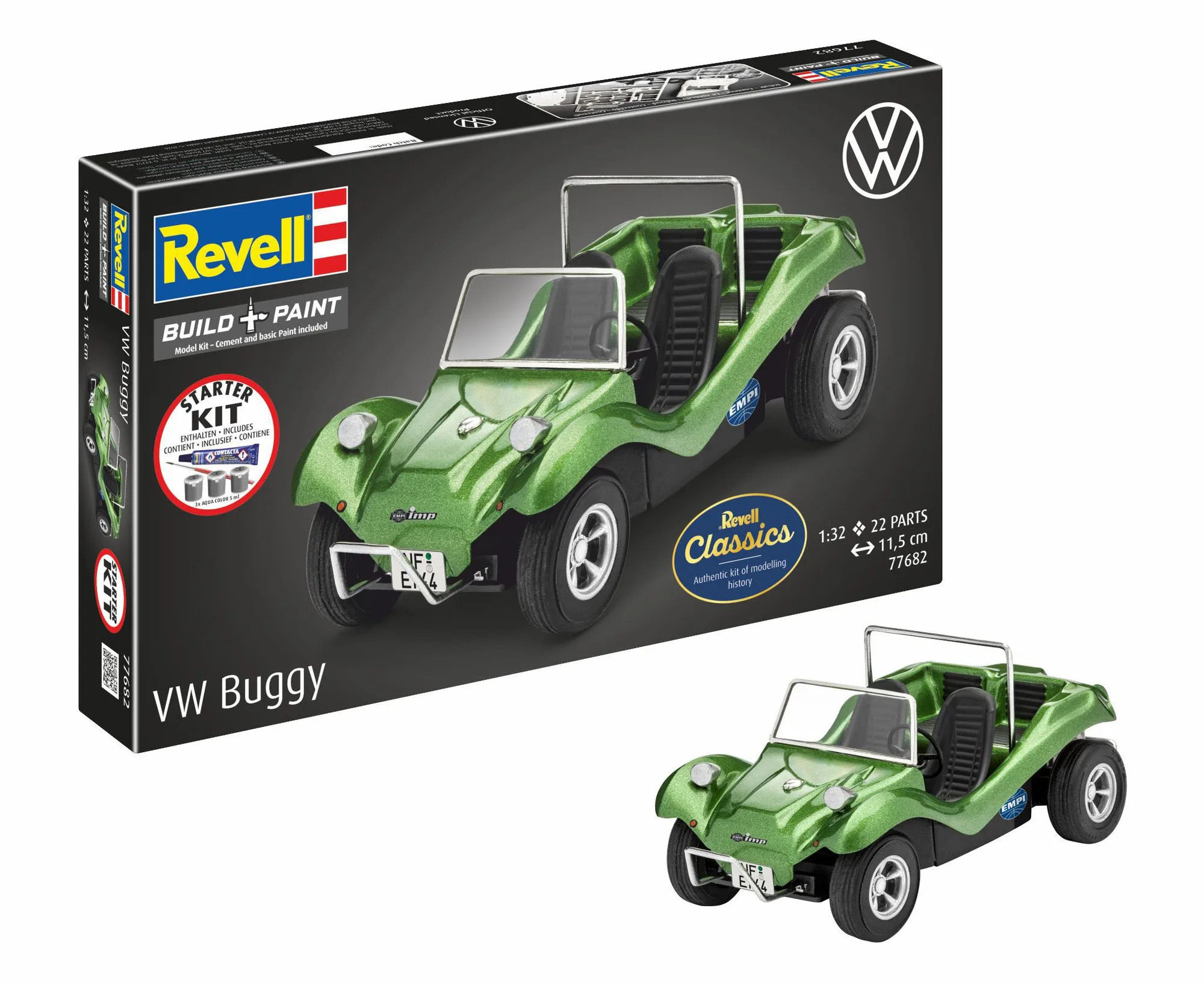
Starter kit VW buggy
A Spitfire Mk V build rarely fails in one dramatic moment. It fails in small, repeated decisions: too much glue here, a decal pressed down too early there, a cockpit assembled after the fuselage is already closed. By the time the paint goes on, the errors are baked in.
This guide separates each common problem into its symptom, the likely cause, the corrective action, and the point where you should stop and choose a different approach. It is written for builders working with the Revell Spitfire Mk V model set and similar 1:72 and 1:48 scale kits, but the diagnosis applies broadly.
Mistake 1: Rushing the cockpit before closing the fuselage
Symptom: the cockpit looks flat, the seat sits too low, or the instrument panel is barely visible through the canopy. Cause: assembling the cockpit in a single sitting without dry-fitting the tub into the fuselage halves first. Corrective action: dry-fit the cockpit tub, seat, and instrument panel inside the fuselage halves before any cement. Trim or sand locating pins until the tub seats without force. Paint and detail the cockpit while it is still accessible, then close the fuselage only after the tub sits flush.
- Test-fit the canopy on the closed fuselage before painting; if it sits proud, the cockpit is too tall.
- Keep cockpit detail simple if the canopy will be closed; save effort for visible areas.
Mistake 2: Flooding glue joints and melting detail
Symptom: soft, melted panel lines, glue fingerprints on the surface, or a joint that never quite sets. Cause: applying liquid cement in a continuous bead rather than touching it to the joint and letting capillary action pull it in. Corrective action: use a fine applicator or a needle cap to place tiny amounts of cement at the joint line. Hold the parts together for 10-15 seconds, then let the joint cure before handling. If you already melted detail, sand it back carefully and re-scribe the panel line with a scriber or a fresh blade.
- For small parts, apply cement to the joint, not the part.
- Let each joint cure fully before moving to the next sub-assembly.
Mistake 3: Skipping test-fits and forcing parts
Symptom: gaps at the wing root, a fuselage seam that will not close, or a canopy that does not sit flush. Cause: trusting the instructions as a perfect fit and cementing parts before checking alignment. Corrective action: dry-fit every major assembly, including wings to fuselage and canopy to cockpit, before applying cement. If a part needs force, find out why: a locating pin may need trimming, a mold seam may need sanding, or the part may be slightly warped. Warm warped parts gently with warm water, not a heat gun.
- Use tape or clamps to hold parts while checking alignment, then remove before cementing.
- If a gap remains after test-fitting, fill it with a thin strip of styrene rather than filler alone.
Mistake 4: Decals applied to a dusty or glossy surface
Symptom: silvering under the decal film, decals that lift at the edges, or decals that crack when they dry. Cause: applying decals over dust, fingerprints, or a glossy clear coat without a setting solution. Corrective action: before decals, wipe the model with a damp lint-free cloth and let it dry. Apply a gloss clear coat where decals will sit, then use a decal setting solution to help the film conform. Work one decal at a time and blot, never rub, with a soft cloth.
- If a decal silvered, prick it with a pin and apply more setting solution; do not peel it off.
- For curved surfaces like the cowling, use a stronger setting solution and let it dry completely before touching.
Mistake 5: Painting too thick and losing surface detail
Symptom: panel lines fill in, rivets disappear, or the paint looks lumpy. Cause: spraying or brushing heavy coats instead of thin, build-up layers. Corrective action: apply thin coats, letting each dry before the next. For brush painting, use a quality brush like the Revell "Panta Standard" Paintbrush - Size 5 for larger areas and a fine brush like the Revell "Painta Luxus" Premium Paintbrush - Size 4/0 for details. Thin your paint to a consistency like milk and build coverage gradually.
- If you already lost panel lines, re-scribe them lightly after the paint cures.
- Keep a spare piece of styrene to test paint thickness before committing to the model.
Diagnosis: symptom, cause, fix, and stop point
- Cockpit looks flat: Cause: cockpit assembled after closing fuselage or without dry-fitting. Fix: dry-fit tub, paint before closing, then cement. If the canopy will be closed, stop adding interior detail; it will not be visible.
- Melted panel lines or glue marks: Cause: too much liquid cement applied in a bead. Fix: use a fine applicator, touch cement to the joint, let capillary action work. If detail is already melted, sand and re-scribe; if the damage is severe, consider a replacement part or a different kit.
- Gaps at wing root or fuselage seam: Cause: parts forced together without test-fitting. Fix: dry-fit, trim locating pins, clamp, then cement. If gaps persist after test-fitting, fill with styrene strip; if the gap is wider than 1 mm, the kit may have a warped part.
- Decals silver or lift: Cause: dusty surface or no setting solution. Fix: clean surface, apply gloss coat, use setting solution, blot gently. If a decal tears, stop and order a replacement decal sheet; do not try to patch with paint unless you accept the result.
- Paint fills panel lines: Cause: thick coats applied too quickly. Fix: thin paint, apply multiple light coats, let each dry. If you lose detail, re-scribe after paint cures; if the model is already assembled, accept the softer look or strip and repaint.
Tools that prevent these mistakes
- Revell "Painta Luxus" Premium Paintbrush - Size 4/0: Revell Painta Luxus is a high-quality brush in eight sizes with pure red sable hair, allowing you to paint the finest details and decorations. A fine sable brush gives you control for cockpit details and decal touch-ups, reducing the temptation to flood paint over small areas.
- Revell "Panta Standard" Paintbrush - Size 5: Revell Painta Standard is a high-quality brush in eight sizes, allowing you to paint the finest details and decorations. A size 5 brush covers larger surfaces like wings and fuselage with fewer strokes, which helps you keep paint thin and even.
- Starter kit VW buggy: The Starter kit VW buggy is a cult classic model kit that offers everything needed for a successful start in model building. If you are new to model building, this kit lets you practice test-fitting, glue control, and decal work on a simpler subject before moving to a Spitfire.
None of these mistakes are fatal, but each one costs time to undo. Slow down at the cockpit, test-fit before you glue, keep cement minimal, and treat decals like the delicate step they are. If you are still building your first models, the Starter kit VW buggy is a lower-stakes way to practice the same skills before you commit to a Spitfire.