Quick answer
Unbox the shadowbox carefully, connect power, toggle the motion and light effects, and press play for the audio. Follow these steps for the best display experience.
Why the motion shadowbox is different from a standard collectible
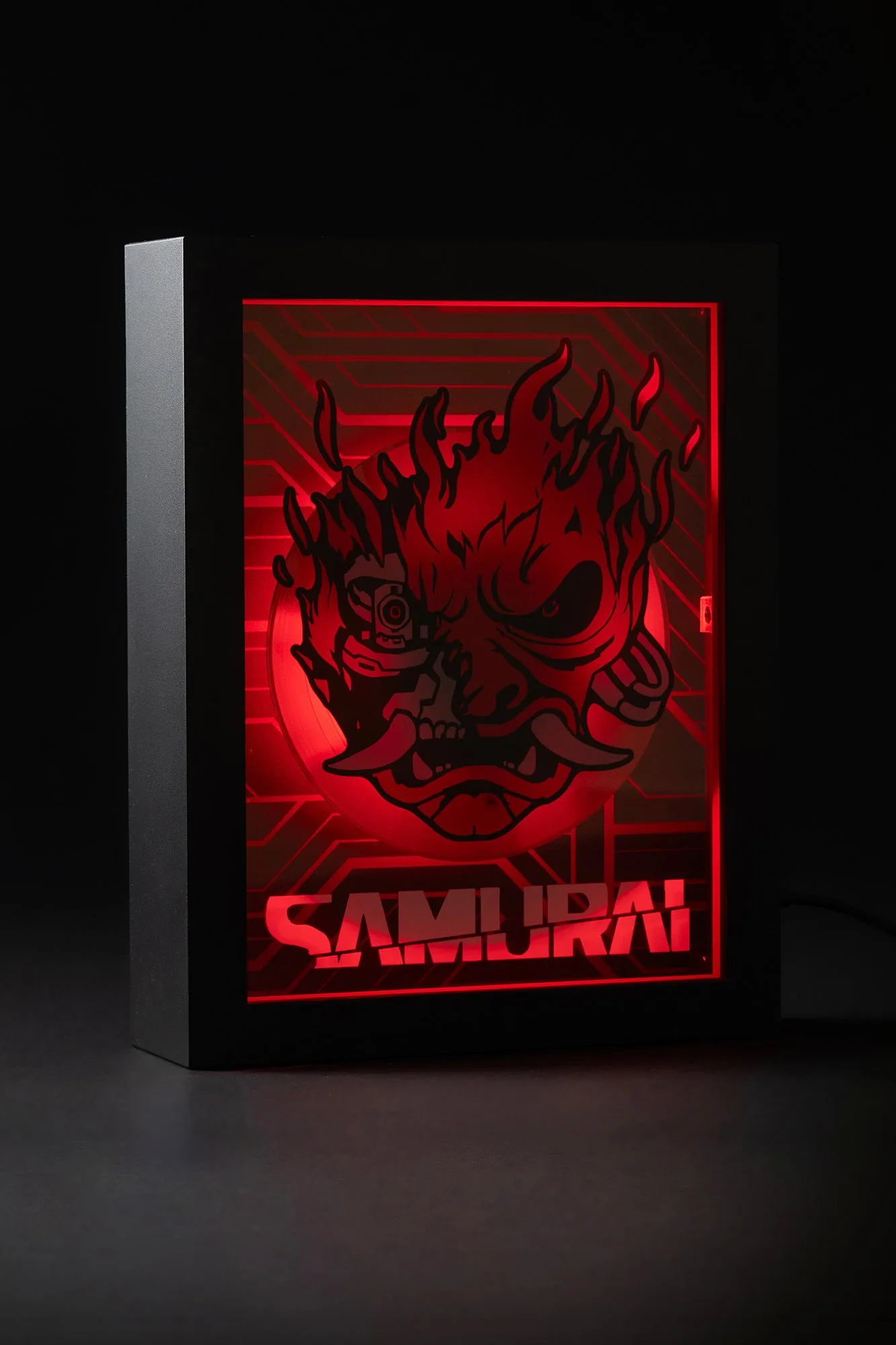
This isn't a static piece. The Samurai Motion Shadowbox combines a printed image with motion, lighting, and sound. The chrome-style frame and flaming skull logo are designed to be seen in a dark room for the full effect.
Because it uses electronics, setup requires a few more steps than a simple figurine. Take your time with the unboxing to avoid damaging the delicate components.
How to unbox and set up the Samurai Motion Shadowbox
- Unbox carefully: Remove the shadowbox from the packaging. Set aside the foam inserts and plastic wrap. Inspect the frame for any damage before proceeding. Watch for thin plastic edges on the frame – they can be fragile.
- Connect power and test: Plug the included USB cable into a standard 5V adapter (not included) or a USB port on your TV or computer. The shadowbox should light up immediately. If the light doesn't turn on, check the cable connection at the back of the frame – it can be loose.
- Activate motion effect: Press the button on the back or side of the frame (depending on your unit) to start the motion. The image will move in a fluid, repeating pattern. The motion is subtle. If it seems stuck, gently tap the frame to reset the mechanism.
- Play audio: Press and hold the same button for 2 seconds to trigger the audio. The shadowbox will play Chippin’ In at a moderate volume. The speaker is small. For louder sound, connect the audio output to an external speaker if your unit supports it (check the manual).
- Use the red glow effect: Turn off the room lights. The shadowbox will automatically switch to a red glow mode, illuminating the flaming skull logo. This is the intended display mode. The red glow is best in a completely dark room. Avoid placing the shadowbox near a window where daylight can wash out the effect.
- Final placement: Mount the shadowbox on a wall using the included hanging hardware, or place it on a shelf. Ensure the USB cable can reach a power source without tension. If mounting on a wall, use a level to keep the frame straight – the motion effect looks best when perfectly horizontal.
Product facts
-
CYBERPUNK 2077 SAMURAI MOTION SHADOWBOX: Features the band’s flaming skull logo, a motion effect, and plays the anthem Chippin’ In. A red glow effect activates when the lights are off. The audio and lighting are the key features. Plan your display location near an outlet and in a spot where you can dim the room lights to appreciate the glow.
CYBERPUNK 2077 SAMURAI MOTION SHADOWBOX