Quick answer
A die cutting machine applies the pressure that pushes metal dies through card and paper to cut shapes. An embossing folder adds raised texture to a sheet, and LetterPress is a system for pressing inked designs for a debossed, letterpress-style finish. If you want cut shapes and frames, you need a die cutting machine; if you want texture or pressed ink effects, folders and LetterPress are the tools to add.
The confusion usually starts with the word machine. A die cutting machine is the press that supplies the force, while dies, embossing folders, and LetterPress are the tools that shape what happens to the paper. Once you separate the press from the tool, choosing gets much easier.
This comparison looks at what each option actually does, what it costs you in space and setup, and where the trade-offs land. It uses real Crafter's Companion products as examples so you can see how the pieces fit together.
What a die cutting machine actually does
A die cutting machine is the press. It holds a sandwich of cutting plates, your chosen die, and your card, then applies pressure so the die's edge cuts through the material. The machine itself does not decide the shape; the die does. That is why one machine can cut squares, rectangles, sentiments, and intricate frames just by swapping dies.
The trade-off is that a machine is the biggest single purchase and takes up the most storage space. Sandwiches also need to be built correctly, and the layer you use matters. If you already own a machine, the cheaper upgrades are dies and folders rather than a second press.
- If you mainly cut basic shapes, a small manual machine covers most card making.
- Check the maximum width your machine accepts before buying a large die set.
What an embossing folder adds
An embossing folder is a textured plastic folder that presses a raised pattern into card or paper. It does not cut the sheet. You run it through a die cutting machine, so the folder depends on the press rather than replacing it. The result is surface texture: dots, florals, brick, linen, and similar patterns.
The trade-off is that a folder gives you one fixed pattern per pass and cannot create a cut shape. It is also limited to the folder's size, so large backgrounds may need two passes or a larger folder. For quick background interest before layering, a folder is often the fastest option.
- Emboss first, then cut layers on top so the texture stays visible.
- Mist card lightly before embossing if you want a softer, deeper impression.
What LetterPress does and when it is worth it
LetterPress is a system for pressing inked designs into card to create a debossed, letterpress-style look. Instead of cutting a shape or raising a pattern, it presses colour and depth into the surface. That makes it a finish tool rather than a cutting tool, and it still relies on a die cutting machine to supply the pressure.
The trade-off is that LetterPress rewards patience. You need the right ink coverage and pressure to get a clean impression, and results vary with card texture. If you want crisp cut shapes, a die is the better first purchase. If you want a premium pressed finish on cards and invitations, LetterPress is the tool that delivers it.
- Test LetterPress on offcuts before committing a full card blank.
- Smooth card usually takes a pressed impression more evenly than heavily textured card.
Die cutting vs embossing: the practical difference
Die cutting removes material to create a shape, so you get apertures, frames, and separate pieces. Embossing displaces material to create a raised surface, so you get texture on a sheet you still have to cut or trim. In a single project you often do both: emboss a background, then die cut a frame or sentiment to sit on top.
The trade-off is time and setup. Die cutting needs the right sandwich and a die for every shape. Embossing needs one folder but gives one pattern. Neither replaces the other, which is why most card makers end up owning both rather than choosing between them.
- Use embossing folders for backgrounds and dies for focal shapes.
- Keep your plate combinations noted so you can repeat a good result.
Trade-offs at a glance
- Die cutting machine: Highest upfront cost and the most storage space, but it is the only option here that cuts shapes and it powers folders and LetterPress too. Buy this first if you want cut shapes, frames, or apertures.
- Embossing folder: Low cost and fast for background texture, but it cannot cut and each folder gives one fixed pattern. Add this after a machine when you want texture without new dies.
- LetterPress: Creates a pressed, debossed ink finish that looks premium, but it needs a machine, the right ink, and practice to get clean results. Choose this for invitations and statement cards, not for basic shape cutting.
Product facts that show the difference
- Crafters Companion - Die Cutting & Embossing - Stitch Edge Square: This set includes 11 square metal dies in a range of sizes, for layering, frames, apertures, and windows. One die set covers many sizes, so you can build layered cards and cut frames without buying several separate square dies.
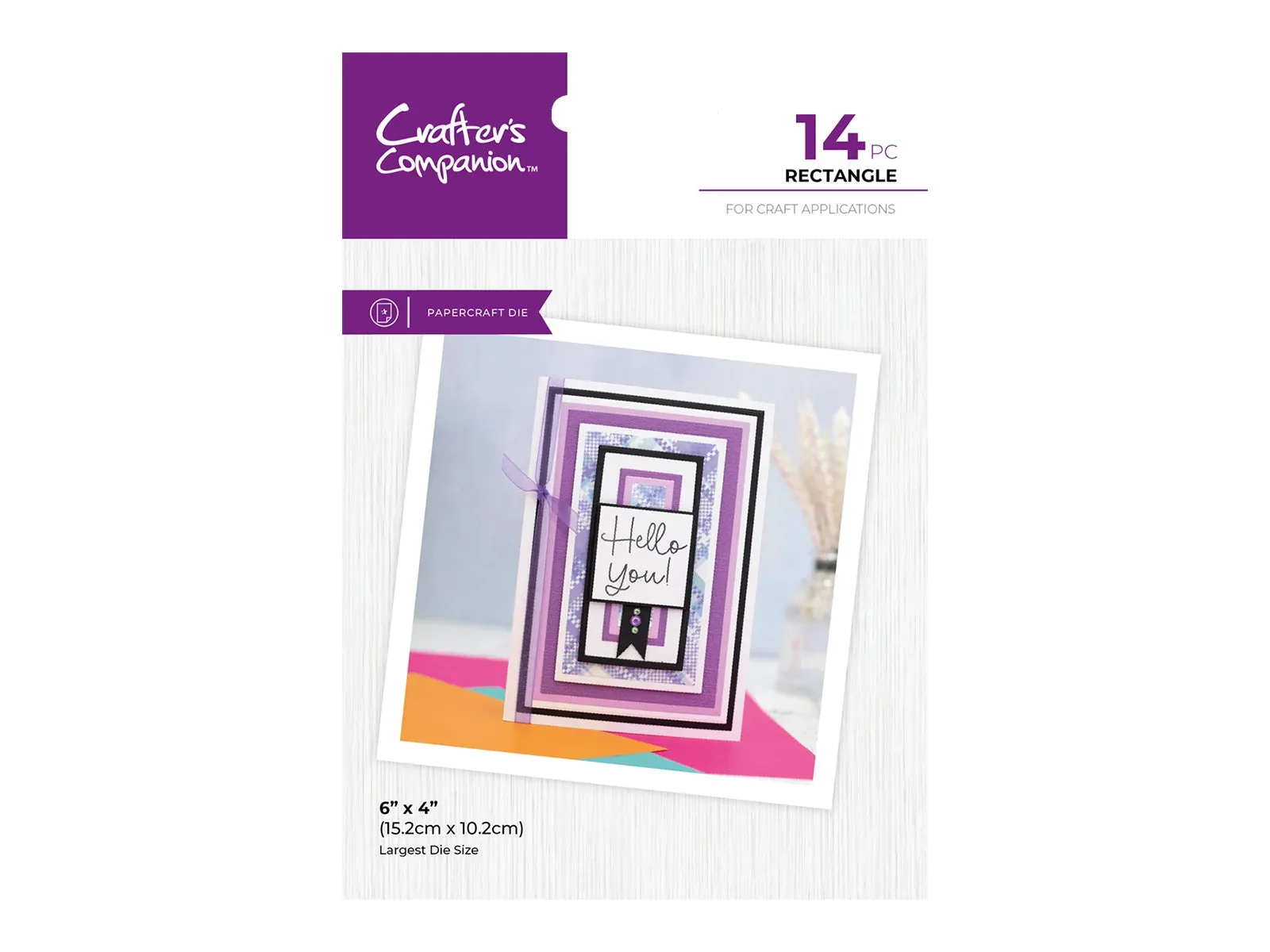
- Crafters Companion Metal Die - Rectangle: This nesting set includes fourteen rectangle dies in different sizes for matt and layer pieces and frames. Nesting sets let you cut matching layers in one pass, which is the fastest way to add dimension to a card front.
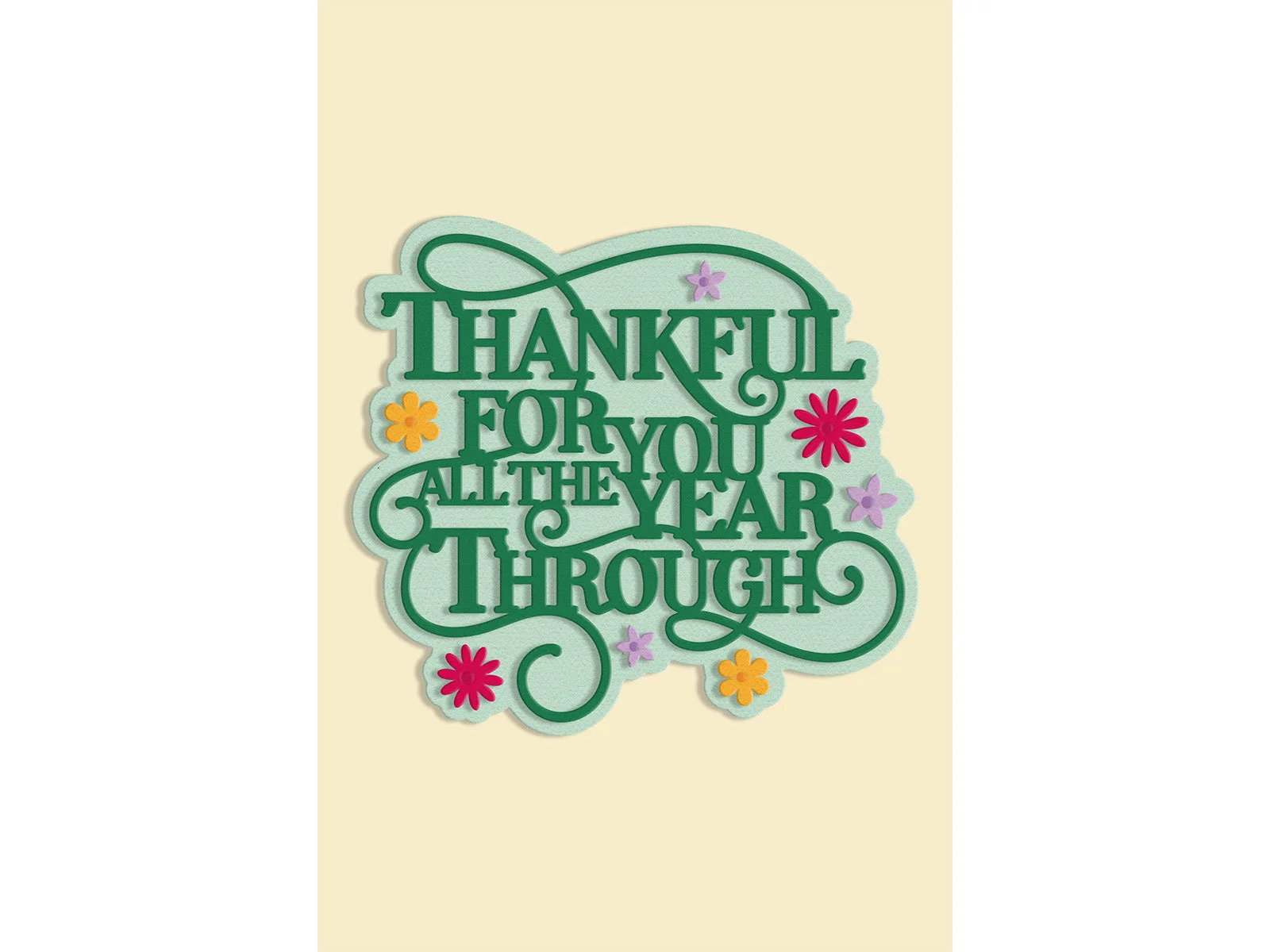
- Thankful for You Sentiment Metal Die Set: The set features the phrase "Thankful for You All the Year Through" with floral accents and swirls, plus an outer edge die. A sentiment die shows how dies handle fine detail and lettering, which is harder to achieve cleanly with a folder or press alone.
- Crafter's Companion Duet ColourBloom Inkpad - Dusk Orchid: Each inkpad holds a curated colour combination; apply water and the shades separate and bloom for colour washes and stamped designs. If you add LetterPress or stamping, an inkpad like this changes the finish, so ink choice is part of the tool decision.
Which should you choose?
Best for
- Card makers who want cut shapes, frames, and layered dimensions
- Crafters building a core kit who will later add folders and LetterPress
- Anyone making repeatable sets of cards who needs consistent die-cut pieces
Not for
- Crafters who only want surface texture and never cut shapes
- Anyone short on storage space who will not use a press regularly
- Beginners who want a single low-cost tool to test one technique first
Start with a die cutting machine if you want to cut shapes, then add an embossing folder for texture and LetterPress when you want a pressed, premium finish. The tools work together, so the real question is which one to buy first, not which one to keep.