Quick answer
To display your Nuketown Brickset, place it at eye level in a dedicated Call of Duty zone, then layer smaller collectibles around it to recreate the map's layout and atmosphere.
Why the Nuketown Brickset deserves a focal spot
Nuketown is one of Call of Duty's most recognizable multiplayer maps. The Youtooz Nuketown Brickset captures the iconic yellow car, the "Welcome to Nuketown" sign, and the barricaded house windows in a blocky, detailed design. Because of its compact size and recognizable silhouette, it works best as a centerpiece rather than being hidden on a cluttered shelf.
Choosing the right shelf or case
A clear acrylic riser or a shallow display case helps the brickset stand out without collecting dust. Avoid deep shelves where the brickset might get lost among other items. Since the set includes small details like the sign and car, a well-lit shelf from above or the side makes those features pop.
Step-by-step display setup
- Choose a dedicated Call of Duty zone: Select a shelf or table section that isn't shared with unrelated collectibles. A 12x12-inch space is enough for the brickset plus a few small figures or keychains. Keep at least 6 inches of clearance above to avoid a cramped look. A focused zone prevents visual clutter and reinforces the theme.
- Position the brickset at eye level: Place the Nuketown Brickset on a riser or small stand so the sign and car are clearly visible. If you have a second shelf below, add a smaller Call of Duty item — like a keychain or mini figure — to create visual depth. Common mistake: setting the brickset too low, where details are hidden behind other objects. Eye-level placement ensures the brickset's details are the first thing visitors notice.
- Add complementary Call of Duty memorabilia: Group smaller collectibles (patches, pins, or keychains) around the brickset's base, but leave the immediate foreground clear. Avoid stacking items on the brickset itself. If you have a Liberty Falls or other map-themed piece, place it on a separate riser nearby for a cohesive map collection. Layering smaller items around — not on — the brickset keeps the display balanced.
- Light from above or the side: Use a small LED spotlight or a shelf light aimed at the brickset from a 45-degree angle. Direct overhead light can flatten the details, while side lighting highlights the sign text and car contours. Avoid placing the brickset in direct sunlight to prevent color fading. Side lighting adds depth; overhead light washes out the sign.
- Rotate or refresh every few months: Swap out the surrounding items or adjust the brickset's angle to keep the display feeling new. If you add a new Call of Duty collectible, reassess the layout to maintain the Nuketown brickset as the anchor. Regular rotation keeps the display engaging and prevents dust buildup.
Product spotlight
-
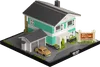
Nuketown Brickset: The Nuketown Brickset includes a yellow car in the driveway and a beige-and-orange "Welcome to Nuketown - Population 01" sign on lush green grass. These details anchor the map's identity, so placing the brickset where those elements are visible — like at eye level or under a spotlight — instantly communicates the Call of Duty setting.
Nuketown Brickset