Quick answer
To display photos in an acrylic photo cube, choose six images that work together, cut them to size, and insert them into each panel. The Kenro Acrylic Photo Cube makes this easy with a pull-apart design for quick updates.
Choosing the right photos for your cube
Because the cube shows six sides at once, select images that share a consistent theme or color palette. A mix of vertical and horizontal shots can feel disjointed—stick to one orientation for a clean look. For a desk accessory, pick photos that make you smile every time you glance over.
Why the Kenro cube works well for this project
The Kenro Acrylic Photo Cube measures 3.25 x 3.25 inches (8.5 x 8.5 cm) per side, so each photo needs to be trimmed to exactly that size. Its pull-apart design means you can swap images without tools or adhesives—ideal for seasonal updates or rotating holiday memories.
How to assemble your photo cube
- Select and trim your photos: Choose six images and trim each to exactly 3.25 x 3.25 inches (8.5 x 8.5 cm). Use a sharp craft knife or scissors for clean edges. Check the first trimmed photo against the cube panel before cutting the rest.
- Separate the cube panels: Gently pull the cube apart along the seams. The Kenro cube is designed to come apart easily, but work slowly to avoid cracking the acrylic. If the panels feel stuck, run a thin blade along the seam—do not force them apart.
- Insert each photo into its panel: Place one photo into each of the six panels, making sure the image faces outward. Smooth out any air bubbles or wrinkles with a soft cloth. Avoid touching the photo surface with oily fingers; handle prints by the edges.
- Reassemble the cube: Press the panels back together firmly until they click into place. Rotate the cube to check that all images are aligned and no edges are visible. If a photo shifts during assembly, separate the panels again and reposition it.
- Display and update as desired: Place the cube on a desk, shelf, or table where all sides are visible. To change photos, simply pull the cube apart and swap the images. Store spare trimmed photos in a small envelope to keep them dust-free for future swaps.
Product facts
-
Kenro Acrylic Photo Cube – 3.25" x 3.25" Multi-Photo Display: Each cube holds six photos, one on each side, measuring 3.25 x 3.25 inches (8.5 x 8.5 cm). You must trim your prints to exactly 3.25 x 3.25 inches to avoid gaps or bulging when the cube is reassembled.
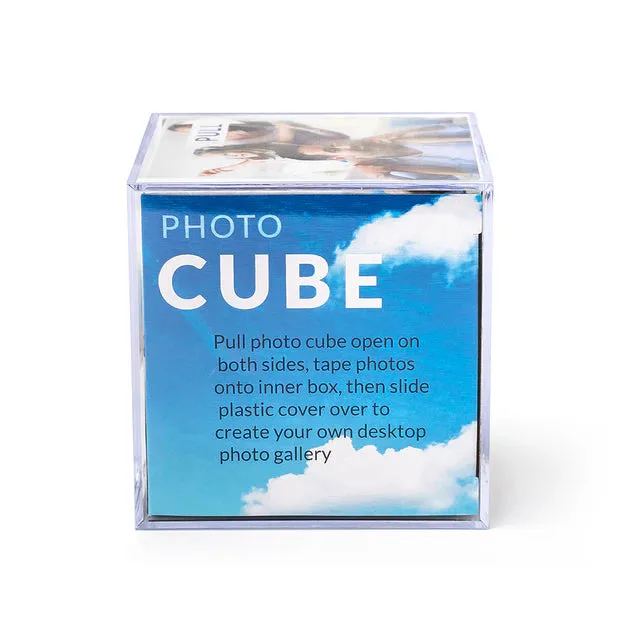
Kenro Acrylic Photo Cube – 3.25" x 3.25" Multi-Photo Display
