Quick Answer
To get the most from your DJI Mavic Mini battery, focus on smart charging habits, proper storage, and smooth flying techniques. These steps can add meaningful minutes to each flight.
Why Battery Care Matters
The DJI Mavic Mini Intelligent Flight Battery has a maximum flight time of 30 minutes, but real-world conditions like wind, temperature, and flight style often reduce that. Understanding how to care for the battery helps you stay closer to that maximum and prolong its lifespan.
The built-in Intelligent Battery Management System monitors status in real time, so you can trust the battery percentage indicator. But even smart batteries degrade faster if you consistently drain them to zero or store them fully charged in heat.
Charging Smart with the Hub
If you own multiple batteries, the Two-Way Charging Hub (sold in the 4pcs bundle) charges up to three batteries in sequence. That means you can top up all your batteries overnight with a single DJI 18 W USB charger, though it takes about 270 minutes to charge all three.
The hub also doubles as a power bank, so you can recharge your phone or remote controller in the field. That is handy, but remember that using the hub as a power bank drains battery charge you might need for flying.
Steps to Extend Flight Time
- Charge to 100% Before Flight: Always start with a fully charged battery. Partial charges reduce available flight time and can confuse the battery management system. Use the DJI 18 W charger and the charging hub to ensure a full charge. Check the battery level indicator before you leave home.
- Warm Up the Battery in Cold Weather: Cold temperatures reduce battery performance and can trigger low-voltage warnings. Keep batteries warm in an insulated pocket until you're ready to fly, and avoid flying in temperatures below 0°C (32°F) if possible. If the battery feels cold, wait for it to warm up before takeoff.
- Fly Smoothly and Avoid Aggressive Maneuvers: Rapid acceleration, hard braking, and high-speed wind resistance drain the battery faster. Use gentle stick inputs and fly with the wind on the return leg to conserve power. Plan your flight path to end with a downwind return.
- Land with 20-30% Battery Remaining: Avoid draining the battery to zero. Landing with 20-30% remaining helps protect the battery's long-term health and gives you a safety buffer for unexpected wind or obstacles. Set a low-battery warning at 30% to remind you to return.
- Store at 40-60% Charge for Long-Term Storage: If you won't fly for more than a week, store the battery at about 40-60% charge in a cool, dry place. Avoid storing fully charged or fully depleted batteries, as both degrade capacity faster. Check stored batteries every few months and top up to 50% if needed.
Products That Help
-
DJI Mavic Mini Battery: The DJI Mavic Mini Intelligent Flight Battery provides a maximum flight time of 30 minutes and features a built-in Intelligent Battery Management System. A battery with real-time status monitoring lets you trust the power indicator, so you can focus on flying and land before the battery is critically low.
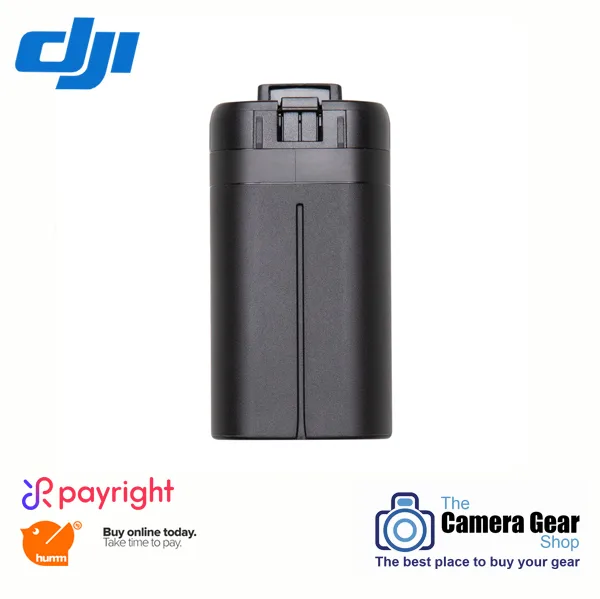
DJI Mavic Mini Battery
-
4pcs Original DJI Mavic Mini Battery Intelligent 2400mAh Batteries Charging Hub For Dji Mavic Fly Accessories: The Two-Way Charging Hub charges up to three batteries in sequence, takes 270 minutes to charge all with a DJI 18 W USB charger, and can be used as a power bank. Having a hub lets you charge multiple batteries from one outlet and even top up your phone or remote, making it easier to keep flying throughout the day.
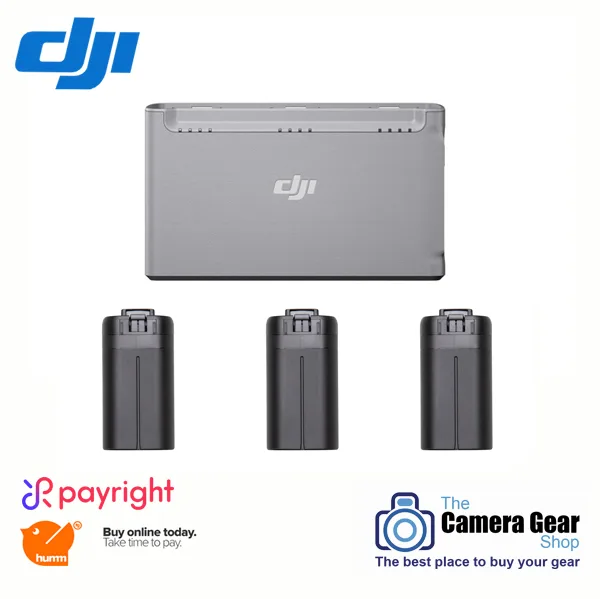
4pcs Original DJI Mavic Mini Battery Intelligent 2400mAh Batteries Charging Hub For Dji Mavic Fly Accessories


