Quick answer
A Dreamcast shell swap is a straight parts transfer, not a soldering job: open the console, lift the board and drive out as one assembly, then reseat everything in the new housing. Buy a shell with pre-threaded screw holes and reuse your original screws, and work slowly around the screw posts, which are the parts most likely to crack. Budget 45-90 minutes for a first attempt.
What you need before you open the console
Gather a Phillips #1 and #2 screwdriver, a small flathead or plastic pry tool, a container for screws, and a clean tray for the board. A magnetic mat or a strip of tape labelled by location saves you from guessing which screw goes where on reassembly.
You do not need to desolder anything for a housing replacement. The disc drive, mainboard, and power board stay connected to each other and come out as a stack. If your drive is already failing, this is the moment to decide whether to replace it while the case is open rather than opening the console twice.
How the third-party shell differs from the original
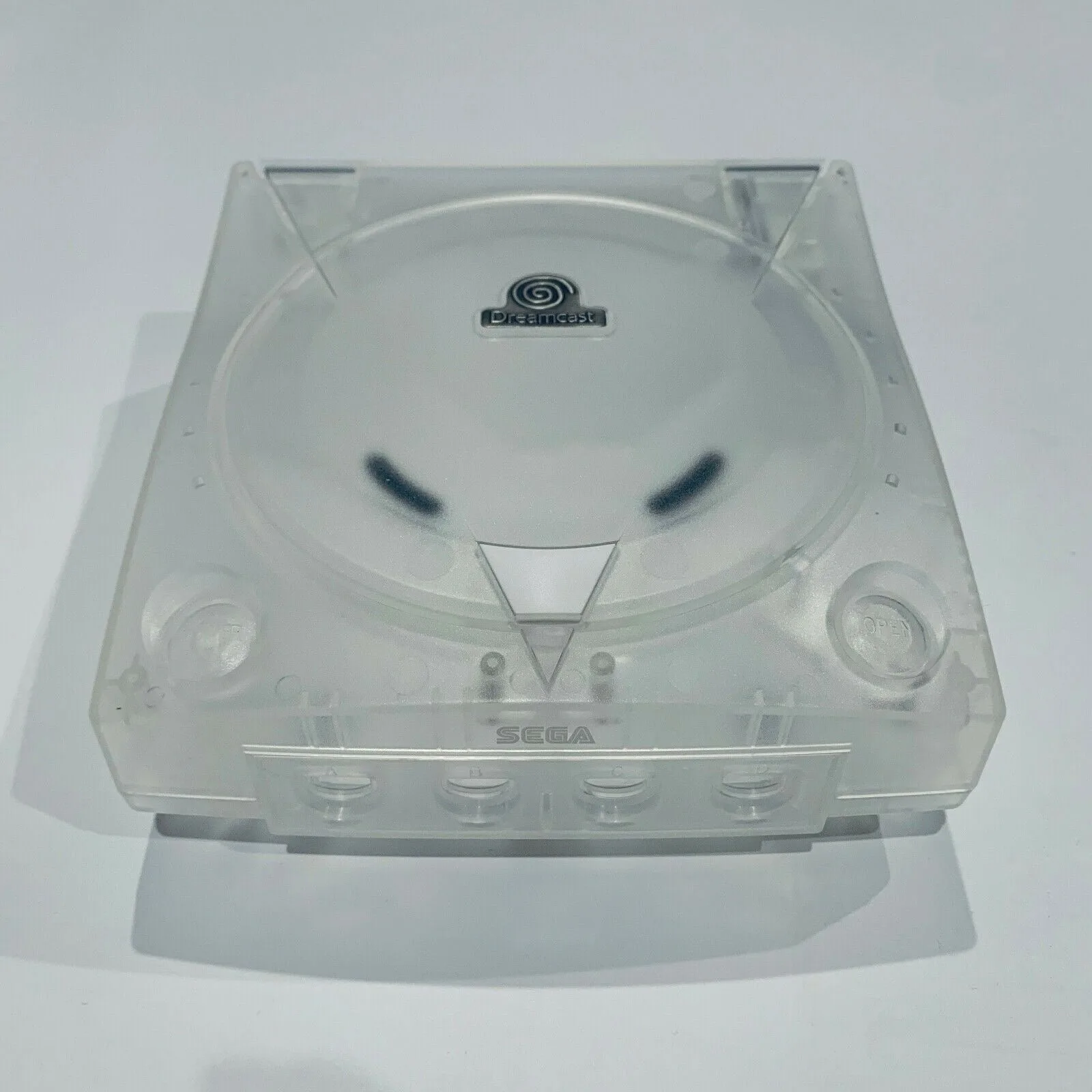
Third-party shells are molded reproductions, so tolerances vary slightly from the factory case. Pre-threaded screw holes are the feature that matters most: they let you drive the original screws in without cutting new threads, which is where most cracked posts happen. If a shell you are considering does not list pre-threaded holes, expect to chase threads yourself and treat that as a real risk.
Color and finish are the other variable. Crystal shells show dust, hair, and any leftover thermal paste instantly, so clean the inside of the case before you close it. Opaque colors hide minor scuffs and are more forgiving if this is your first swap.
Reassembly order that avoids rework
Seat the board stack into the bottom half first, then route the controller port and fan cables before you place the top shell. Cables pinched between the halves are the most common cause of a console that powers on but reads no controller.
Close the case loosely, test the lid latch and the power button travel, then tighten screws in a cross pattern. If the lid binds, loosen the screws a quarter turn and check that the hinge pins are fully seated before forcing it.
Dreamcast shell swap steps
- 1. Remove the four base screws: Flip the console upside down and remove the four screws in the base, then lift the bottom shell away. Keep the screws in a labelled container. Checkpoint: if a screw will not turn, stop and check for a stripped head rather than forcing it.
- 2. Separate the top shell from the board stack: Unclip the lid and lift the top half straight up. Do not pull the controller port cables or the fan connector. Common mistake: prying at the seam with a metal tool and scratching the original case you may want to keep.
- 3. Lift the board and drive out as one unit: Support the board from underneath and lift the mainboard, disc drive, and power board together. Set them on a clean tray. Checkpoint: confirm no cables are still attached to the bottom shell before lifting.
- 4. Transfer the controller port board and fan: Move the controller port assembly and fan into the new bottom shell, seating each in its molded recess before adding screws. Common mistake: overtightening the fan screws, which can distort the housing and cause vibration.
- 5. Seat the board stack in the new bottom shell: Lower the assembly in, align the screw posts, and start each screw by hand before using a driver. Checkpoint: every post should line up with no pressure on the board. If it does not, the stack is not fully seated.
- 6. Fit the top shell and test before final tightening: Place the top half, close the lid, and press the power button to check travel. Tighten screws in a cross pattern once everything moves freely. Common mistake: fully tightening one side first, which tilts the shell and binds the lid latch.
- 7. Power on and verify the lid and controller: Boot the console, open and close the lid, and test a controller in port one. If the controller is not detected, reopen the case and check the controller port cable is not pinched between the halves.
Parts that fit this job
- Dreamcast 3rd Party Shells: Third-party replacement shells for Sega Dreamcast consoles, available in crystal and opaque colors, with pre-threaded screw holes. Screws are not included, so you reuse the originals. Pre-threaded holes reduce the risk of cracking posts during install, and reusing original screws means you do not need to source a hardware kit.
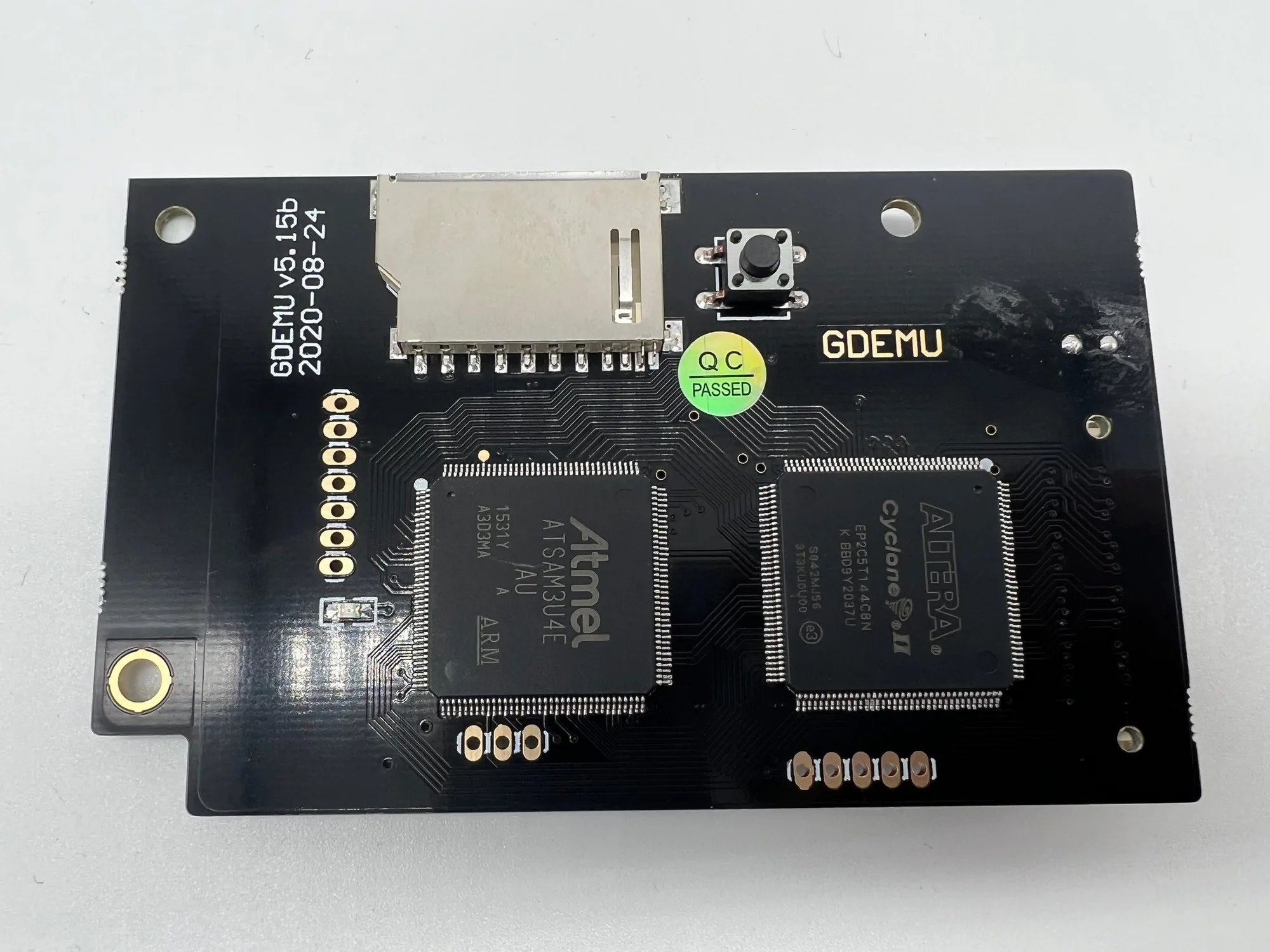
- GDEMU 5.15b Optical Drive Emulator: An SD card based replacement for the Dreamcast disc drive, with 100% compatibility with existing software and no custom BIOS required. If your GD-ROM drive is already failing, installing it during the shell swap saves you from disassembling the freshly built console a second time.