Quick answer
Choose the Dual Dock Stand if you need integrated NVMe SSD storage and a compact stand for your laptop. Choose the Thunderbolt 4 Multimedia Pro Dock if you require maximum connectivity with 16 ports and Thunderbolt 4 speeds for creative workflows.
Design and form factor
The Dual Dock Stand is a two-in-one dock and stand that elevates your laptop, freeing desk space while adding ports and an NVMe SSD slot. The Thunderbolt 4 Multimedia Pro Dock is a traditional desktop hub without a stand, designed to sit on your desk and connect multiple peripherals.
Connectivity and performance
The Dual Dock Stand uses dual USB-C connectors to deliver power and data, but both must be plugged in simultaneously. The Thunderbolt 4 Multimedia Pro Dock offers Thunderbolt 4 speeds (up to 40Gbps) and a 16-in-1 port selection, making it better for high-bandwidth tasks like video editing or connecting multiple 4K displays.
Trade-offs to consider
- Integrated SSD vs external drive: The Dual Dock Stand includes an NVMe SSD enclosure, letting you add internal-style storage without a separate enclosure. The Thunderbolt 4 Dock lacks built-in storage but offers faster Thunderbolt 4 speeds for external drives.
- Port count and variety: The Thunderbolt 4 Multimedia Pro Dock provides 16 ports, including Thunderbolt 4, USB-C, USB-A, HDMI, Ethernet, and audio. The Dual Dock Stand has fewer ports but covers essentials like USB-C, USB-A, HDMI, and SD card reader.
- Stand vs desktop hub: The Dual Dock Stand elevates your laptop for better ergonomics and airflow. The Thunderbolt 4 Dock is a stationary hub that stays on your desk, leaving your laptop free to move. If desk space is tight and you want a cleaner setup, the Dual Dock Stand's stand design helps. If you need to connect many devices simultaneously, the Thunderbolt 4 Dock's port count wins.
Product facts at a glance
-
Dual Dock Stand - Docking Station with NVMe SSD Enclosure: Designed for business and creative professionals, this dual dock transforms an Apple MacBook or Windows laptop into a powerful hub. It combines a stand with a docking station and an NVMe SSD enclosure, so you can add fast storage while keeping your desk tidy.
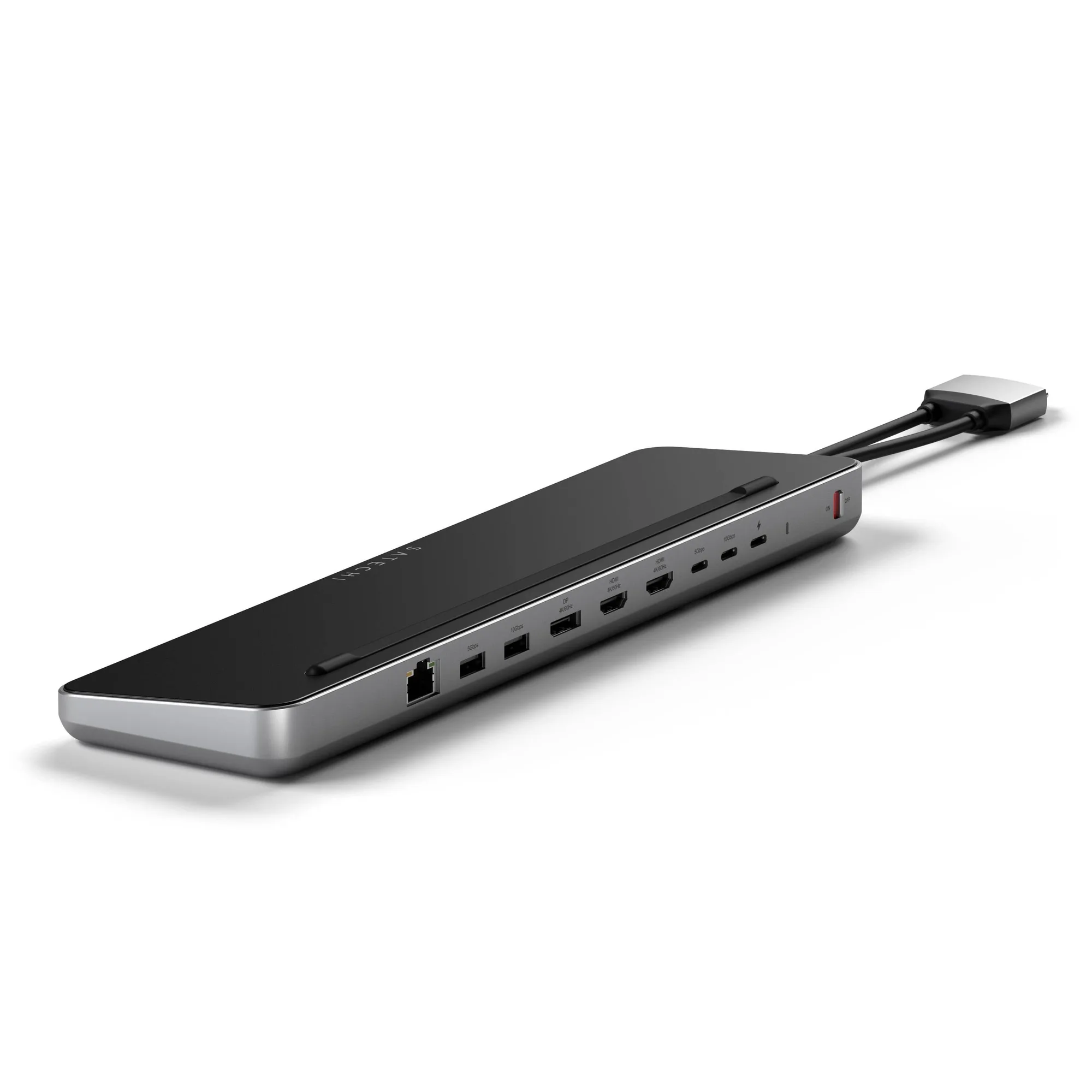
Dual Dock Stand - Docking Station with NVMe SSD Enclosure
-
Thunderbolt 4 Multimedia Pro Dock: Meticulously crafted with creative professionals and content creators in mind, this 16-in-1 powerhouse has everything you need to spark innovation and power up productivity. Its Thunderbolt 4 connectivity and extensive port selection support demanding peripherals and multiple high-resolution displays without bottlenecks.
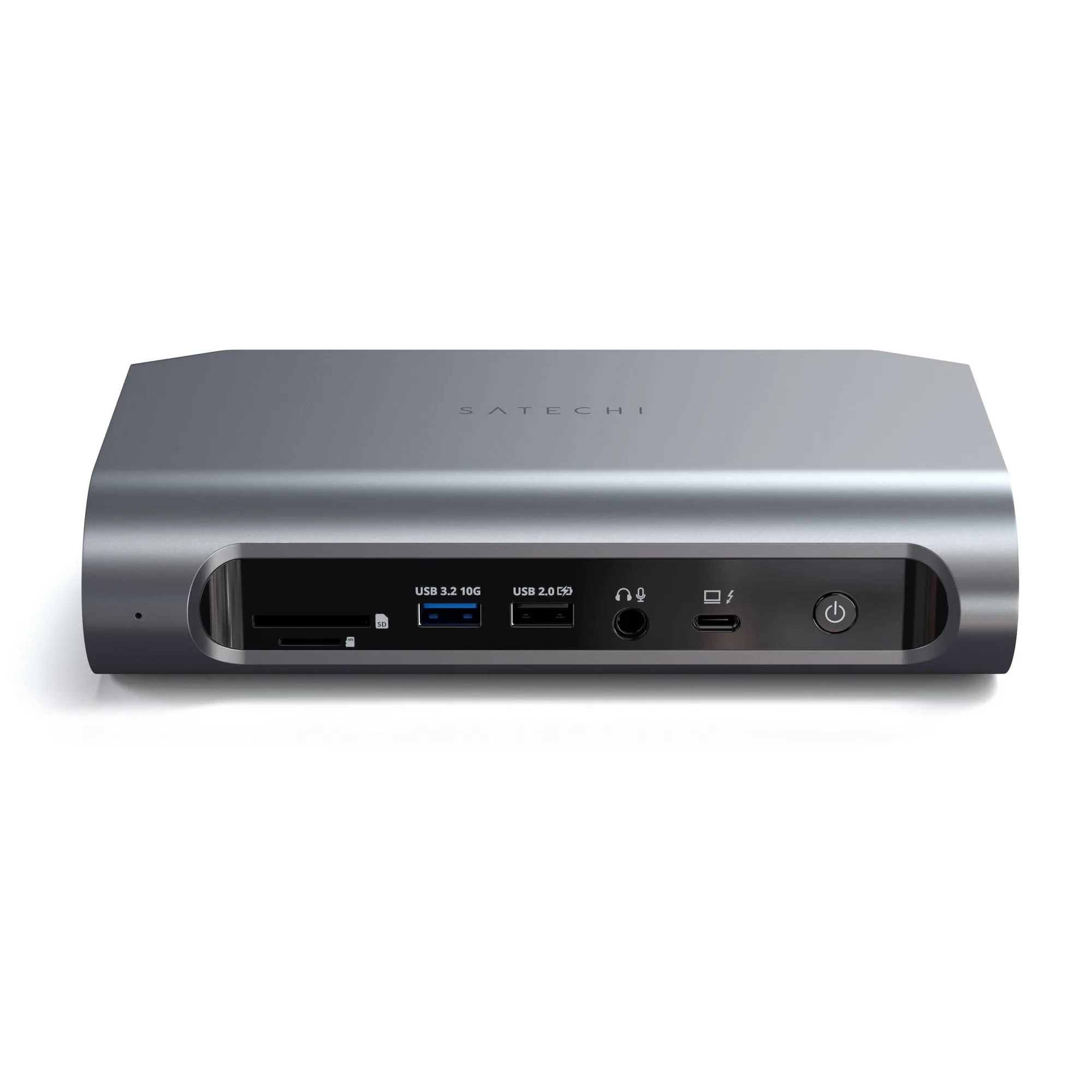
Thunderbolt 4 Multimedia Pro Dock
Which dock is right for you?
Best for
- Users who want a space-saving stand with built-in NVMe SSD storage for their laptop
- Professionals who need a reliable dock for everyday connectivity and file access without Thunderbolt 4 speeds
Not ideal for
- Creative professionals requiring Thunderbolt 4 speeds and a high port count for multiple 4K displays and fast external drives