Quick answer
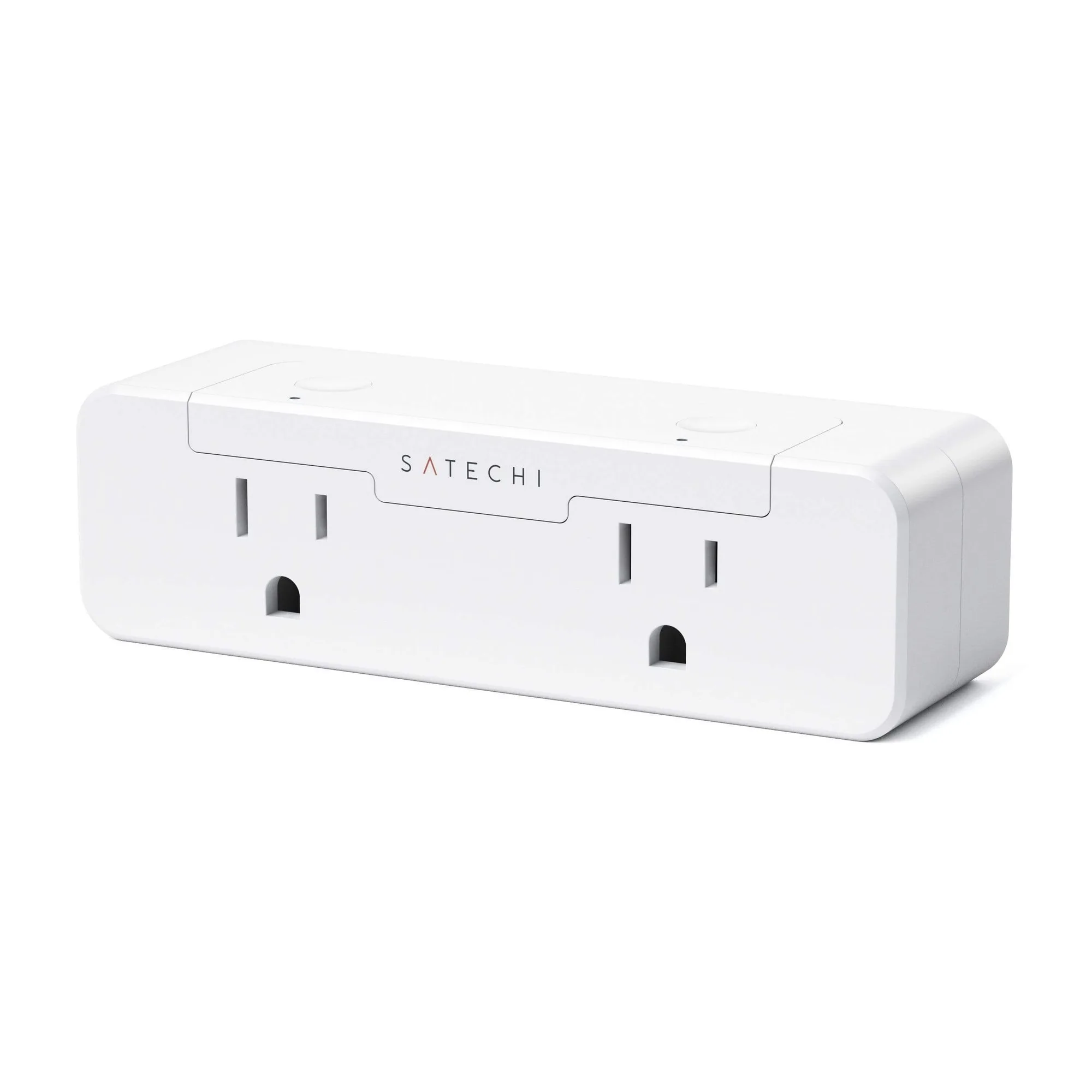
Buy a dual smart outlet when you want two independently controlled AC sockets in one wall plate and you value a cleaner, permanent install over portability. If you rent, move devices often, or need to reposition control, a smart plug is the more flexible choice. For most home offices, the Satechi Dual Smart Outlet is the right pick because it gives you two controllable outlets and real-time energy monitoring without extra hardware.
Smart plug vs smart outlet: the decision that matters first
The core difference is installation and permanence. A smart plug sits between an existing outlet and your device, so you can move it, pack it, or repurpose it in seconds. A smart outlet replaces the wall receptacle itself, giving you smart control without an extra block sticking out. That makes a dual smart outlet better for a fixed desk, a coffee station, or a lamp pair you never move. A smart plug is better for renters, for devices you relocate, or when you want to add control without touching wiring.
What to check before you buy a dual smart outlet
Start with the physical fit: a dual smart outlet occupies a standard wall box, so confirm the box depth and wiring are compatible or plan for an electrician. Next, count how many devices you actually need to control separately. Two individually switched outlets cover a desk lamp plus a monitor, or a coffee maker plus a kettle, without daisy-chaining. Finally, decide whether energy monitoring matters. If you want to see how much power a device draws over time, choose a model that reports consumption; if you only need on/off schedules, you can save money by skipping that feature.
Scheduling and compatibility: what actually works day to day
Scheduling is the feature you will use most. Look for the ability to set independent timers or routines for each outlet, so your desk lamp turns off at night while your router stays on. Compatibility is simpler than it sounds: most smart outlets pair with a phone app and common voice assistants, but check the app ecosystem you already use before buying. If your home Wi-Fi is 5 GHz only, confirm the outlet supports it or plan to use a 2.4 GHz band. For a desk setup, the best routine is often a morning power-on for your monitor and speakers and an evening shutdown for everything except charging gear.
Where a dual smart outlet fits in a home office power plan
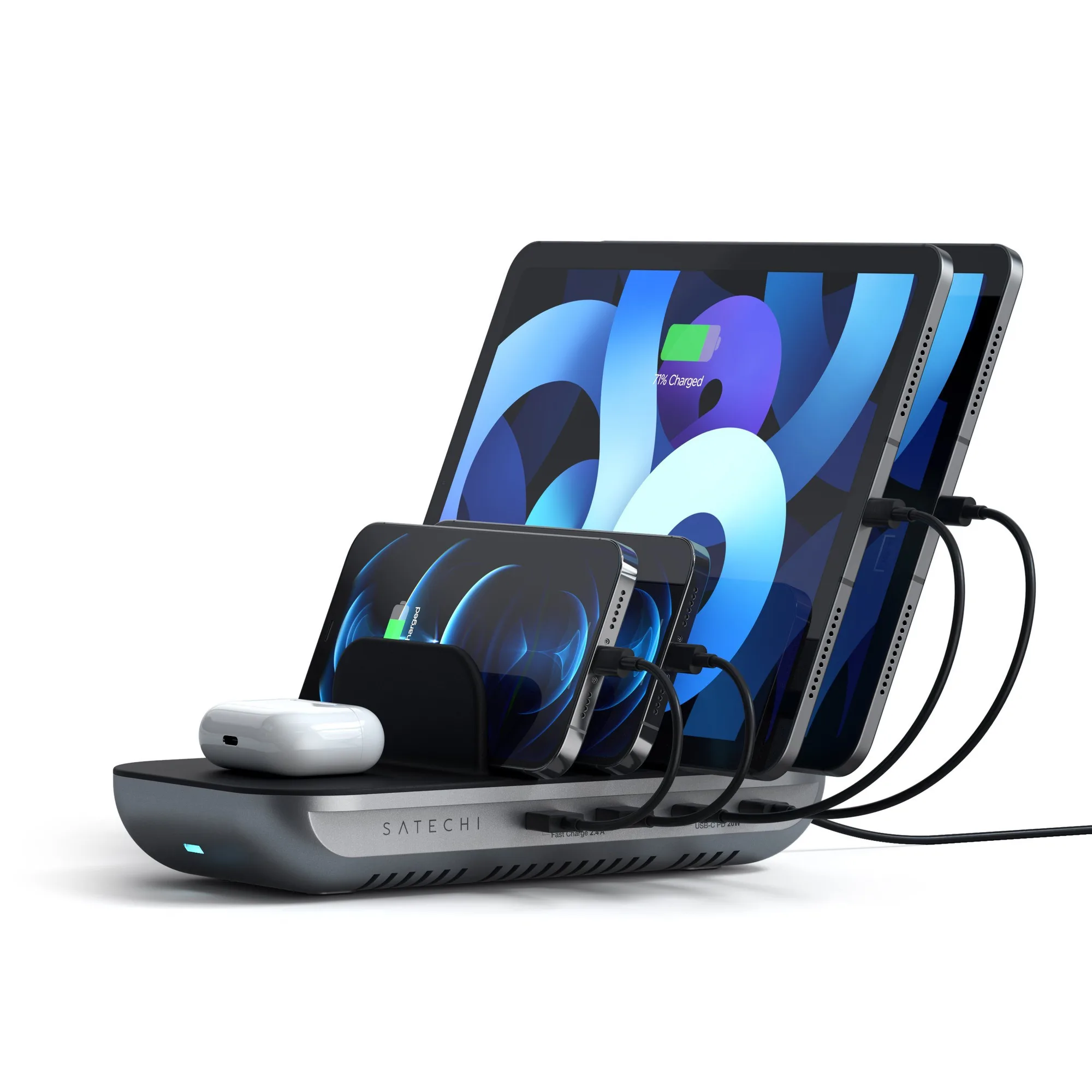
A dual smart outlet is one piece of a larger power layout. Use it for the two devices you want on a schedule or want to measure. For everything else, a charging station keeps cables organized and avoids outlet clutter. For example, the Satechi Dock5 Multi-Device Charging Station powers five USB devices at once with two USB-C PD ports, two USB-A ports, and a Qi wireless pad, so your phone, tablet, and headphones have a dedicated home. Pair that with a dual smart outlet for the lamp and monitor, and you stop unplugging things to make room.
Decision rules for buying a dual smart outlet
- Renting or moving soon?: Choose a smart plug instead of a smart outlet. You avoid wiring changes and can take it with you. Renters: smart plug. Owners with a fixed desk: dual smart outlet.
- Need to control two devices separately?: A dual smart outlet with individually switched sockets is the cleanest solution. One outlet, two schedules, no extra blocks. If you only need one controlled device, a single smart plug is cheaper and simpler.
- Want to track energy use?: Pick a model with real-time monitoring, like the Satechi Dual Smart Outlet. If you never check power data, skip this feature and save. Monitoring is worth it for always-on devices like routers, printers, or space heaters.
- Is your Wi-Fi 5 GHz only?: Many smart outlets require a 2.4 GHz network. Check your router settings before buying or enable a 2.4 GHz band. Confirm compatibility first; it is the most common setup blocker.
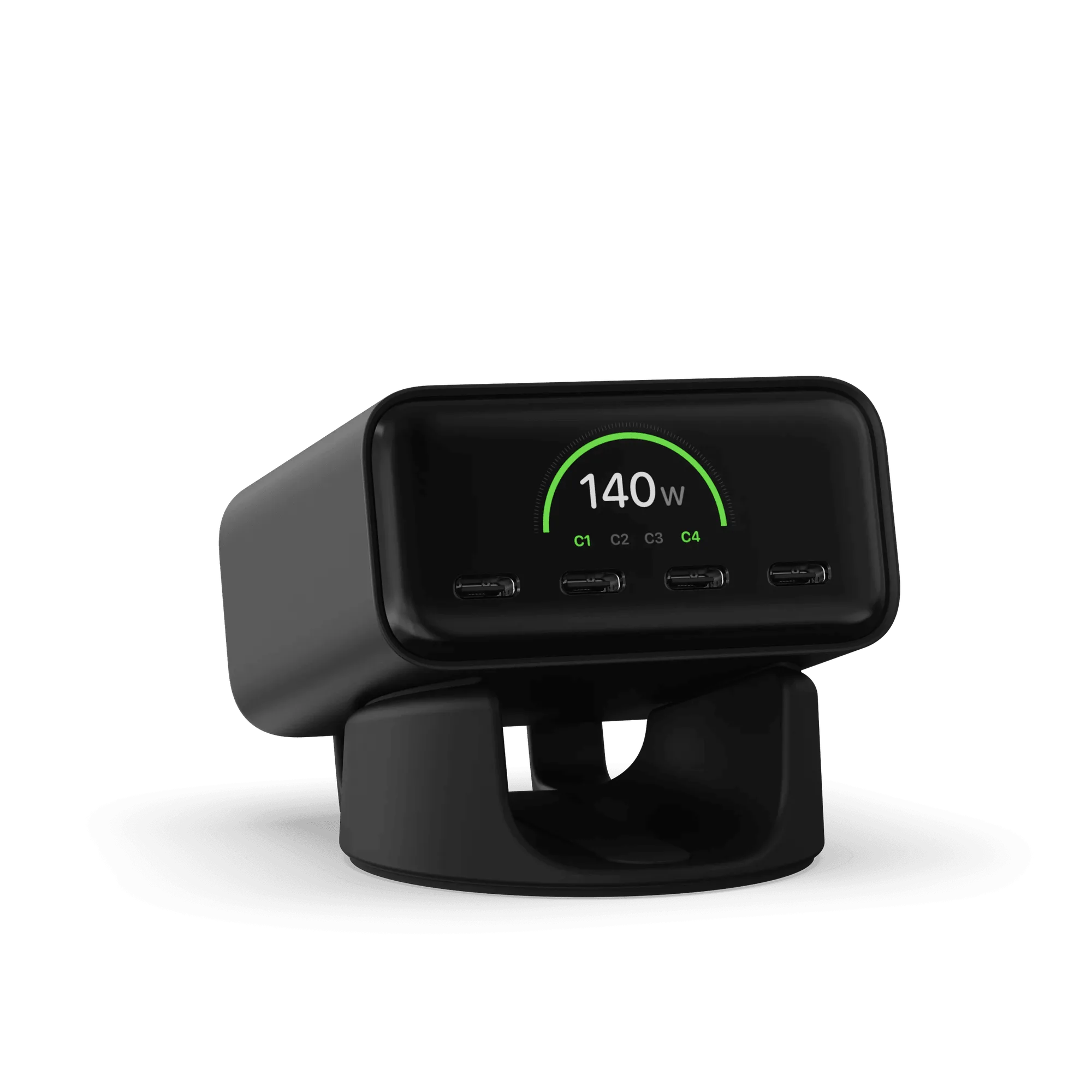
- Do you need high-wattage USB-C charging?: Keep laptop charging on a dedicated desktop charger like the ChargeView 140W and reserve the smart outlet for AC devices. Separate high-power charging from scheduled AC control for a safer, more reliable desk.
Product facts to know
- Dual Smart Outlet: Dual Smart Outlet features dual power outlets to individually control up to two connected appliances at once and real-time monitoring of your devices’ power consumption over time. You can schedule a lamp and a coffee maker separately and see which device is driving your energy use, without adding a second smart plug.
- Dock5 Multi-Device Charging Station: Dock5 Multi-Device Charging Station powers five USB devices at the same time with two USB-C PD ports, two USB-A ports, and a designated Qi wireless charging pad. Charging cables are sold separately. It handles your USB charging so the dual smart outlet can stay reserved for AC devices you want on a schedule or monitor.
- ChargeView™ 140W Desktop Charger: ChargeView 140W Desktop Charger delivers fast, reliable USB-C power while its integrated digital display reveals exactly how power is distributed across connected devices. If you need high-wattage laptop charging at the desk, this keeps that load off your smart outlet and shows you where the power goes.
Who should buy a dual smart outlet
Best for
- Homeowners with a fixed desk who want two independently scheduled AC outlets
- Anyone who wants to monitor power use of lamps, coffee makers, or always-on devices
- Households that want a cleaner wall plate without extra smart plug blocks
Not for
- Renters who cannot modify wiring or who move frequently
- Desks that only need one controlled device and no energy data
- Users who need to reposition control often or prefer portable solutions