Quick answer
The DUO Synthesizer for Two is designed for two players to create music together. Start by positioning yourselves on opposite sides, then explore each side's unique controls to build a collaborative performance.
Understanding the two-sided design
The DUO Synthesizer is built around a shared experience. Each side has its own set of controls—one for sound design using two oscillators with variable pulse width and a 2-pole low pass filter, and the other for rhythm with two drum pads for kick and snare. This division means one player can shape the melody while the other provides the beat, but it also requires clear communication to avoid stepping on each other's parts.
Setting up for a duet
Place the synthesizer on a flat surface where both players can comfortably reach their side. No external mixer is needed—the DUO mixes both sides internally. A common mistake is to crowd the instrument; give each player enough elbow room to access knobs and pads without bumping hands.
How to play the DUO Synthesizer together
- Step 1: Assign roles: Decide who will handle the sound-design side (oscillators and filter) and who will handle the drum pads. This prevents confusion during play. A common mistake is both players trying to tweak the same controls at once—agree on roles before starting. Clear role assignment avoids mid-performance conflicts.
- Step 2: Power up and set a basic patch: Turn on the DUO and set the oscillators to a simple waveform (e.g., sawtooth) with the filter fully open. The drum side defaults to kick and snare sounds. Check that both sides produce audio. A common mistake is forgetting to adjust volume levels—start with both sides at moderate volume to hear each other clearly. Always balance volume between sides before layering sounds.
- Step 3: Start with a simple call-and-response pattern: Have the sound-design player play a short melodic phrase, then the drum player responds with a beat. Alternate roles to build a groove. A common mistake is both players playing at once without listening—leave space for each other's parts. Call-and-response builds a natural musical conversation.
- Step 4: Layer both sides together: Once comfortable, play both sides simultaneously. The sound-design player can adjust the filter cutoff or pulse width to change the timbre while the drum player varies the kick and snare patterns. A common mistake is making too many changes at once—change one parameter at a time to hear the effect. Incremental changes keep the performance cohesive.
- Step 5: Experiment with the collaborative controls: Try having one player control the filter while the other plays the oscillators, or swap roles mid-song. The DUO's design encourages this kind of interplay. A common mistake is sticking to fixed roles—switching roles keeps the performance fresh and teaches both players the instrument. Role swapping unlocks the full collaborative potential.
Product highlights
-
DUO Synthesizer for Two: The DUO from Dato features two distinct sides that complement each other during performance, with one side dedicated to sound design using two oscillators with variable pulse width and a 2-pole low pass filter, and the other side offering two drum pads for kick and snare sounds. This split design lets one player focus on melodic or bass lines while the other controls percussion, making real-time collaboration intuitive without needing extra gear.
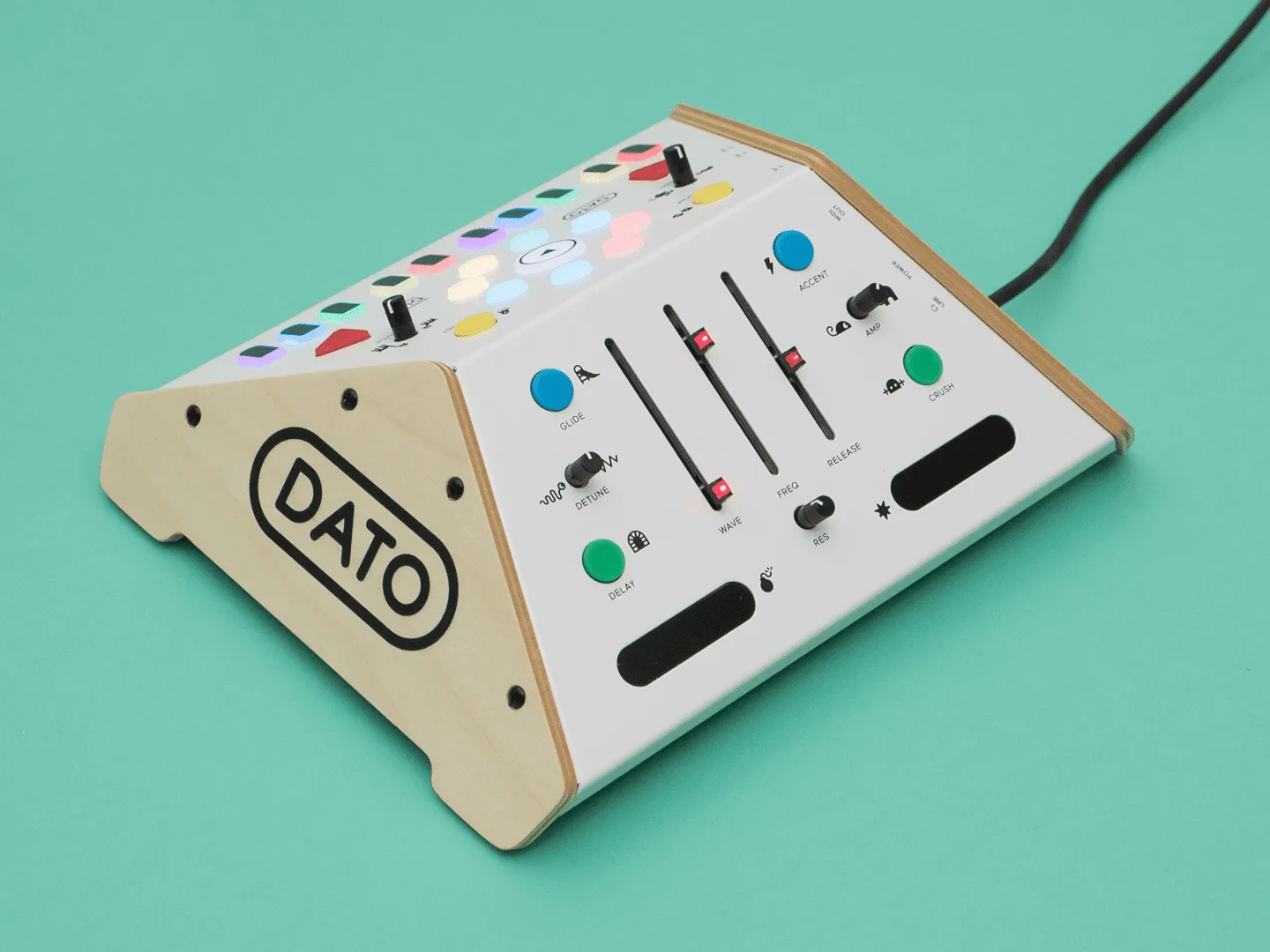
DUO Synthesizer for Two


