Why a one-button timer suits busy gardeners
If you have ever forgotten to turn off the sprinkler, the Easy One Touch Manual Timer is designed to take that worry away. It is a manual tap timer with no complicated dials or programming—just a single button to select your watering duration. The timer then counts down and shuts off the water for you.
This guide walks through the setup and daily use of the Hoselink Easy One Touch Manual Timer, based on the supplied product information. You will see what the timer does, how to prepare it, and how to run a watering session.
What the Easy One Touch Manual Timer does
-
Easy One Touch Manual Timer: Easy single-button operation: press the button to select your desired watering duration, from 10 minutes to an hour. You do not need to learn a programming sequence—one button sets the run time.
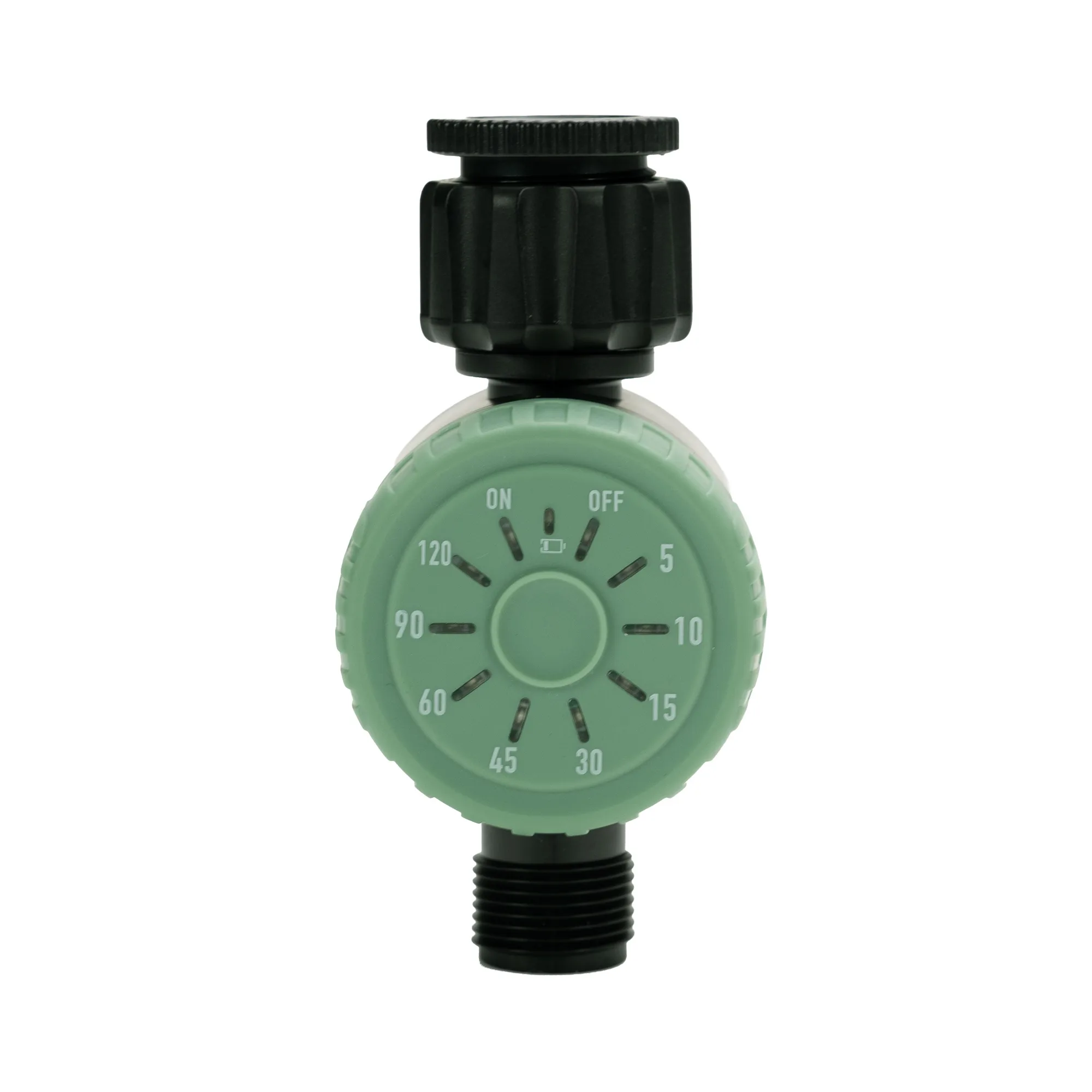
Easy One Touch Manual Timer
-
Easy One Touch Manual Timer: It remembers your last setting, so next time you can just press once and walk away. Repeating the same watering session is quick and consistent.
-
Easy One Touch Manual Timer: Ideal for sprinklers or garden irrigation. It fits common garden watering setups without extra adapters.
Manual tap timer setup: from box to tap
Before you start, have three AAA batteries ready—they are not included. The timer attaches to your garden tap, and the supplied information does not specify the exact fitting type, so check that your tap and hose connection match the timer’s inlet and outlet.
- Insert batteries: Open the battery compartment and insert 3 x AAA batteries (not included).
- Attach the timer to the tap: Screw the timer onto your garden tap. The supplied information does not describe the exact connection, so ensure it threads on securely without cross-threading.
- Connect your hose or sprinkler: Attach your hose or sprinkler to the timer’s outlet. Again, check that the fitting matches.
- Turn on the tap: Open the tap fully. The timer will control water flow when activated.
How to set a watering session
The Easy One Touch Manual Timer is designed for simplicity: you press the button to choose a duration, and the timer handles the rest. The supplied information says you can select a duration from 10 minutes to an hour, but it does not specify the exact button-press sequence (for example, whether each press adds a fixed number of minutes). The steps below reflect the general operation described.
- Press the button to choose duration: Press the button to cycle through or select your desired watering time. The available range is 10 minutes to an hour.
- Start the session: Once your duration is set, the timer will begin counting down and watering will start.
- Let it run: The timer will automatically shut off the water when the session ends—no need to remember to turn it off.
- Repeat with one press: The timer remembers your last setting. Next time, simply press once to start the same duration again.
Everyday operation and the memory feature
The memory feature is what makes this timer convenient for routine watering. If you always water for the same length of time, you do not need to re-select the duration each day—just press the button and walk away. This is especially useful for busy gardeners who want consistent watering without overwatering.
The timer is intended for sprinklers or garden irrigation. It does not have the programming options of an automatic timer (such as multiple start times or rain sensors), so it suits gardeners who prefer a manual, on-demand approach.
Safety and care notes from the supplied information
- Easy One Touch Manual Timer: Requires 3 x AAA batteries (not included). Plan ahead so the timer is ready to use when you need it.
- Easy One Touch Manual Timer: WARNING: When going away from home for long periods of time, we recommend reducing the water pressure at the tap. This reduces potential water loss if the product fails while you are away.
- Easy One Touch Manual Timer: Hoselink will not be held liable for water damage or loss due to product failure. It is your responsibility to take precautions such as reducing pressure when away.
A realistic view before you buy
The Easy One Touch Manual Timer is a straightforward tool for hands-free watering without programming complexity. It is not a smart timer or a programmable controller—it does one job: run water for a set duration and shut off. If you need scheduled watering or rain delays, a different timer would be more suitable.
The supplied information does not specify the timer’s inlet/outlet size or the exact button-press increments, so check compatibility with your tap and hose before purchasing. With that caveat, it offers a simple way to avoid forgetting to turn off the sprinkler.