Quick Answer
For a Zowie U2-DW, Esports Tiger Kryos skates deliver an ultra-smooth, low-friction glide that enhances precision. Follow the steps below for a clean installation and proper break-in.
Why Kryos Skates Suit the U2-DW
The Zowie U2-DW is a lightweight wireless mouse that benefits from consistent, low-friction feet. Esports Tiger Kryos are made from ultra-pure PTFE, which naturally reduces resistance and gives a glide that feels like skating on ice. This is especially useful for low-sensitivity players who make large, sweeping movements.
While the U2-DW shares a similar shape with other Zowie models like the FK2-DW, the skate layout is unique. Always verify that the Kryos set you purchase matches your exact mouse model—the Kryos for U2-DW is not compatible with FK2-DW or ZA13-DW.
Trade-offs to Consider
Ultra-pure PTFE skates are thinner and can wear faster on rough mousepads. If you use a hard pad, expect a shorter lifespan. For most cloth pads, the glide will remain smooth for several months.
Some players find the initial glide too fast and prefer a bit more control. If that's you, consider pairing Kryos with a slower pad or using control-oriented grips. But for pure speed and consistency, Kryos is a strong choice.
Installation Steps for Kryos on Zowie U2-DW
- Clean the skate recesses: Remove the original skates and clean the recesses with isopropyl alcohol to remove any adhesive residue. Let them dry completely. Check that no old adhesive remains; leftover glue can prevent the new skates from sitting flat.
- Align the new skates: Peel the backing from the Kryos skates and align them with the recesses. Press down from the center outward to avoid air bubbles. Use tweezers for precise placement; once stuck, repositioning can stretch the PTFE.
- Press firmly and wait: Press each skate firmly for 10-15 seconds. Then leave the mouse on a flat surface for at least 30 minutes before use. Avoid touching the adhesive side after peeling; oils from your fingers can reduce adhesion.
- Break in gradually: Start with a lower sensitivity and play for a few hours to let the skates wear evenly. This helps achieve a consistent glide across the pad. If the glide feels uneven, check for debris under the skates or on the mousepad.
Product Facts
-
Esports Tiger Kryos - Zowie U2-DW/FK2-DW/S2-DW/ZA13-DW: The Kryos skates use ultra-pure PTFE material with an Ice-Crystal structural design for naturally low friction. This delivers a smooth, ice-like glide with minimal resistance, giving you precise and responsive control during fast flicks.
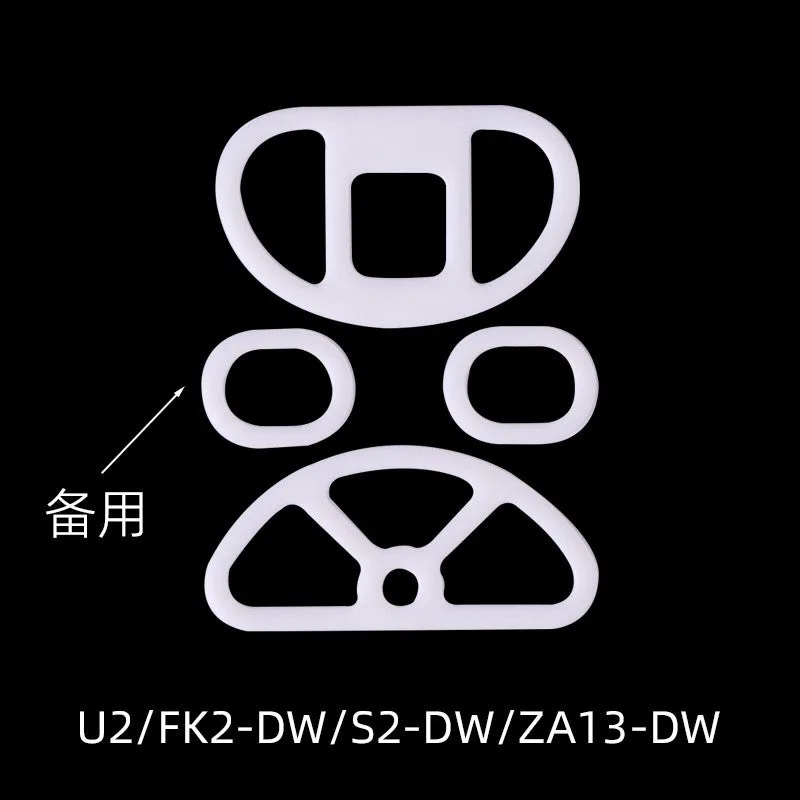
Esports Tiger Kryos - Zowie U2-DW/FK2-DW/S2-DW/ZA13-DW