Quick answer
Set up the eufy Baby C10 Add-On Camera by pairing it through the eufy Baby app, choosing a stable spot with a clear view, and testing the pan-tilt controls before relying on it for multi-room monitoring.
Why the Add-On Camera fits multi-room setups
The eufy Baby C10 Add-On Camera is designed to extend an existing baby monitor system to another room. It pairs with the same app and base unit, so you can watch two babies at once with a split-screen view.
Because it's an add-on, you'll need a compatible base camera or hub to start. If you're adding it to an existing system, the setup is faster than configuring a new standalone monitor.
Placement considerations for pan-tilt cameras
The C10 offers a 351° panoramic view and 60° tilt, but these movements only work well when the camera is mounted securely. A wobbly shelf or loose mount can cause the image to shake or the motor to strain.
Place the camera at a height that gives a clear line of sight to the crib or play area, away from direct sunlight and heat sources. Avoid spots where the pan-tilt mechanism could hit a wall or obstruction.
Step-by-step setup for the eufy Baby C10 Add-On Camera
- Download and open the eufy Baby app: Install the eufy Baby app on your smartphone and log in to your account. If you already have a base camera set up, make sure it's online and updated. Check that your phone's Bluetooth and Wi-Fi are on before starting.
- Add the add-on camera: In the app, tap 'Add Device' or the '+' icon, select 'Baby Monitor' and choose the C10 Add-On Camera. Follow the on-screen prompts to put the camera into pairing mode—usually by pressing and holding the sync button on the camera until the LED blinks. If the camera doesn't enter pairing mode, hold the sync button for 10 seconds and try again.
- Connect to your Wi-Fi network: Select your 2.4 GHz Wi-Fi network and enter the password. The camera needs a stable 2.4 GHz connection for reliable remote access. Avoid 5 GHz networks unless the app specifically supports them. Place the camera within range of your router during setup to avoid dropouts.
- Position and mount the camera: Choose a spot with a clear view of the crib or play area. Use the included mount or place it on a stable surface. Adjust the pan and tilt manually or via the app to frame the view you want. Test the full pan-tilt range to ensure the camera doesn't hit any obstruction.
- Test the connection and view: Open the live feed on your phone and move around the room to check the camera's response. Test the 4× zoom and split-screen function if you have another camera. Ensure the night vision switches on automatically in low light. If the feed lags, move the camera closer to the router or reduce the distance between cameras.
- Share access with family (optional): In the app settings, invite up to 5 family members to view the feed. Each person needs their own eufy account and must accept the invitation. Only share access with trusted people; you can revoke access anytime in the app.
Product facts
-
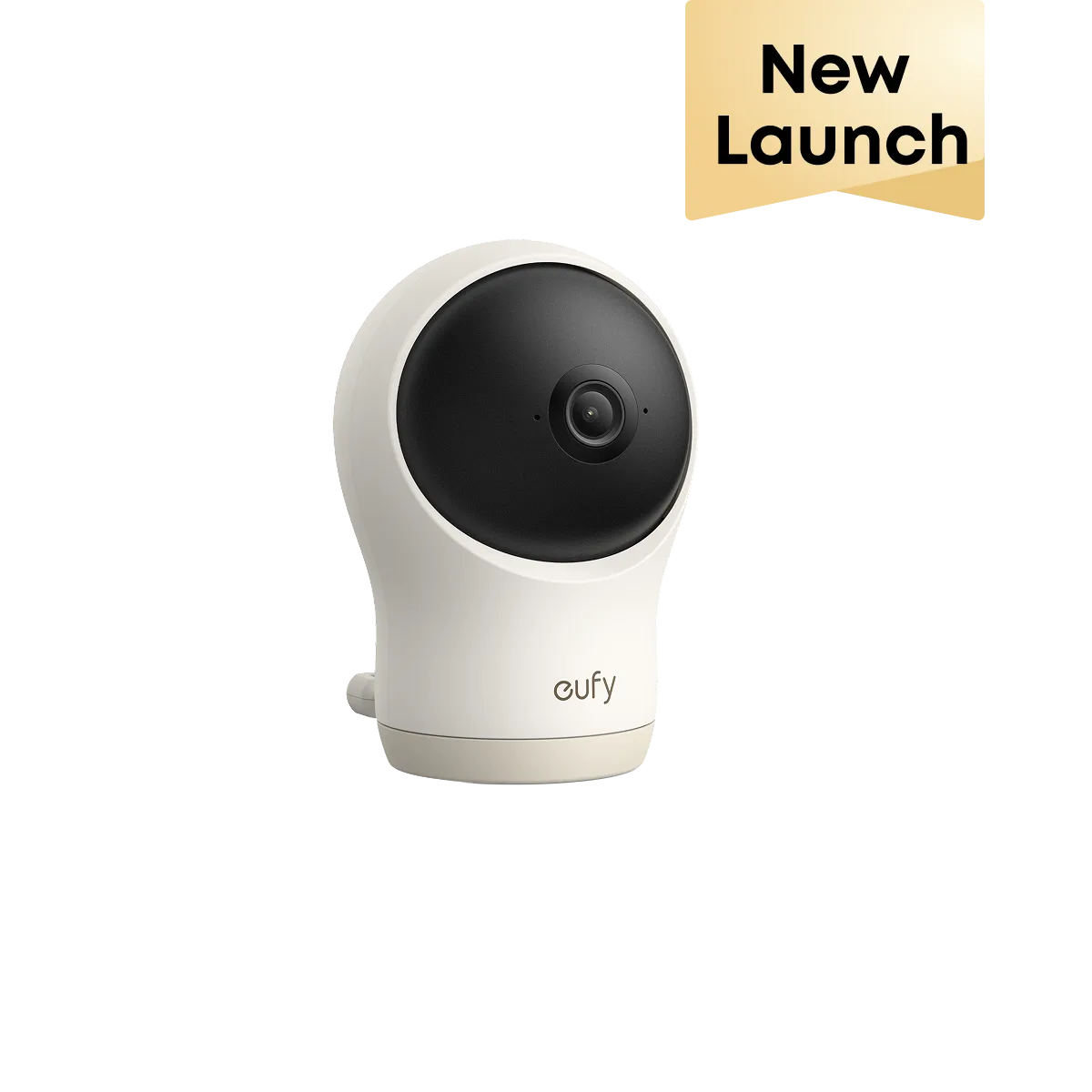
eufy Baby C10 2K Pan-Tilt Add-On Camera: The eufy Baby C10 Add-On Camera offers 2K HD resolution, a 351° panoramic view, 60° tilt, and 4× zoom, with split-screen support to watch two babies at once. This means you can cover a wide nursery area and zoom in for close-up checks, all from one app view.
eufy Baby C10 2K Pan-Tilt Add-On Camera