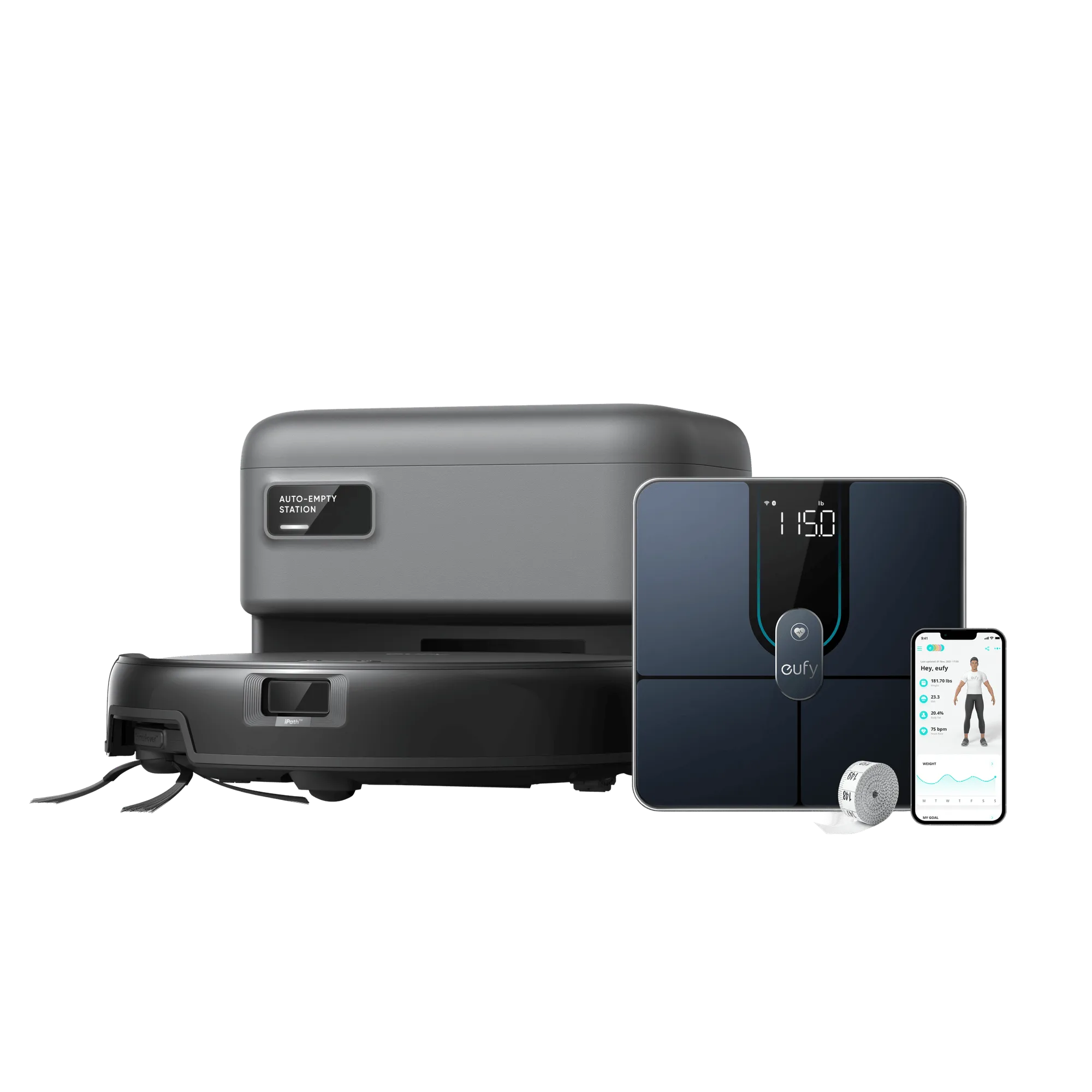
What's in the eufy C10 + Smart Scale P3 Bundle
The eufy Robot Vacuum C10 with Smart Scale P3 bundle brings together two useful home gadgets. Inside the box, you'll find the C10 robot vacuum, its self-empty station with a 3L dust bag, and the Smart Scale P3. This guide walks you through unboxing and setting up both devices so you can start cleaning and tracking your health metrics quickly.
Unboxing and Setting Up the eufy Robot Vacuum C10
Follow these steps to get your robot vacuum ready for its first cleaning run.
- Remove the packaging materials: Take the C10 robot vacuum and the self-empty station out of the box. Remove all protective tapes, films, and cardboard inserts. Check that the dust bag is properly installed in the station.
- Place the self-empty station: Position the self-empty station on a level, hard surface against a wall. Leave enough space in front for the robot to dock. Plug the station into a power outlet.
- Charge the robot vacuum: Place the C10 on the self-empty station to begin charging. The robot's dust bin will be automatically emptied into the station's 3L dust bag. The bag only needs replacing every 60 days thanks to its large capacity.
- Set up the eufy Home app: Download the eufy Home app on your smartphone. Follow the in-app instructions to connect the C10 to your Wi-Fi network. The robot uses Point Laser and Multi-infrared Navigation for precise movement and automatic obstacle avoidance.
- Prepare for first cleaning: Clear the floor of cords, small objects, and loose rugs. The C10's slim 2.85-inch design lets it reach under desks and beds. Its edge expansion brush helps clean corners effectively.
Key Features of the eufy Robot Vacuum C10
-
eufy Robot Vacuum C10 + Smart Scale P3: Self-Empty Station: C10's dust bin is automatically emptied into the station's 3L dust bag. Thanks to its large capacity, it only needs replacing every 60 days. You won't need to empty the dust bin after every cleaning session. The large bag reduces maintenance to once every two months.
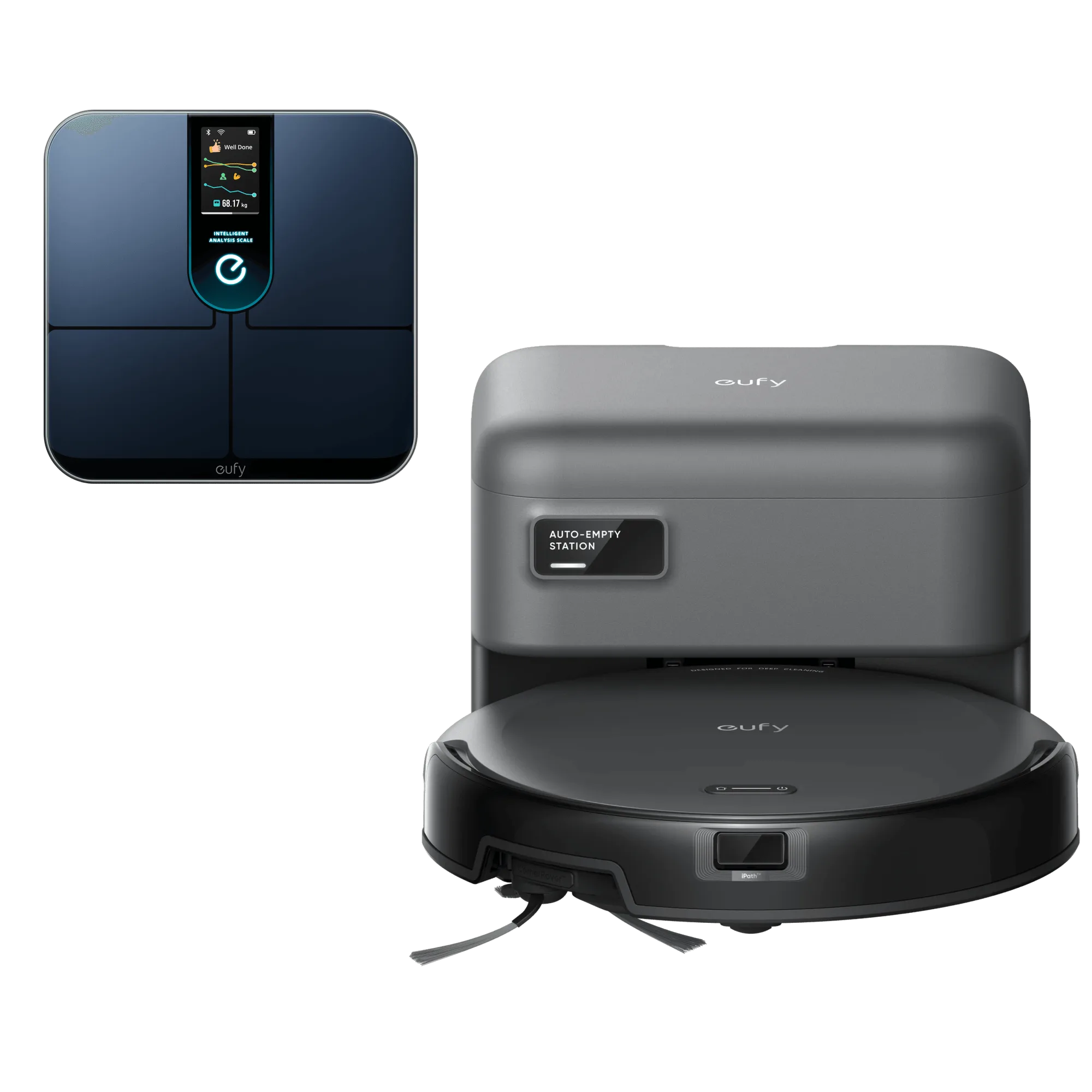
eufy Robot Vacuum C10 + Smart Scale P3
-
eufy Robot Vacuum C10 + Smart Scale P3: 2.85-Inch Ultra-Slim Body: C10 features a slim 2.85-inch design, enabling it to reach tighter spaces, including areas under desks and beds. The low profile means more of your home gets cleaned without you having to move furniture or manually clean under low-clearance areas.
-
eufy Robot Vacuum C10 + Smart Scale P3: Designed for Home with Pets: The strong 4,000 Pa suction power, combined with the rolling brush, sweeps up pet hair, dirt, crumbs, and other messes. If you have pets, the C10 can handle shedding and tracked-in dirt effectively. Note that actual performance may vary based on floor type and dust level.
Setting Up the eufy Smart Scale P3
The Smart Scale P3 pairs with the same eufy Home app for a unified health tracking experience.
- Insert batteries: Open the battery compartment on the back of the Smart Scale P3 and insert the included batteries. The scale will power on automatically.
- Place on a hard, flat surface: For accurate readings, place the scale on a hard, level floor. Avoid carpets or uneven surfaces. Wait for the scale to display 0.0 before stepping on.
- Pair with the eufy Home app: Open the eufy Home app and navigate to the device section. Follow the prompts to add the Smart Scale P3. The scale uses Bluetooth to sync data to your phone.
- Complete your profile: Enter your age, height, and gender in the app for accurate body composition measurements. The scale will track weight, BMI, and other metrics over time.
Tips for a Smooth First Experience
For the C10, make sure the self-empty station is placed where the robot can easily dock after cleaning. The station's automatic emptying works best when the bag is not overfilled; replace it every 60 days as recommended.
For the Smart Scale P3, keep it on the same floor surface each time for consistent weight readings. If you move it to a different room, allow it to recalibrate before stepping on.
Both devices are managed from the same eufy Home app, which saves you from juggling multiple apps. The app also provides cleaning history and body measurement trends.