Quick Answer
To extend your Canon laser printer toner life, adjust print settings to draft or toner-save mode for internal documents, use grayscale when color isn't needed, and always store cartridges like the Cartridge 069 in a cool, dry place. Regular printer maintenance and smart print habits can significantly reduce toner consumption without compromising output quality.
Why Toner Life Matters for Your Canon Printer
Toner cartridges are a recurring cost for any laser printer owner. For Canon users, understanding how to get the most out of each cartridge—whether it's a standard or high-yield Cartridge 069—can lead to noticeable savings over time. Beyond cost, reducing waste aligns with sustainable printing practices, making every page count.
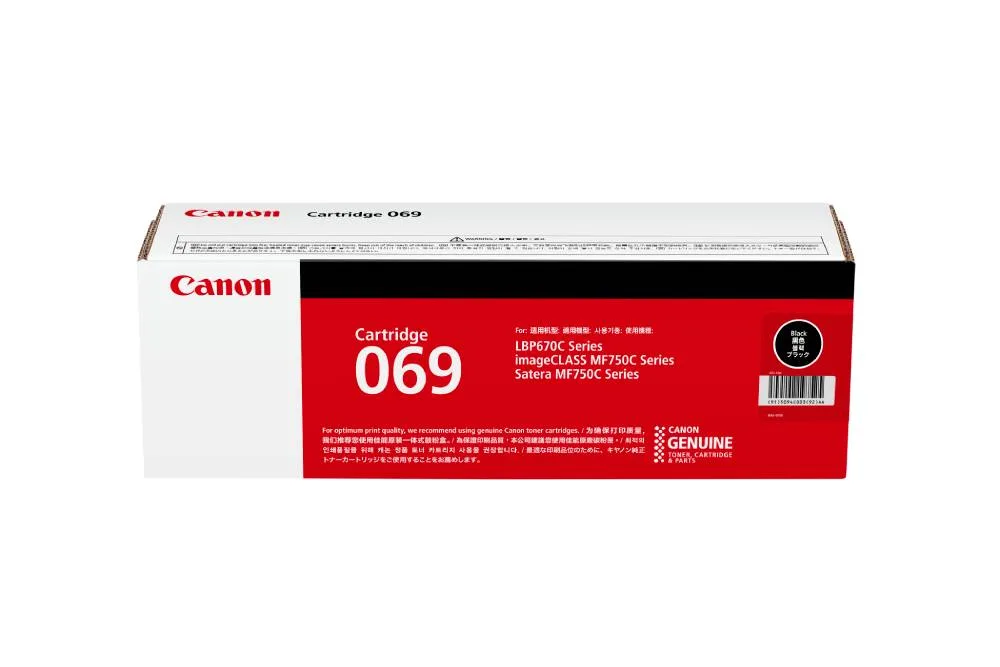
The Cartridge 069 is available in four colors (Cyan, Magenta, Yellow, Black) and two sizes (STD and HIGH). Choosing the right size for your print volume and applying the tips below can help you avoid premature replacements.
Steps to Extend Toner Life
- Adjust Print Settings for Toner Save: In your Canon printer driver, select 'Toner Save' or 'Draft' mode for everyday documents like emails, drafts, or internal reports. This reduces the amount of toner applied per page without making text unreadable. Common mistake: Leaving the default 'Standard' mode for all prints wastes toner on pages that don't need high quality.
- Print in Grayscale When Color Isn't Needed: For documents that don't require color, set the printer to grayscale or black-and-white mode. This prevents the color toner cartridges (Cyan, Magenta, Yellow) from being consumed unnecessarily. Checkpoint: Many Canon printers let you set grayscale as default for certain paper trays—use that feature to avoid accidental color prints.
- Store Toner Cartridges Properly: Keep unopened Cartridge 069 units in a cool, dry place away from direct sunlight. Extreme temperatures or humidity can degrade toner powder and shorten its effective life. Common mistake: Storing cartridges in a hot car or damp basement can cause clumping or poor print quality, forcing early replacement.
- Use Print Preview to Avoid Reruns: Always preview your document before hitting print. Catching layout errors, extra blank pages, or unwanted graphics beforehand saves toner and paper. Checkpoint: A quick preview habit can eliminate 5-10% of wasted prints, directly extending cartridge life.
- Run Printer Maintenance Regularly: Canon laser printers have built-in cleaning cycles that remove toner dust and debris. Run this from the printer menu every few months to prevent clogs that cause uneven toner usage. Common mistake: Skipping maintenance can lead to streaks or faded prints, prompting you to replace a cartridge that still has usable toner left.
Product Facts
- Cartridge 069: Canon Cartridge 069 is a toner cartridge offered in Standard and High sizes, with color options that include Cyan, Magenta, Yellow, and Black. It is compatible with printer models such as LBP673Cdw, LBP674Cx, MF752Cdw, and MF756Cx. Choosing the High size for high-volume printing reduces the frequency of cartridge changes, which is a direct way to extend the usable life of your toner supply between replacements.