The NEOGEO wireless controller is a beloved accessory for retro gaming enthusiasts, offering the classic feel of the AES pad without the cable clutter. However, like all wireless peripherals, its battery life can be a concern, especially during marathon gaming sessions. In this guide, we'll share practical tips and tricks to maximize the battery life of your NEOGEO wireless controller, so you can focus on your high scores rather than hunting for a charging cable.
Whether you're using the official NEOGEO Wireless BT / 2.4G Controller or a third-party alternative, understanding how to care for your controller's battery is essential. From proper charging habits to tweaking settings, these strategies will help you get the most out of every charge.
Understanding Your Controller's Battery
Most NEOGEO wireless controllers, including the popular NEOGEO Wireless BT / 2.4G Controller, are powered by built-in rechargeable lithium-ion batteries. These batteries have a finite number of charge cycles, typically around 300-500, before their capacity starts to degrade. Therefore, how you charge and discharge your controller significantly impacts its long-term battery health.
One common misconception is that you should let the battery drain completely before recharging. With modern lithium-ion batteries, this is not recommended. In fact, deep discharges can stress the battery and reduce its lifespan. Instead, aim to keep the battery level between 20% and 80% for optimal longevity.
- Check your controller's manual for specific battery capacity and charging times.
- Avoid exposing the controller to extreme temperatures, as heat and cold can damage the battery.
Optimal Charging Practices
To extend the battery life of your NEOGEO wireless controller, develop a charging routine that avoids overcharging and unnecessary stress. Most modern controllers have overcharge protection, but it's still wise to unplug the device once it reaches 100%. Leaving it plugged in overnight can generate heat, which is detrimental to battery health.
When charging, use the provided USB cable or a high-quality replacement. Cheap cables may not deliver the correct voltage, leading to slower charging or potential damage. Additionally, avoid using your controller while it's charging, as this generates heat and can reduce battery efficiency over time.
- Charge your controller during breaks or after gaming sessions, not overnight.
- If you won't use the controller for an extended period, store it with a 50% charge in a cool, dry place.
Power-Saving Settings and Features
Many wireless controllers come with built-in power-saving features that can significantly extend battery life. For instance, the NEOGEO Wireless BT / 2.4G Controller may have an auto-sleep function that activates after a period of inactivity. Make sure this feature is enabled to prevent unnecessary battery drain when you step away from the game.
Additionally, some controllers allow you to adjust the LED brightness or turn off vibration feedback. These features consume extra power, so disabling them when not needed can add minutes or even hours to your playtime. Check your controller's manual or companion app for such settings.
- Enable auto-sleep mode to conserve battery when idle.
- Reduce LED brightness or turn off vibration for longer battery life.
Maintenance and Care
Proper maintenance goes beyond charging habits. Keep the controller's charging port clean and free of dust or debris, as a poor connection can lead to inefficient charging and battery drain. Use a soft, dry cloth to wipe the exterior, and avoid using harsh chemicals that could damage the finish.
If you notice that your controller's battery life has significantly decreased, it may be time to replace the battery. Some controllers have user-replaceable batteries, while others require professional service. If your controller is still under warranty, contact the manufacturer for support.
- Clean the charging port regularly with a dry cotton swab.
- Store the controller in a protective case when not in use to prevent damage.
Compatible Accessories for Extended Play
For gamers who want to ensure they never run out of juice, investing in additional accessories can be a game-changer. For instance, the 8BitDo M30 2.4G Wireless Gamepad -Black offers a similar retro feel with its own battery management features, and having a second controller can allow you to swap out when one needs charging.
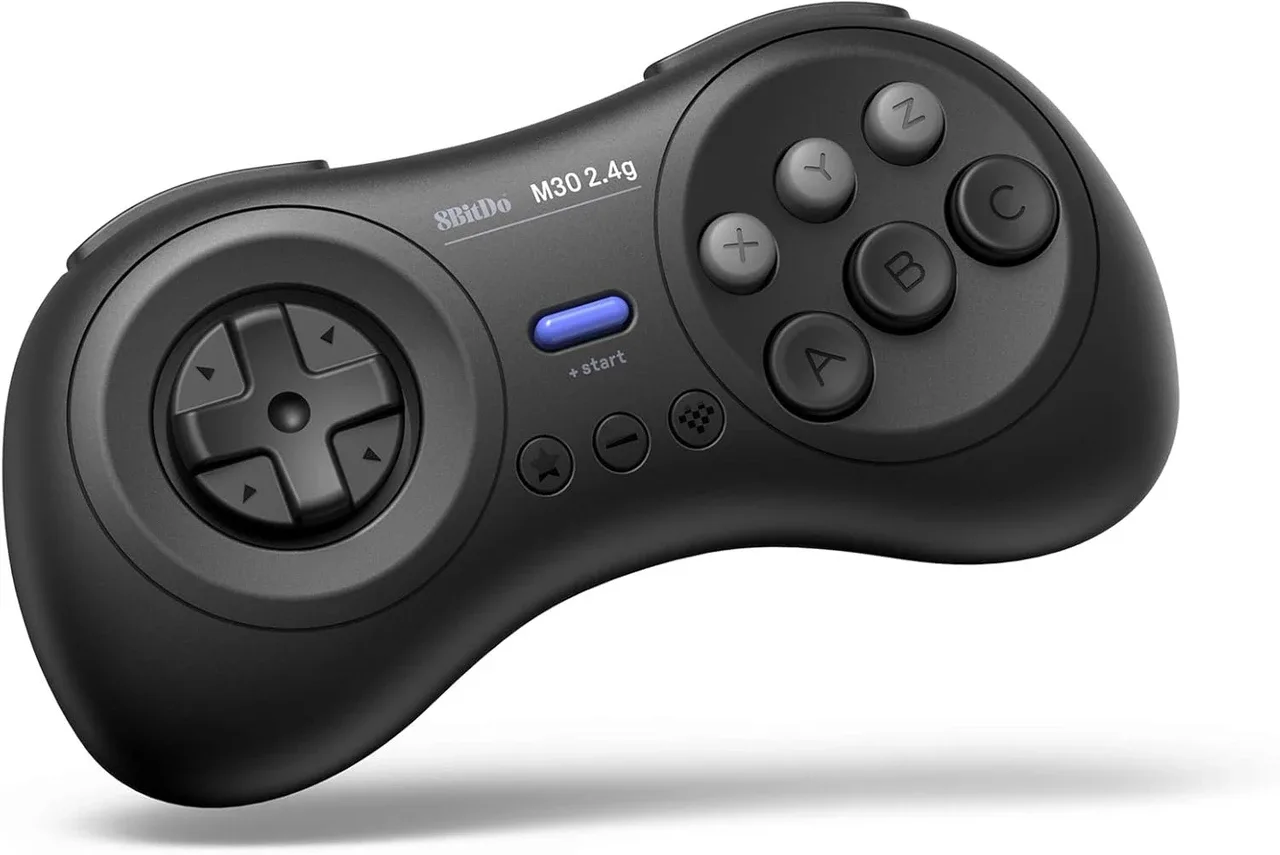
8BitDo M30 2.4G Wireless Gamepad -Black
Another useful accessory is the 8BitDo G Bros. Adapter for Switch, which allows you to use your NEOGEO controller on the Switch, potentially giving you more flexibility in how you play. While not directly related to battery life, having multiple controllers or adapters can help you manage your gaming sessions without interruption.
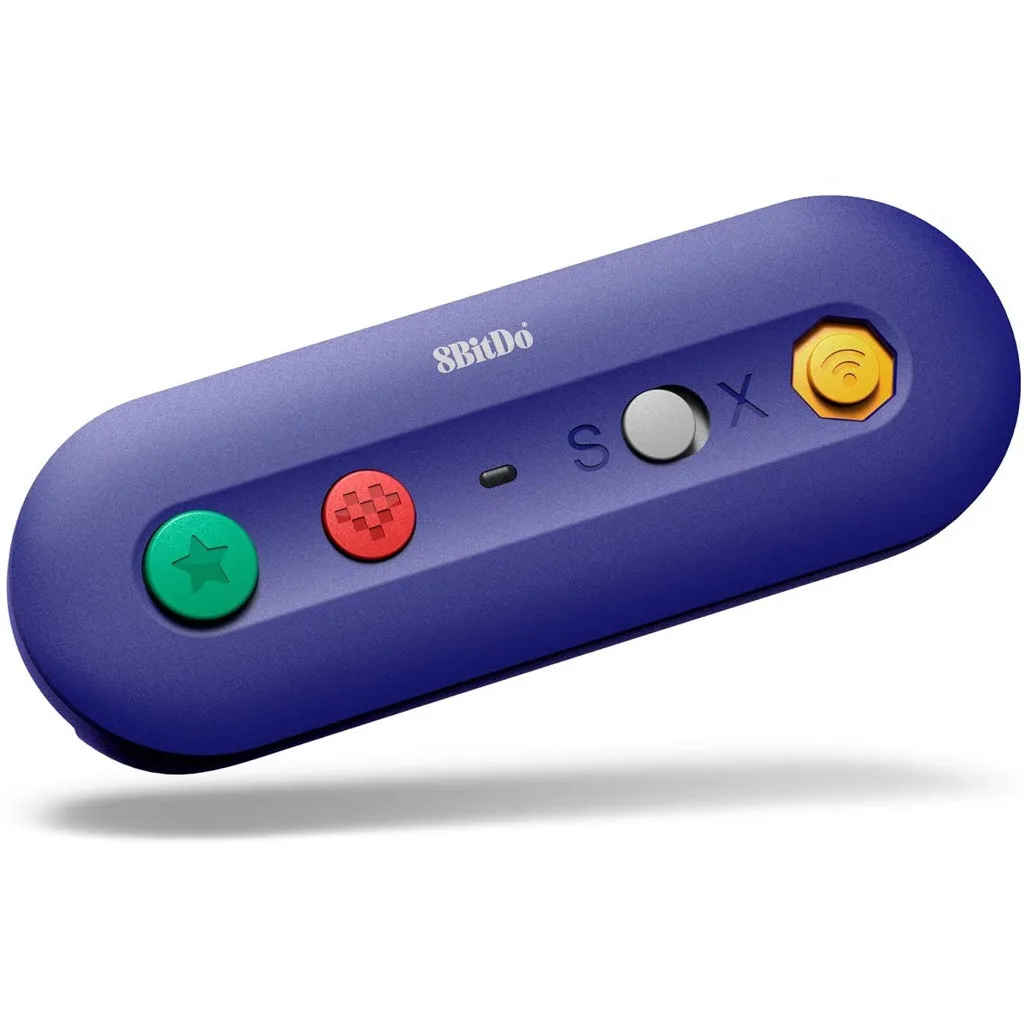
8BitDo G Bros. Adapter for Switch
- Consider a second controller to rotate between charges.
- Use a controller stand to keep your controller charged and organized.
By following these tips, you can significantly extend the battery life of your NEOGEO wireless controller, ensuring it's ready for action whenever you are. Remember to charge smart, use power-saving features, and maintain your controller properly. For more retro gaming gear and accessories, explore our collection at 8BitMods and keep your gaming sessions going strong.