Quick answer
The FAIRYLAND Overlays and Actions Collection gives you both options: overlays add instant magical elements like wings and dust, while actions automate color and light adjustments for a cohesive dreamy look.
Overlays vs Actions: What’s the difference?
Overlays are image files you place on top of your photo—like fairy wings, sparkles, or sun rays. They give you precise control over placement and blending, but require manual positioning and masking.
Actions are recorded steps that Photoshop runs automatically. They adjust colors, contrast, and effects in one click, saving time but offering less flexibility per edit. The FAIRYLAND collection includes both, so you can mix and match.
When to choose overlays
If you want to add specific fantasy elements—like fairy wings, glowing dust, or fireflies—overlays are the way to go. You decide exactly where each element appears and how strong the effect is.
When to choose actions
Actions are ideal for applying a consistent dreamy mood across a series of portraits. They handle the color grading and lighting adjustments so you can focus on composition and storytelling.
Tradeoffs at a glance
- Overlays: Adds specific visual elements (wings, dust, light rays) that you place and blend manually. Best for creative control and unique compositions. Takes more time per edit but gives you full creative freedom.
- Actions: Automatically adjusts color, tone, and lighting to create a dreamy atmosphere. Best for speed and consistency across multiple photos. Fast and repeatable, but less customizable per image.
- Combined approach: Use actions first to set the mood, then layer overlays for magical details. The FAIRYLAND collection supports this workflow seamlessly. Leverages the strengths of both methods for polished fantasy portraits.
Product facts
-
FAIRYLAND Overlays and Actions Collection: Includes Fairy Wing Overlays, Actions, Fairy Dust Brushes, and 10 BONUS Firefly overlays. You get both overlays and actions in one set, plus extras like brushes and fireflies, so you can build layered fantasy scenes without buying separate packs.
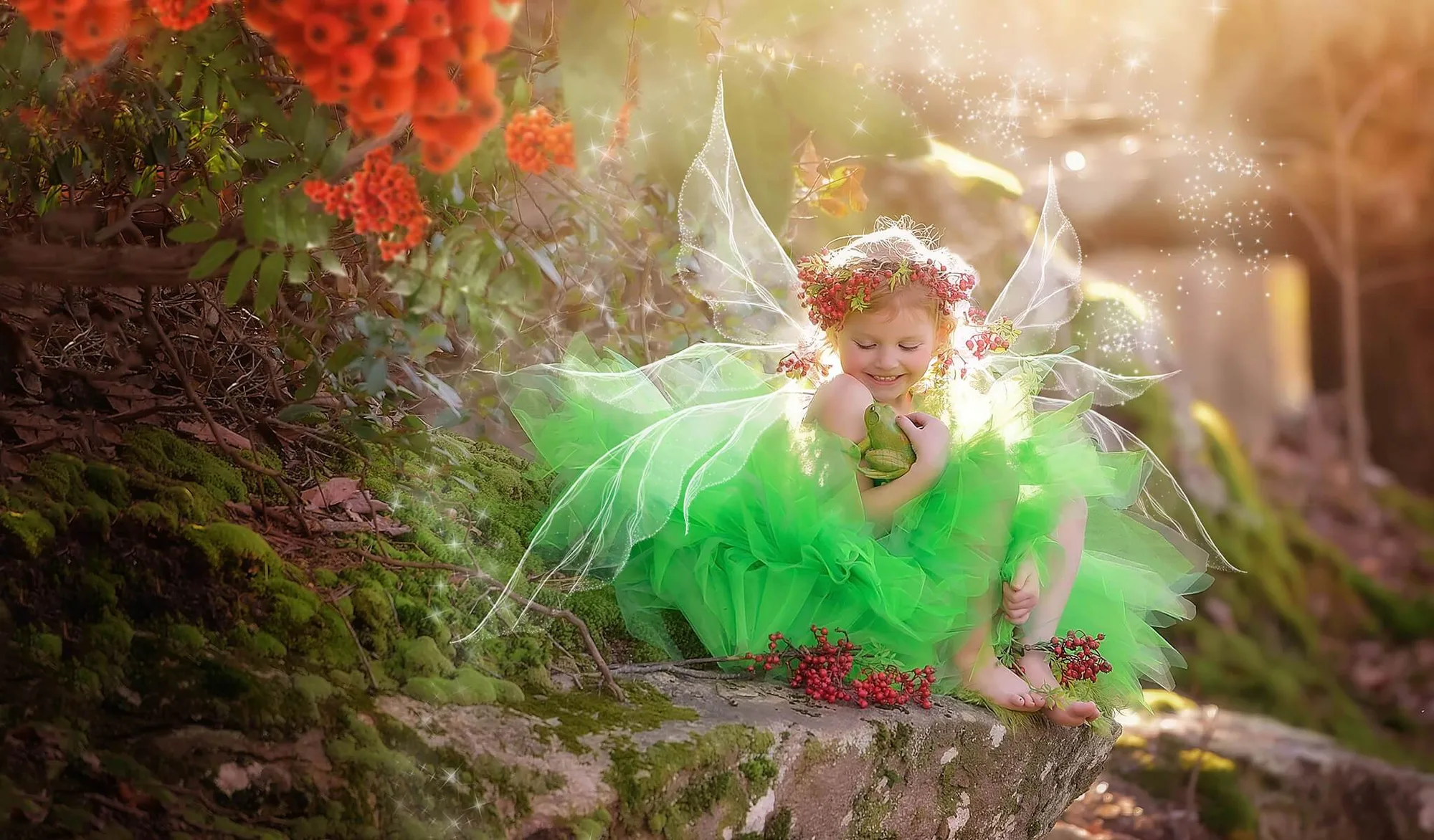
FAIRYLAND Overlays and Actions Collection
Which approach fits your workflow?
Best for
- Photographers who want to add specific fantasy elements like wings or sparkles to individual portraits
- Editors who need fast, consistent dreamy color grading across a series of images
Not for
- Editors who prefer a fully manual editing workflow without automated adjustments
- Users looking for a single-click solution with no manual blending or positioning