Quick answer
Mount your Fanatec Podium DD1 or DD2 wheelbase securely using the dedicated side-to-front mount (580–600 mm). This guide walks you through the installation steps to eliminate flex and keep your direct drive setup rigid under load.
Why a dedicated mount matters for the Podium DD1/DD2
The Fanatec Podium DD1 and DD2 produce high torque that can flex or shift a wheelbase mounted with generic brackets. The side-to-front mount (580–600 mm) is designed specifically for these models, using 3–8 mm hardened, brake-pressed steel to keep the wheelbase locked in place. This mount is not compatible with the Fanatec CSL DD or Gran Turismo DD Pro, so double-check your wheelbase model before purchasing.
What you need before starting
You will need the Fanatec Podium DD1/DD2 side-to-front mount (580–600 mm), a compatible sim rig with 580–600 mm mounting points, the included bolts and washers, and basic hex tools (typically 5 mm and 6 mm). A torque wrench is recommended for tightening to the manufacturer's specification.
Installation steps
- 1. Prepare your rig and mount: Clear the mounting area on your sim rig. Ensure the rig's crossmembers or uprights are spaced 580–600 mm apart. Remove any existing brackets or hardware that may interfere with the new mount. Check the spacing with a tape measure before proceeding; the mount will not fit on rigs with narrower or wider points.
- 2. Attach the mount to the wheelbase: Align the side-to-front mount's bolt holes with the threaded inserts on the sides of the Fanatec Podium DD1 or DD2. Insert the supplied bolts and hand-tighten them evenly. Do not fully tighten yet. Use the correct bolt length; too long can bottom out inside the wheelbase, too short may not engage enough threads.
- 3. Position the wheelbase on the rig: Place the wheelbase with the attached mount onto the rig's mounting points. Slide it forward or backward to your preferred wheel-to-screen distance. Ensure the mount's slots align with the rig's holes. Leave a small gap between the wheelbase and the rig to avoid metal-on-metal contact that can transmit vibrations.
- 4. Secure the mount to the rig: Insert the rig bolts through the mount slots and into the rig's threaded holes. Tighten them in a cross pattern to distribute load evenly. Use a torque wrench if available. Over-tightening can strip threads or deform the mount; follow the torque spec provided with your rig or mount.
- 5. Final tighten the wheelbase bolts: Now fully tighten the bolts connecting the mount to the wheelbase. Work in a star pattern to ensure even pressure. Check that the wheelbase does not shift when you apply lateral force. If the wheelbase moves after tightening, one or more bolts may not be fully seated; re-check alignment and torque.
- 6. Test for flex and adjust: Power on the wheelbase and run a few laps in your preferred sim title. Pay attention to any flex or oscillation in the mount. If you notice movement, re-check all bolts and consider adding a support bracket under the wheelbase. A small amount of vibration is normal, but lateral play or creaking indicates a loose connection that needs re-tightening.
Product details
-
Fanatec Podium DD1/DD2 - Side - to - front Mount - 580 - 600 mm: Designed specifically for Fanatec Podium DD1 and DD2 wheelbases, this heavy-duty side-to-front mount provides a rigid connection for high-torque Direct Drive setups. Its 3–8 mm hardened, brake-pressed steel construction keeps the wheelbase securely positioned under load. The hardened steel construction prevents flex during aggressive driving, ensuring consistent force feedback and precise steering input.
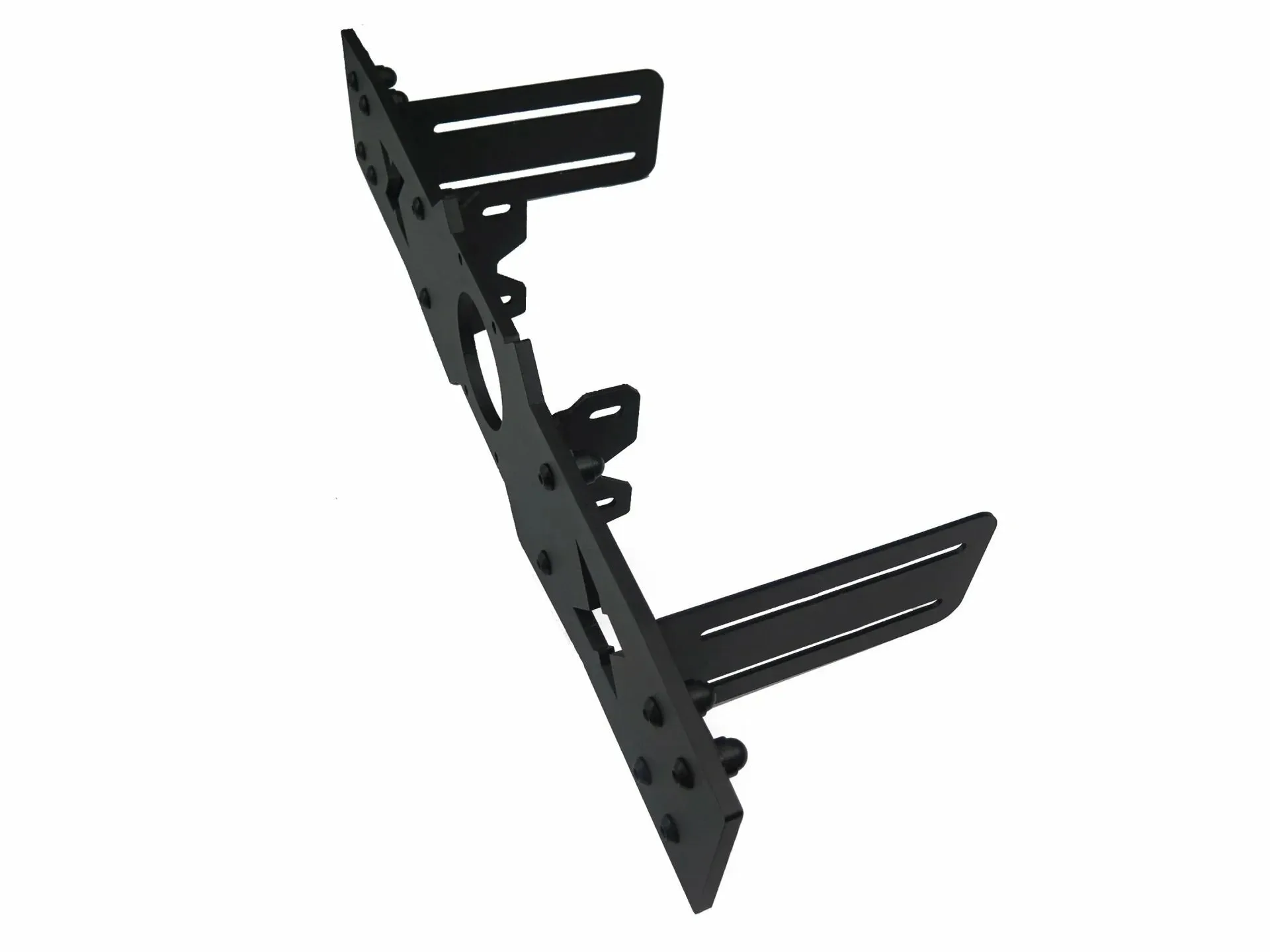
Fanatec Podium DD1/DD2 - Side - to - front Mount - 580 - 600 mm