Quick answer
To fit a Fi Series 3 collar band, measure your dog's neck, choose the correct width (1.5 inches is standard), and attach the band to your Fi tracker using the provided screws—then check for a snug two-finger fit.
Why band width matters for Fi Series 3
The Fi Series 3 and 3+ trackers are designed to slide into a compatible collar band. The 1.5-inch width is the most common and fits most dogs comfortably, but if your dog has a very thick or thin neck, you may need to adjust the fit by choosing a different band length or width.
A band that is too loose can let the tracker slide around, which may cause skin irritation or inaccurate activity tracking. A band that is too tight can restrict breathing or cause chafing. Always prioritize your dog's comfort over a snug look.
Common mistakes when installing Fi collar bands
One common mistake is forgetting to align the tracker's charging pins with the band's cutout. If the tracker is not seated properly, it may not charge or sync correctly.
Another mistake is overtightening the screws that hold the tracker in place. The screws should be snug but not stripped; use the included screwdriver and stop when you feel resistance.
Finally, many owners skip the final fit check after a few days. Dogs can lose or gain weight, and the band should be re-checked regularly, especially for puppies or active dogs.
Step-by-step Fi collar band installation
- Measure your dog's neck: Use a flexible tape measure around the base of your dog's neck, where the collar will sit. Add two finger widths for comfort. Compare this measurement to the band's length range. If between sizes, choose the longer band and adjust with the buckle.
- Remove the tracker from the band: If your band comes with the tracker already inserted, carefully slide it out. If not, skip to the next step. Check that the tracker's charging pins are clean and dry before reinserting.
- Slide the band through the tracker slot: Insert the band through the slot on the Fi tracker, ensuring the cutout for the charging pins aligns with the tracker's pins. The band should sit flat without twisting. If the band is twisted, remove and reinsert it to avoid uneven wear.
- Secure the tracker with screws: Use the provided screws to fasten the tracker to the band. Tighten until snug, but do not overtighten. If a screw feels loose after a few days, re-tighten gently.
- Fit the collar on your dog: Place the collar around your dog's neck and buckle it. You should be able to fit two fingers between the collar and your dog's neck. Check the fit again after 24 hours, as the band may settle or shift.
Product spotlight
-
1.5" Extreme Personalized Fi Collar Band (Series 3/3+): The 1.5" Extreme Personalized Fi Collar Band (Series 3/3+) is designed to work seamlessly with your Fi Series 3/3+ GPS tracker (not included). This ensures a secure fit for your tracker, so you can rely on accurate location tracking and a comfortable wear for your dog.
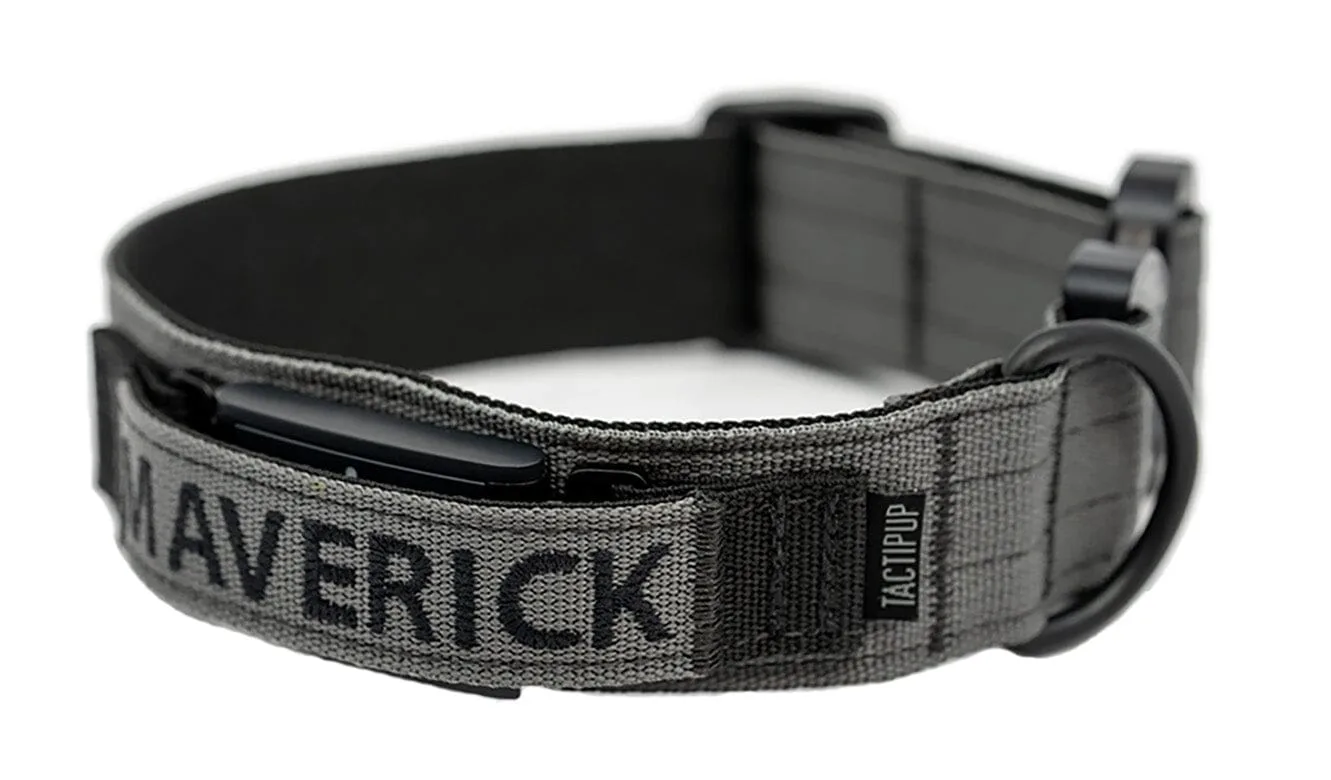
1.5" Extreme Personalized Fi Collar Band (Series 3/3+)