What the FiiO K15 Offers
The FiiO K15 is an all-in-one desktop DAC, headphone amplifier, and network streamer designed to upgrade your desktop audio scene. It combines a flagship-grade AKM AK4497S dual-DAC chipset with a fully balanced signal path, delivering high channel separation and low noise. The device also includes a discrete Class-AB headphone amplifier capable of up to 3,000 mW per channel, making it suitable for a wide range of headphones.
Beyond amplification, the K15 functions as a standalone DAC, a dedicated headphone amplifier, a network streamer, or an all-in-one unit handling all tasks simultaneously. It supports Roon Ready certification and Apple AirPlay 2, plus high-resolution Bluetooth codecs like LDAC and AAC. A touch screen and included infrared remote control simplify daily use.
Key Specifications at a Glance
-
FiiO K15 Desktop DAC and Headphone Amplifier Bluetooth Media Streamer Black: Equipped with dual AKM AK4497S 'Velvet Sound' DAC chips and a fully balanced differential signal path from DAC to amplifier. This design minimizes crosstalk and noise, providing clean audio output with wide dynamic range.
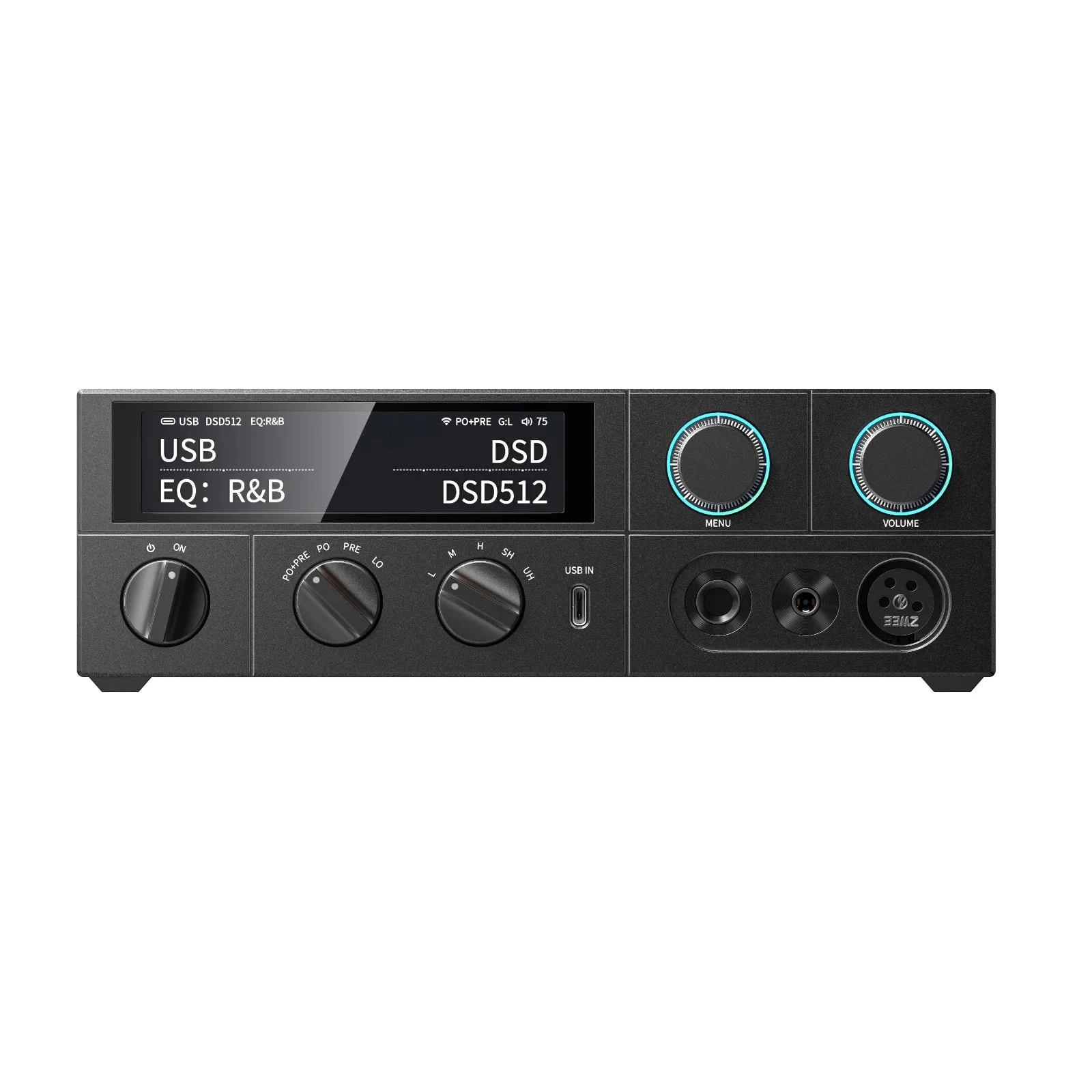
FiiO K15 Desktop DAC and Headphone Amplifier Bluetooth Media Streamer Black
-
FiiO K15 Desktop DAC and Headphone Amplifier Bluetooth Media Streamer Black: Delivers up to 3,000 mW per channel via a discrete Class-AB transistor current-boosting headphone amplifier circuit. High power output allows the K15 to drive demanding full-sized headphones, while five-level adjustable gain ensures compatibility with sensitive IEMs.
-
FiiO K15 Desktop DAC and Headphone Amplifier Bluetooth Media Streamer Black: Supports Roon Ready, Apple AirPlay 2, and high-resolution Bluetooth codecs including LDAC and AAC. You can stream music wirelessly from your phone, tablet, or computer without sacrificing audio quality.
Setting Up the FiiO K15
The following steps cover the basic setup for using the K15 as a desktop DAC, headphone amplifier, and streamer. Refer to the included manual for detailed instructions specific to your configuration.
- Connect power and source: Plug the K15 into a wall outlet using the supplied power adapter. Connect your computer, phone, or other digital source via USB, optical, or coaxial input. The K15 also supports Ethernet and dual-band Wi-Fi for network streaming.
- Connect headphones or speakers: Use the headphone output on the front panel. For powered speakers, connect to the RCA or balanced XLR line outputs on the rear. Follow the supplied product instructions for correct connection.
- Configure streaming: Enable Wi-Fi or Ethernet in the touch-screen settings. For Roon Ready, ensure your Roon core is on the same network. For AirPlay 2, select the K15 from your Apple device's audio output list. Bluetooth pairing is also available via the touch screen.
- Adjust gain and volume: Use the five-level adjustable gain to match your headphones. Start with low gain for sensitive IEMs and increase for harder-to-drive headphones. The volume knob or remote control adjusts output level.
- Explore additional features: The K15 includes a 10-band PEQ function, local playback from external USB storage, and independent analog/digital power supplies. These can be accessed via the touch-screen interface.
Compatibility and Placement Tips
The FiiO K15 is designed for desktop use. Its low-impedance output makes it compatible with high-sensitivity IEMs as well as full-sized headphones. The fully balanced audio circuitry helps reduce crosstalk and noise, especially when using balanced cables. For best performance, place the unit on a stable, ventilated surface away from other electronics that may generate interference. The included remote control and touch screen make operation convenient even in tight desk setups.