Quick answer
If your plasma lamp won't light, start by checking the power source and bulb connection; most issues are resolved by ensuring a secure fit and proper voltage.
Common reasons a plasma lamp won't light
Plasma lamps rely on a high-voltage power supply to ionize the gas inside the bulb. If the lamp doesn't light, the problem is often a loose bulb, a faulty power adapter, or an internal electrical issue. Less common but possible: the bulb itself has failed.
When to consider a replacement
If you've tried all the steps and the lamp still won't light, the internal electronics may be damaged. At that point, replacing the lamp is often more practical than attempting a repair, especially if it's an older model.
Diagnosis steps
- Symptom: The plasma lamp is plugged in and switched on, but the bulb remains dark. No light, no flicker, no sound.
- Likely cause: Most common: the bulb is not fully seated in the base, or the power adapter is not supplying the correct voltage. Less common: a broken internal wire or a failed bulb.
- Corrective action: 1. Unplug the lamp. 2. Remove the bulb and reinsert it firmly. 3. Plug back in and test. 4. If still off, try a different outlet or a known-working adapter with the same voltage. 5. If none work, the bulb may need replacement. If the bulb still doesn't light after reseating and trying a different outlet, the issue is likely internal or the bulb has failed.
- Stop or choose another option: Stop if you see any signs of burning, melting, or hear a buzzing sound. Do not attempt to open the lamp base. Instead, contact the manufacturer or consider a replacement lamp. Safety first: if the lamp shows physical damage, do not attempt further repairs.
Product facts
-
Blue Plasma Lamp: The Blue Plasma Lamp merges the mysterious beauty of plasma with functional ambient lighting. This means if your lamp won't light, you're missing both the visual effect and the soft glow it provides, making troubleshooting worthwhile.
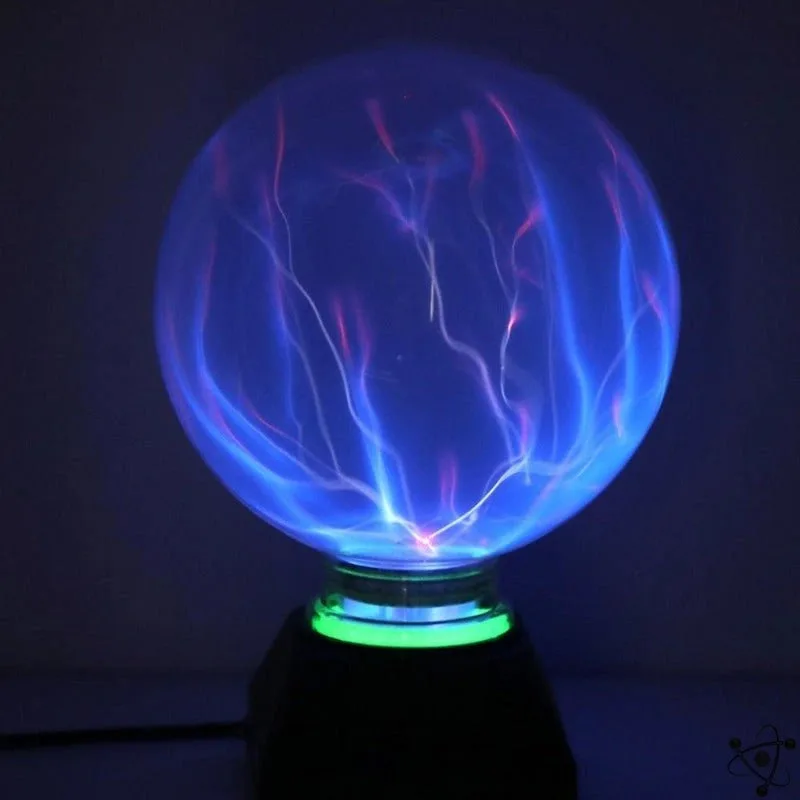
Blue Plasma Lamp