Quick Answer
If your The Devils Beach expansion setup feels wrong, check the scenario card first, then confirm you have the correct map tiles and unit counters. Most issues come from mixing up the four beach draws or missing the special rules for the bluffs.
Why Setup Errors Happen
The Devils Beach expansion adds a dense, historical scenario that can overwhelm even veteran wargamers. The map covers two kilometers of Omaha Beach, and the four draws (Dog Green, Dog White, Dog Red, Charlie) each have unique terrain and enemy placements. It's easy to misplace a counter or misread a rule when you're juggling so many details.
Another common issue is assuming the expansion uses the same setup rules as the base game. Because it's a standalone scenario, you need to follow the expansion's specific setup instructions, not the base game's. If you skip a step or use the wrong rule, the game can feel unbalanced or confusing.
Diagnosis Guide
- Symptom: Missing or extra counters: Compare the counter list in the scenario book with what you have. If you're missing a counter, check the back of the manual for a replacement parts list. If you have extras, they might belong to a different scenario in the expansion. Always inventory your counters before starting a new scenario.
- Symptom: Map tiles don't fit together: Ensure you're using the correct map tiles for the scenario. The Devils Beach uses a specific combination, and using the wrong one can break the layout. If the tiles still don't align, check that you have the correct side facing up. Verify you have the right map tiles and orientation before placing any units.
- Symptom: Units placed on wrong draws: Each draw (Dog Green, Dog White, Dog Red, Charlie) has its own entry points and enemy positions. Double-check the scenario setup diagram to confirm which units start where. If you've placed a tank on a draw that doesn't support vehicles, move it to the correct entry point. Use the scenario diagram as your final reference; don't rely on memory.
- Symptom: Special rules for bluffs not applied: The bluffs overlooking the beach give German units a height advantage. If you didn't apply the line-of-sight and cover rules, the Americans will have an easier time than intended. Re-read the special rules section and apply them from the start. After setup, do a quick rules check for any terrain-specific modifiers.
- Stop or choose another option: If you've followed the scenario book and still can't get the setup to work, stop and verify you have the correct version of the expansion. If you're using a first printing, there might be an errata sheet or an updated PDF on the publisher's site. If the issue persists, consider playing the base game first to get comfortable with the system before tackling this expansion. Don't force a broken setup; check for errata or seek community help.
Product Facts
-
The Devils Beach - The Omaha Landings: The Devils Beach - The Omaha Landings covers the American assault on Omaha Beach, with infantry platoons, engineers, Rangers, tanks, artillery, and naval gunfire across two kilometers of beach. The variety of units and the large map mean you need to organize your counters by type and check each unit's special rules during setup to avoid missing a key action later.
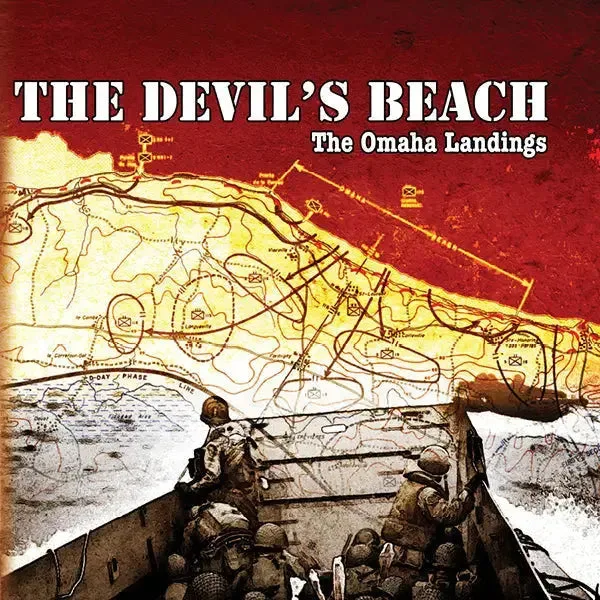
The Devils Beach - The Omaha Landings