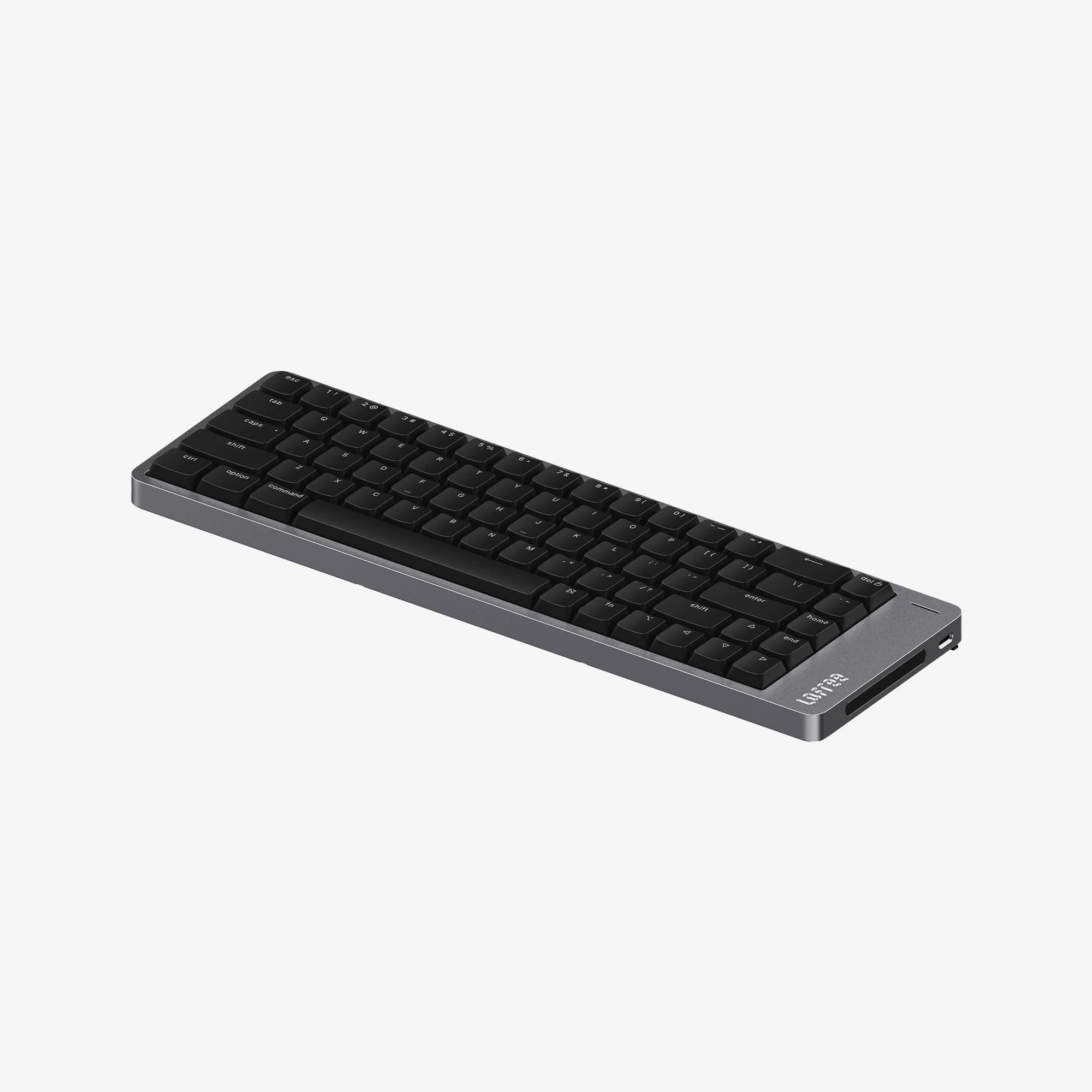
What the Flow 2 100 actually is
The Flow 2 100 is a low-profile mechanical keyboard built from a single block of aluminum, with CNC-machined edges and a finely textured surface. It uses low-profile Cloud Series switches and includes a responsive touch bar. The catalog describes the experience as ultra-smooth in both form and performance.
The available variants pair color and switch family with layout: Space Gray with Pulse switches in ANSI or FR (AZERTY), Silver with Surfer switches in ANSI or DE (QWERTZ), and Silver with Void switches in ANSI or FR (AZERTY). If you need a specific layout or switch feel, that variant list is the first thing to check.
Layout and switch questions
Does the Flow 2 100 have a 100 percent layout?
The product name and variant records identify it as a 100 layout, but the supplied catalog does not list a key count or a full key-by-key map. Treat the 100 percent layout as the model's positioning rather than a confirmed inventory of every key. If a specific key or function is essential to your workflow, verify it against the product page before ordering.
Which switch families are available?
The variant records list Pulse, Surfer, and Void switches, all in the low-profile Cloud Series. The catalog does not provide actuation force, travel distance, or sound profiles for these switches, so choose by the color and layout combinations offered rather than by a spec sheet.
Can I get a non-US layout?
Yes, within the listed variants. FR (AZERTY) is available with Space Gray/Pulse and Silver/Void. DE (QWERTZ) is available with Silver/Surfer. ANSI is available across all three color and switch pairings. No other layouts appear in the supplied variant evidence.
Is the touch bar programmable?
The catalog confirms a responsive touch bar but does not describe its functions, customization, or software support. Do not assume you can remap it or assign macros until that is confirmed on the product page.
Build and typing evidence from the catalog
-
Flow 2 100 Low-profile Mechanical Keyboard: Crafted from a single block of aluminum with CNC-machined edges and a finely textured surface. This is the main structural claim behind the Flow 2 100's premium feel and rigidity; it also means the keyboard is likely heavier than a plastic low-profile board, though the catalog does not list a weight.
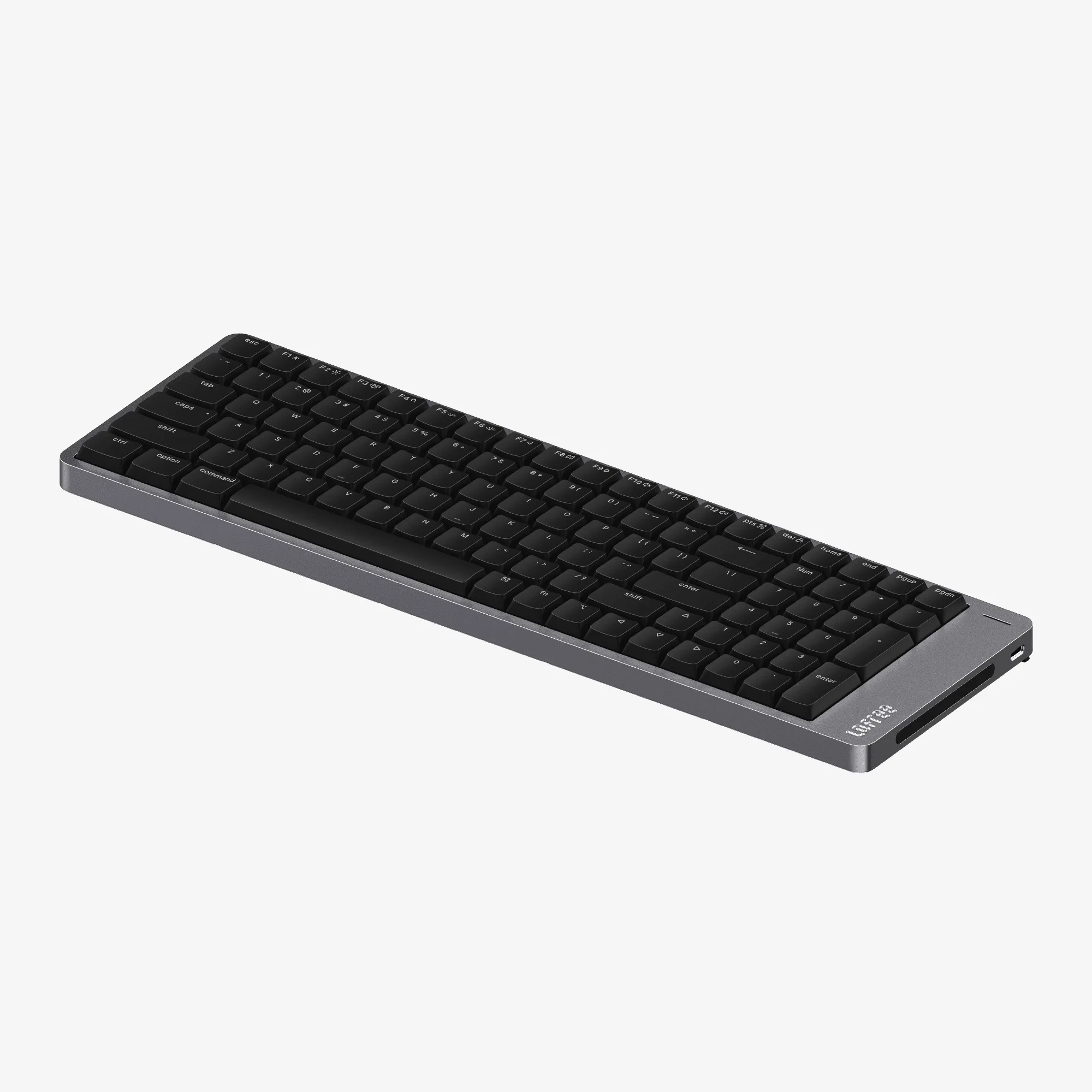
Flow 2 100 Low-profile Mechanical Keyboard
-
Flow 2 100 Low-profile Mechanical Keyboard: Uses low-profile Cloud Series switches and a responsive touch bar. These are the two features that most directly shape the typing experience: a shorter key travel than standard mechanical switches and an extra control surface above the keys.
Connectivity and setup questions
How does the Flow 2 100 connect?
The catalog mentions seamless connectivity but does not specify Bluetooth, 2.4 GHz wireless, or wired USB. It also does not confirm how many devices can be paired or whether switching between them is supported. Check the product page for the exact connection methods before you buy.
Does it work with Mac, Windows, or both?
The supplied information does not state operating-system compatibility. The variant list covers ANSI, FR (AZERTY), and DE (QWERTZ) physical layouts, but that is not the same as software support. If you need confirmed Mac or Windows key behavior, verify it with the retailer.
What is the battery life?
Battery capacity and expected runtime are not included in the supplied catalog evidence. The touch bar and any wireless mode will affect real-world endurance, but without a stated figure, any number would be a guess.
Are there setup instructions in the catalog?
No preparation or operating steps are supplied. Pairing sequences, driver requirements, and touch bar setup should come from the product documentation or the seller, not from assumptions.
What the Flow 2 100 typing experience can and cannot tell you
The combination of low-profile Cloud Series switches and a machined aluminum body points to a shorter-travel, stable typing feel, and the touch bar adds a control layer that full-size keyboards usually do not have. That is the honest extent of what the catalog supports.
It does not provide switch weights, keycap material, polling rate, or sound samples. Those are the details that usually decide whether a keyboard suits a fast typist, a shared office, or a quiet bedroom desk. If any of them matter to you, treat the Flow 2 100 as a strong design-led candidate and confirm the missing specs before committing.
Buying and value questions
Who is the 100 percent layout for?
A full-size layout is the natural choice if you want a dedicated number pad and a familiar wide footprint without a separate numpad. If desk space is tight, the catalog's other Flow 2 sizes may fit better, but this article only covers the 100 model.
Is the aluminum body worth the price?
The catalog lists the Flow 2 100 at USD 123.37 against a comparison price of USD 169.00. The single-block aluminum construction and CNC finishing are the main physical justifications for the price tier. Whether that matters depends on how much you value case rigidity and surface feel over portability.
What should I confirm before ordering?
Check three things: the exact variant (color, switch family, and layout), the connection methods your computer supports, and whether the touch bar's functions match how you work. The supplied catalog does not answer the last two, so the product page or the seller should.