Quick Answer
The Freeform Filter Tray Adapter lets you mount larger Prism FX filters directly into a standard 4x5.65 matte box slot. Follow these steps for a secure, trouble-free setup.
Why Use the Freeform Filter Tray Adapter?
Most matte boxes accept 4x5.65 filters, but many creative FX filters from Prism Lens Fx are larger and thread onto lenses instead. The Freeform Filter Tray Adapter bridges that gap: it fits into your matte box tray like a standard filter, then provides a threaded mount for the larger FX filters. This lets you keep your matte box workflow while using filters that would otherwise require a different mounting system.
Before You Start: Check Your Filter Size
The adapter itself is 4x5.65 inches, the same size as a typical matte box filter. The threaded mount accepts larger Prism FX filters, so confirm that your FX filter has a compatible thread size. The adapter does not work with filters that mount directly to a lens thread smaller than the adapter's thread.
Step-by-Step Setup
- Insert the Adapter into Your Matte Box: Slide the Freeform Filter Tray Adapter into the matte box slot just as you would a standard 4x5.65 filter. Make sure it sits flat and the threads face outward toward the lens. Common mistake: forcing the adapter into a slot that is too tight. If it doesn't slide easily, check that the matte box slot is set to 4x5.65 size.
- Screw Your FX Filter onto the Adapter: Align the threads on your Prism FX filter with the threads on the adapter. Turn the filter clockwise until it is hand-tight. Do not overtighten—finger tight is enough. Common mistake: cross-threading. Start slowly and back off if you feel resistance, then realign.
- Check Clearance and Rotation: With the filter mounted, rotate it gently to adjust the orientation of any patterns or textures. Ensure the filter does not touch the matte box walls or the lens front element. Common mistake: the filter hitting the lens when rotated. If clearance is tight, adjust the matte box position or use a different filter size.
- Secure and Test: Lock the matte box tray in place. Look through the viewfinder to confirm the filter is centered and the image is clear. Adjust focus as needed. Final check: if the image shows vignetting, the filter or adapter may be too close to the lens. Try a step-up ring or reposition the matte box.
Product Facts
-
Freeform Filter Tray Adapter: The Freeform Filter Tray Adapter is the size of a traditional 4x5.65 filter and fits into standard matte boxes. You can use larger Prism FX filters without removing your matte box or switching to a different mounting system.
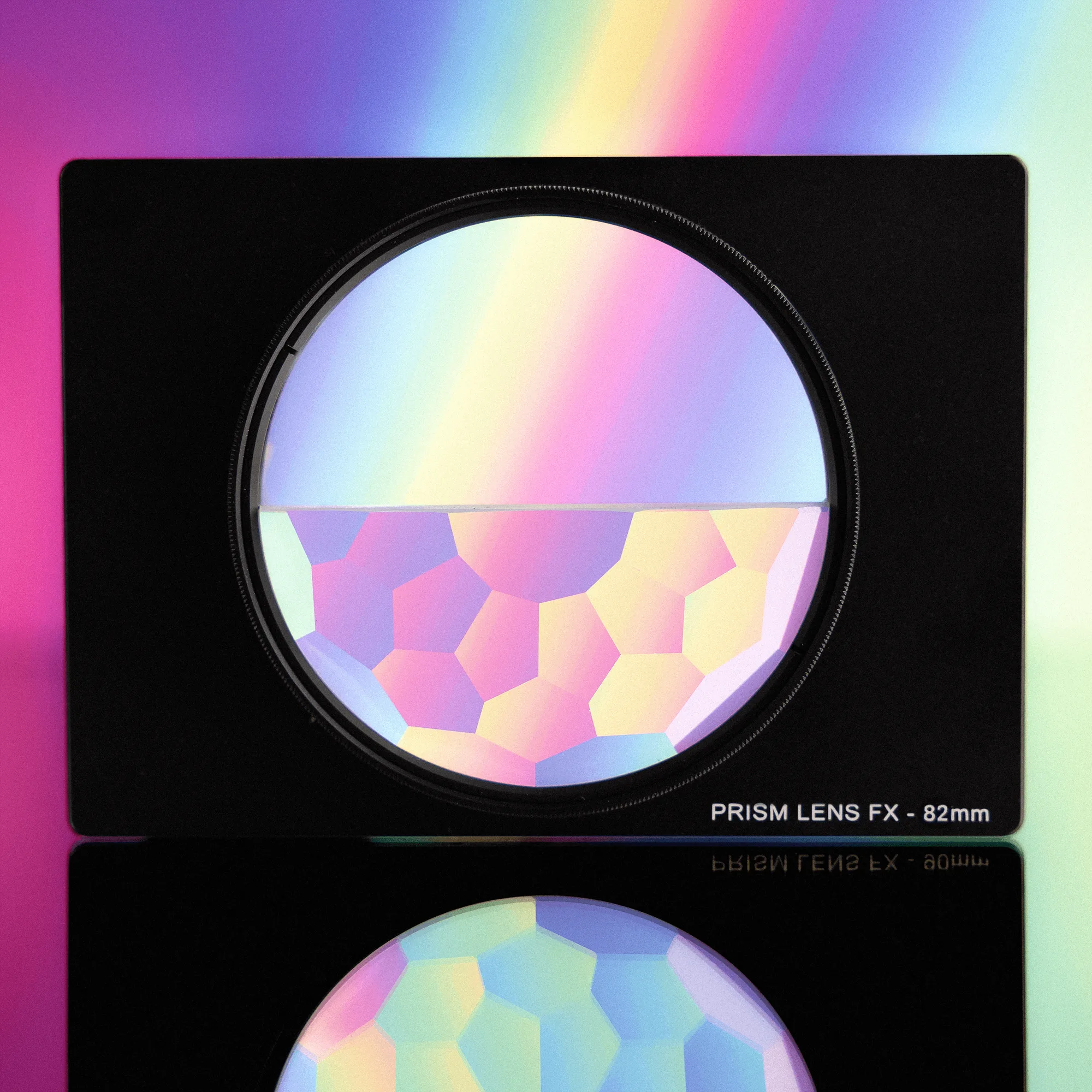
Freeform Filter Tray Adapter


