Quick Answer
If your Galaxy Watch5 Pro rugged case or screen protector isn't performing as expected, diagnose the specific symptom—loose fit, bubbles, or scratches—and apply the targeted fix below. In most cases, proper installation and regular maintenance resolve the issue.
Why Proper Fit Matters for Your Watch5 Pro
A rugged case only protects your Galaxy Watch5 Pro if it sits snugly against the device. A loose case can let dust and debris get between the case and the watch, which can lead to micro-scratches over time. The SUPCASE Unicorn Beetle Rugged Case is designed specifically for the Galaxy Watch5 Pro 45mm, so it should align perfectly with the watch's curves and buttons.
Similarly, the included glass screen protector needs to be centered and free of dust before application. Even a tiny speck can cause bubbles or reduce touch sensitivity. If you notice these issues, the problem is usually installation-related rather than a defect.
Understanding Screen Protector Bubbles
Bubbles under a glass screen protector are a common complaint, but they're often the result of dust or improper pressure during installation. The SUPCASE Unicorn Beetle case includes glass screen protectors, which are more rigid than film protectors and require a clean, dust-free environment for the best result.
If bubbles appear after a few days, they may be caused by the case pressing on the edges of the protector. This can happen if the protector isn't perfectly centered. Re-application may be necessary, but first check that the case is fully snapped into place and not lifting the protector.
Trade-Off: Rugged Protection vs. Bulk
Rugged cases like the Unicorn Beetle add noticeable bulk to your Galaxy Watch5 Pro. This is a trade-off: you get military-grade-style protection, but the watch becomes heavier and may not slide under tight sleeves as easily. If you prioritize a slim profile over maximum protection, a rugged case might not be the right choice.
However, for outdoor activities, construction work, or any environment where impacts and scratches are likely, the added bulk is worth it. The metallic blue finish of the Unicorn Beetle case also adds a stylish touch without compromising durability.
Diagnosis and Fixes for Common Issues
- Symptom: Case feels loose or doesn't snap on securely: Check that the case is oriented correctly. The button cutouts should align with the watch's side buttons. Press firmly around the entire perimeter until you hear a click. If it still feels loose, the case may be damaged or the watch may not be the exact 45mm model. If the case still doesn't fit after re-seating, stop and verify your watch model before considering a replacement.
- Symptom: Bubbles under the glass screen protector: Remove the screen protector, clean the watch face with a microfiber cloth and alcohol wipe, then re-apply in a dust-free area. Use the included applicator if available, and press from the center outward to push out air. If bubbles persist after a second attempt, the protector may be defective—stop and contact support for a replacement.
- Symptom: Scratches appear on the watch face or case: Inspect the screen protector for cracks or deep scratches. If the protector is damaged, replace it immediately. For the case, wipe it with a damp cloth to remove abrasive particles. Avoid exposing the watch to sand or concrete surfaces. If scratches appear on the watch face itself, the screen protector may have been compromised—stop and replace the protector before further damage occurs.
Product Facts
-
Galaxy Watch5 Pro 45mm Unicorn Beetle Rugged Case with Glass Screen Protectors-Metallic Blue: This case is compatible with Galaxy Watch5 Pro 45mm and includes glass screen protectors. You get both impact protection and display scratch prevention in one package, so you don't need to buy a separate screen protector.
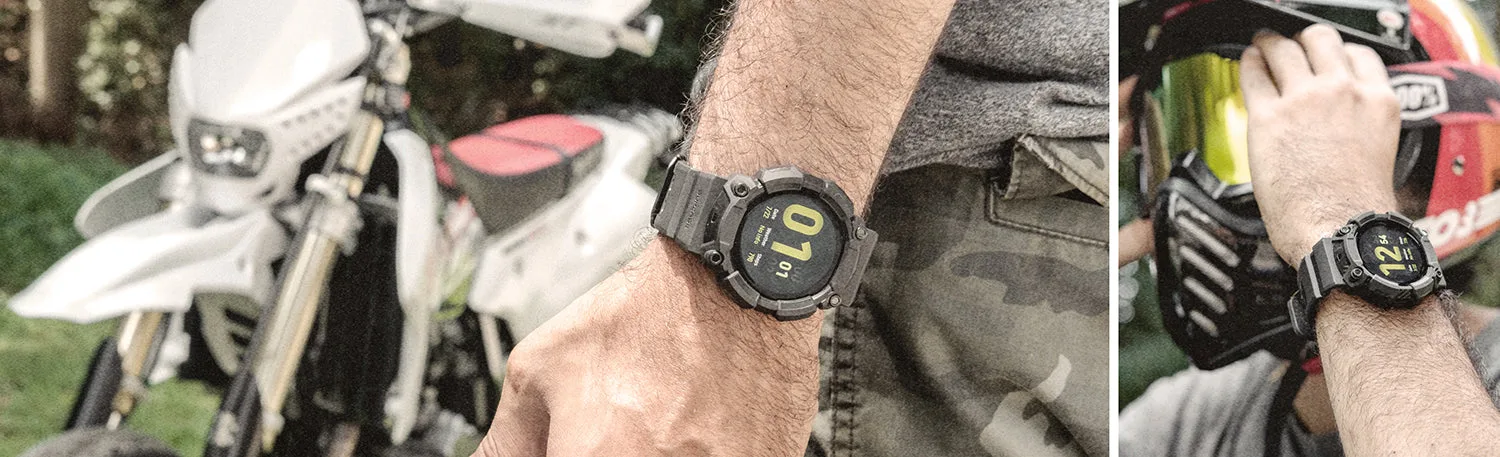
Galaxy Watch5 Pro 45mm Unicorn Beetle Rugged Case with Glass Screen Protectors-Metallic Blue