Quick Answer
To build a reliable loop with the Gecko Run Loop Expansion Pack, focus on a smooth entry angle, secure track adhesion, and gradual curve support. These tips help marbles complete the loop every time.
Why the Loop Expansion Needs a Different Approach
Unlike straight tracks or gentle curves, a loop requires precise speed and track tension. The Gecko Run system uses flexible tracks that stick to smooth surfaces, so the loop's shape depends entirely on how you position and support it. A common mistake is making the loop too tight or too loose, which causes marbles to stall or fly off.
The Loop Expansion Pack adds specialized track pieces designed for vertical loops, but the building principles remain the same: the track must form a consistent curve without kinks, and the marble needs enough momentum from the entry ramp to complete the circuit.
Trade-Offs When Using Vertical Surfaces
Gecko Run tracks stick to doors, windows, and smooth walls, which gives you freedom to build in three dimensions. However, vertical surfaces can make it harder to judge the loop's shape by eye. A loop that looks round on a flat table may become oval when mounted on a wall, changing the marble's path.
Test the loop on a horizontal surface first to confirm the shape, then transfer it to your vertical setup. This extra step saves frustration and wasted track adjustments.
Step-by-Step Loop Building Guide
- 1. Plan the Loop Diameter: Decide how wide your loop will be. A larger loop (about 8-10 inches across) gives marbles a gentler curve and reduces the chance of stalling. Mark the top and bottom points on your surface with a removable sticker or light pencil mark. A loop that is too small (under 6 inches) often causes marbles to lose speed at the top and fall back.
- 2. Build the Entry Ramp: Create a straight track section that leads into the loop at a downward angle of about 20-30 degrees. The ramp should be at least 12 inches long to give the marble enough speed. Attach the ramp to the same surface as the loop for a seamless transition. If the ramp is too short or too flat, the marble will not have enough momentum to complete the loop.
- 3. Form the Loop Shape: Take the flexible track pieces from the Loop Expansion Pack and curve them into a circle. Press the track firmly onto your surface, starting at the bottom and working upward. Ensure the track stays flat against the surface with no gaps or wrinkles. Check that the track is not twisted; a twisted track will cause the marble to roll off the edge.
- 4. Test and Adjust the Curve: Drop a marble at the top of the entry ramp and watch its path. If the marble slows down or stops at the top of the loop, the curve may be too tight or the entry speed too low. Slightly flatten the top of the loop to reduce the angle, or lengthen the ramp. A marble that flies off the track at the loop exit means the curve is too sharp; widen the loop slightly.
- 5. Add a Landing Track: After the loop, attach a straight or gently curved track to catch the marble and guide it to the next section. This landing track should be level or slightly downward to maintain speed. Secure it firmly to avoid vibration that can derail the marble. A landing track that is too steep can cause the marble to bounce and jump the track.
Product Facts
-
Gecko Run: Marble Run Loop Expansion Pack: The Gecko Run Loop Expansion Pack uses a specially designed system of flexible tracks that does not require any support structures. You can attach the loop directly to a smooth vertical surface like a door or window, eliminating the need for bulky support towers and freeing up space for more creative builds.
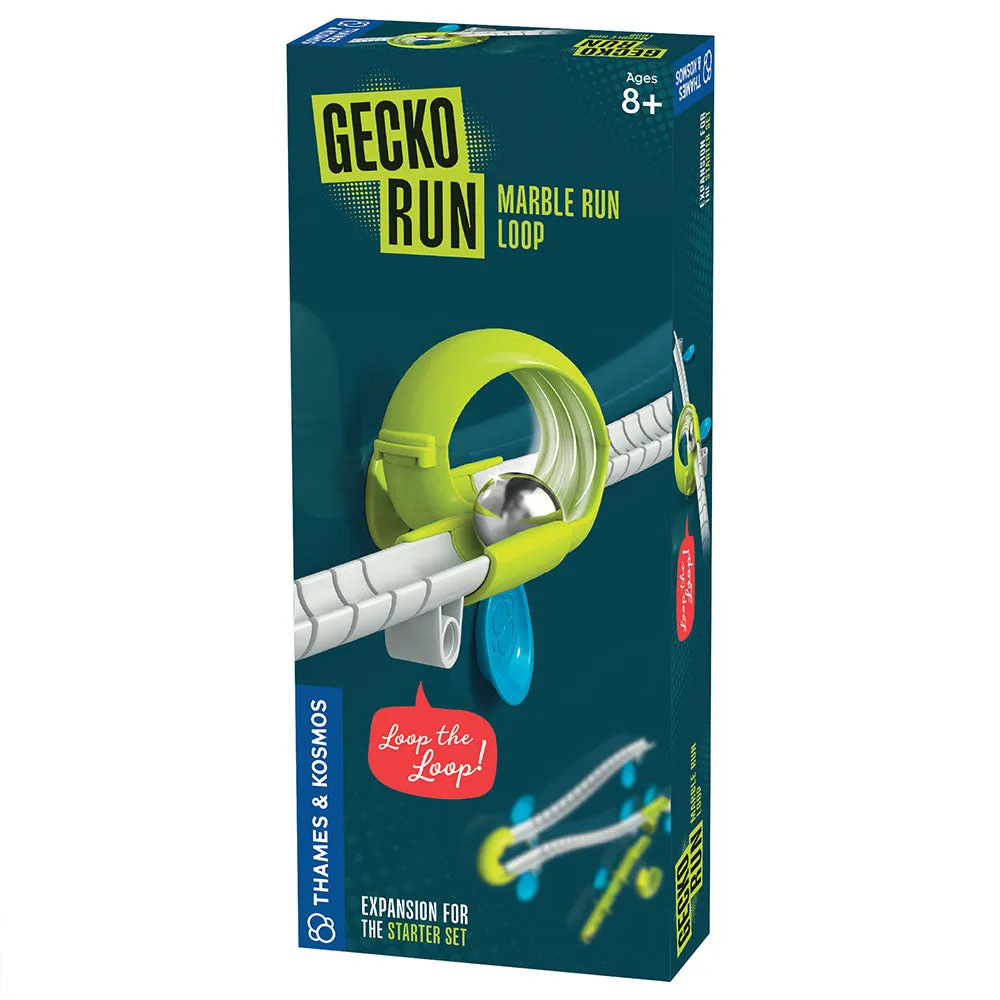
Gecko Run: Marble Run Loop Expansion Pack


