Quick answer
The Gecko Run Twister Expansion Pack adds flexible tracks and a twister module to create vertical, twisting marble runs without support structures. Use the adhesive pads to attach tracks to smooth surfaces like windows or cabinets.
Why the Twister Expansion changes your builds
The Twister Expansion Pack (product ID 1354979) introduces a flexible track system that can curve, twist, and spiral in ways traditional marble runs cannot. Since it uses specially designed tracks and nano-adhesive pads instead of pillars or bases, you can attach them to doors, windows, cupboards, or bookcases. This opens up vertical and overhead layouts that save table space and add a new visual dimension.
One trade-off: the adhesive pads work best on smooth, clean surfaces. Rough or dusty walls may not hold well, so test a small area first. Also, because the tracks are flexible, they can sag if you stretch them too far between attachment points—keep support points every 8–12 inches for reliable marble speed.
Step-by-step track building ideas
- 1. Plan a vertical spiral on a cabinet door: Clean a smooth cabinet door with a damp cloth and let it dry. Attach the adhesive pads to the back of each track piece, then press the first track near the top of the door. Connect the twister module and continue downward in a spiral pattern, leaving 4–6 inches between loops. Check that the marble rolls smoothly through each loop before adding the next track piece. A common mistake is placing loops too close together, causing the marble to skip.
- 2. Create a wall-to-wall bridge: Use two pieces of flexible track to span a gap between a window and a nearby bookshelf. Attach one end to the window with an adhesive pad, curve the track gently, and attach the other end to the bookshelf. The twister module can go in the middle for extra spin. Ensure the curve is gradual—sharp bends will slow or stop the marble. Test with a single marble before committing to the full run.
- 3. Combine with the base Gecko Run set for a loop-the-loop: If you own the original Gecko Run set, use its straight tracks to build a ramp leading to the twister module. Position the twister at a 45-degree angle so the marble enters with enough speed to complete the loop. Use adhesive pads to secure the loop to a vertical surface. The marble needs a downhill run of at least 12 inches before the loop to gain sufficient speed. A common mistake is placing the loop too high, causing the marble to stall at the top.
- 4. Build a multi-level track on a whiteboard or mirror: Clean a large whiteboard or mirror thoroughly. Plan three levels: top (drop zone), middle (twister), bottom (catch). Attach tracks in a zigzag pattern, using the twister module on the middle level to redirect the marble downward. Leave 2 inches between levels for visual clarity. Adhesive pads may leave a slight residue on mirrors—test on a corner first. For whiteboards, use dry-erase markers to sketch the track path before attaching pads.
- 5. Add a surprise drop through a cupboard handle: If you have a kitchen cupboard with a handle, attach a track piece to the door above the handle. Let the marble roll off the track and drop through the handle loop, then catch it with a lower track attached to the door below. The twister module can add a spin before the drop. Measure the drop distance: the marble should fall no more than 6 inches to avoid bouncing out of the lower track. Pad the landing area with a small piece of felt if needed.
Product facts
-
Gecko Run: Marble Run Twister Expansion Pack: The Gecko Run Twister Expansion Pack uses a flexible track system that does not require support structures; it attaches to smooth surfaces via nano-adhesive pads. You can create vertical spirals and wall-mounted runs, saving table space and making the marble run more interactive for kids.
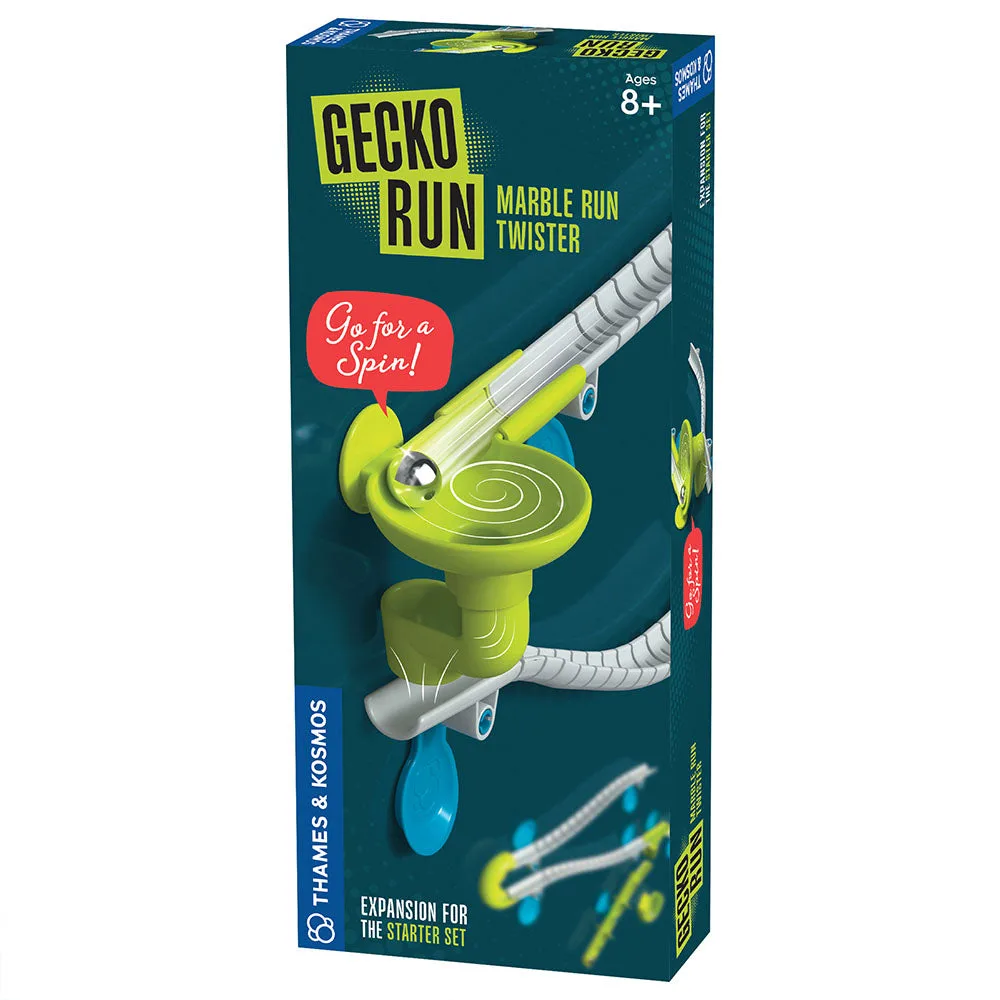
Gecko Run: Marble Run Twister Expansion Pack