Quick answer
The GeekShare Frog Silicone Controller Skin fits snugly on your Switch Joy-Con with a few careful steps, and proper cleaning keeps it looking playful and protected.
Why fit matters for silicone controller skins
A loose skin can shift during gameplay, while an overly tight one may strain the controller's seams. The GeekShare Frog Silicone Controller Skin uses flexible silicone that stretches just enough to wrap around the Joy-Con without bunching, but you still need to align it correctly from the start.
The non-slip textured grip on the handles helps with airflow and a secure hold, but only if the skin sits flat. Skipping alignment steps often leads to wrinkles near the thumbsticks or buttons.
Common mistakes to avoid
Pulling the skin too hard over the edges can tear the silicone near the L/R buttons. Also, installing it on a dirty controller traps dust underneath, which can cause scratches over time.
The frog design's vibrant green color is playful, but it shows smudges easily. Regular care prevents buildup that dulls the look.
Step-by-step installation and care
- Clean your Joy-Con thoroughly: Wipe the controller with a microfiber cloth to remove oils and dust. For stubborn spots, use a lightly dampened cloth and let it dry completely. Skipping this step can trap debris under the skin, leading to scratches.
- Align the skin over the top edge first: Position the frog design so the eye holes match the thumbstick area. Gently press the top edge down, then smooth the silicone downward over the controller's back. Starting from the bottom often causes misalignment near the shoulder buttons.
- Stretch and tuck around the thumbstick and buttons: Use your fingertips to stretch the silicone slightly around the thumbstick base and button cutouts. Avoid pulling too hard—let the material settle naturally. Overstretching can create permanent ripples near the cutouts.
- Press the textured grip area firmly: Run your thumb along the handle grooves to ensure the skin adheres evenly. The fine grooves improve airflow, so they should sit flush against the controller. An air bubble here can reduce grip effectiveness during long sessions.
- Clean the skin weekly with mild soap and water: Remove the skin, rinse it under lukewarm water, and gently rub with a drop of dish soap. Pat dry with a lint-free cloth and let it air-dry completely before reinstalling. Using alcohol or harsh cleaners can dry out the silicone and cause cracking over time.
Product facts
-
GeekShare Frog Silicone Controller Skin: Made from flexible silicone to help protect your controller from scratches, dust, and everyday wear. The soft material absorbs minor impacts and prevents scuffs, but it won't shield against drops or heavy impacts.
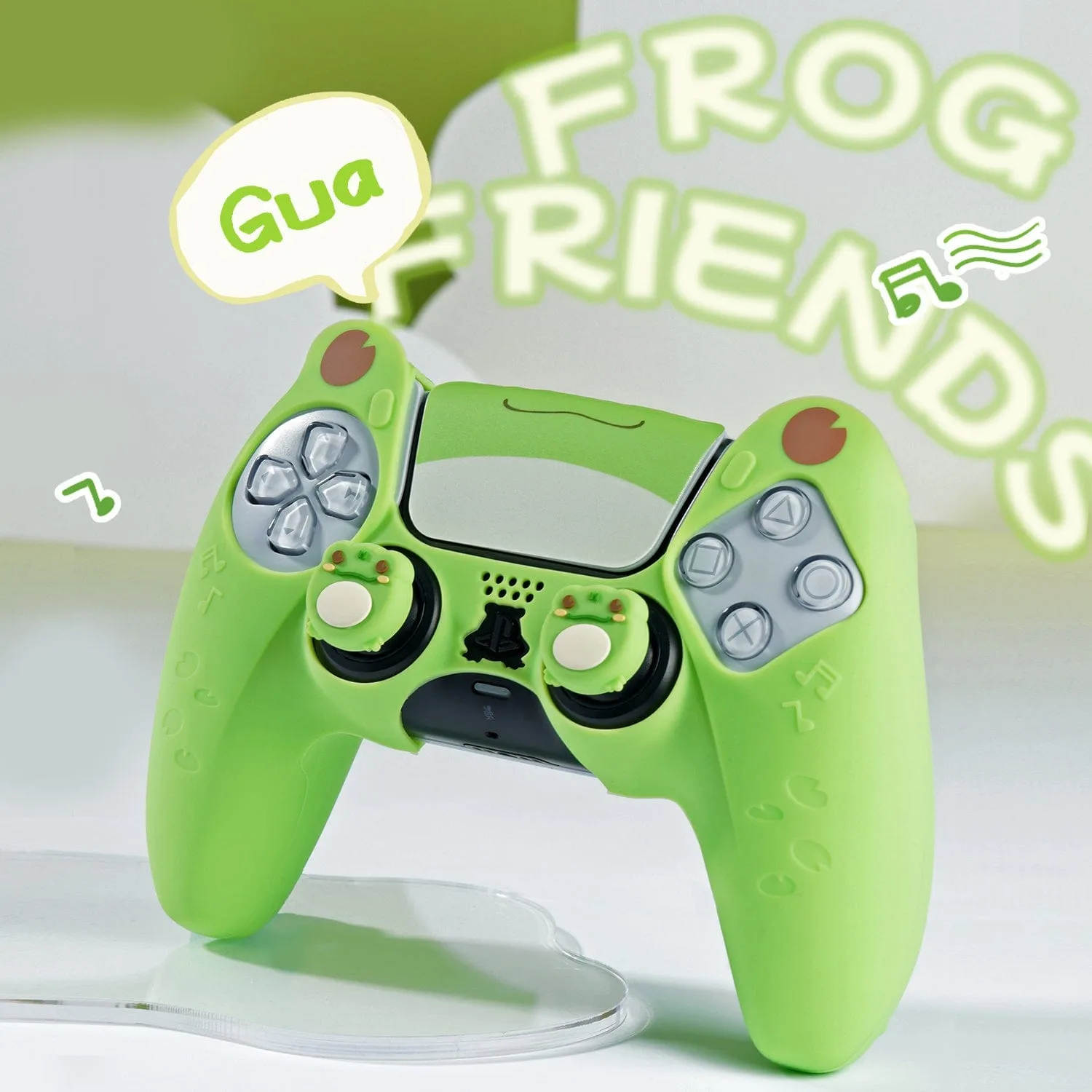
GeekShare Frog Silicone Controller Skin