Quick answer
Clean your PS5 controller skin every few weeks with mild soap and water, avoid harsh chemicals, and remove it before charging to prevent peeling.
Why regular care matters for silicone skins
Silicone controller skins like the GeekShare Star Wings and Gothic Bunny designs add personality and grip, but they also collect dust, oils, and grime from regular use. Without proper cleaning, buildup can cause the skin to lose its soft feel or even lead to discoloration over time.
The good news is that silicone is naturally durable and easy to clean. A simple routine every few weeks keeps the skin looking fresh and helps maintain its non-slip texture. The key is using the right method and avoiding common mistakes that can damage the material.
Common mistakes that shorten skin life
Many users accidentally damage their controller skin by using alcohol wipes, bleach sprays, or abrasive scrubbers. These can break down the silicone surface, causing it to become sticky or peel. Another frequent mistake is leaving the skin on while charging the controller—heat from charging can soften the silicone and lead to warping or peeling around the edges.
Also, storing the controller in direct sunlight or near heat sources can accelerate fading and cracking. Silicone is heat-resistant to a point, but prolonged exposure to UV rays or high temperatures will degrade it.
Diagnosis and care steps
- Symptom: Skin feels sticky or tacky: Likely cause: Residue from hand oils, sweat, or cleaning products. Corrective action: Remove the skin and wash it with lukewarm water and a drop of mild dish soap. Gently rub with your fingers, rinse thoroughly, and air dry completely before reattaching. If stickiness returns after cleaning, switch to a different soap or avoid moisturizers before gaming.
- Symptom: Edges are peeling or lifting: Likely cause: Heat from charging or prolonged sun exposure. Corrective action: Always remove the skin before charging your controller. Store the controller away from direct sunlight and heat vents. If peeling has already started, trim loose edges carefully with small scissors to prevent further lifting. If peeling continues after trimming, the silicone may have degraded—consider replacing the skin.
- Symptom: Discoloration or fading: Likely cause: UV exposure or contact with colored substances (e.g., ink, food dye). Corrective action: Wash immediately with mild soap and water. For stubborn stains, use a soft toothbrush with soapy water. Avoid bleach or hydrogen peroxide. Store the controller in a drawer or case when not in use. If discoloration does not fade after cleaning, it is likely permanent—this is cosmetic and does not affect protection.
- Symptom: Skin no longer fits snugly: Likely cause: The silicone has stretched from repeated removal or heat exposure. Corrective action: Try washing and drying the skin—sometimes it shrinks back slightly. If it remains loose, the skin has lost its elasticity and should be replaced. Stop using a loose skin, as it can shift during gameplay and interfere with button presses.
Products mentioned
-
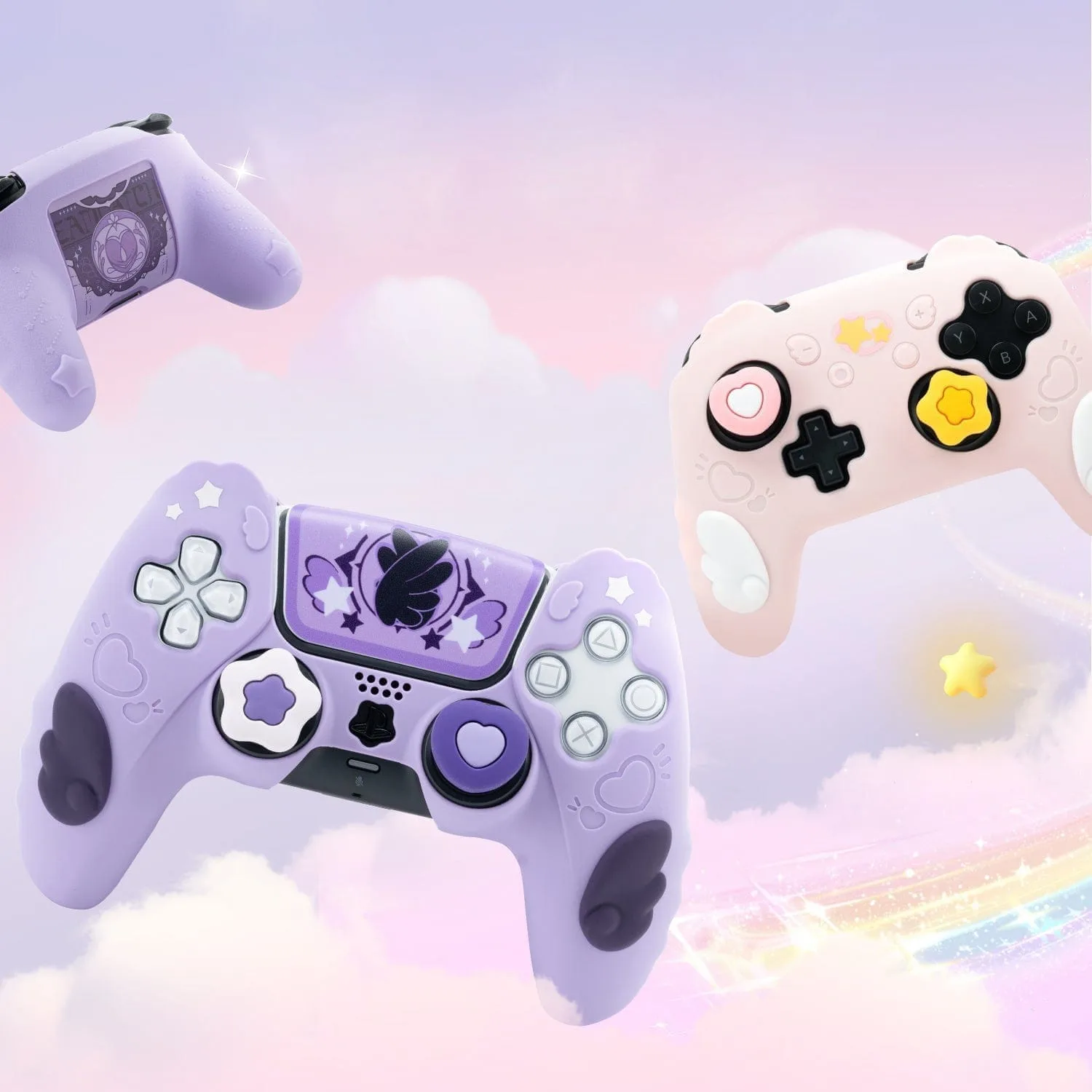
GeekShare Star Wings Silicone Controller Skin: Made from flexible silicone to help protect your controller from scratches, dust, and everyday wear. The flexible silicone is easy to clean and resists damage from mild soap and water, making maintenance simple.
GeekShare Star Wings Silicone Controller Skin
-
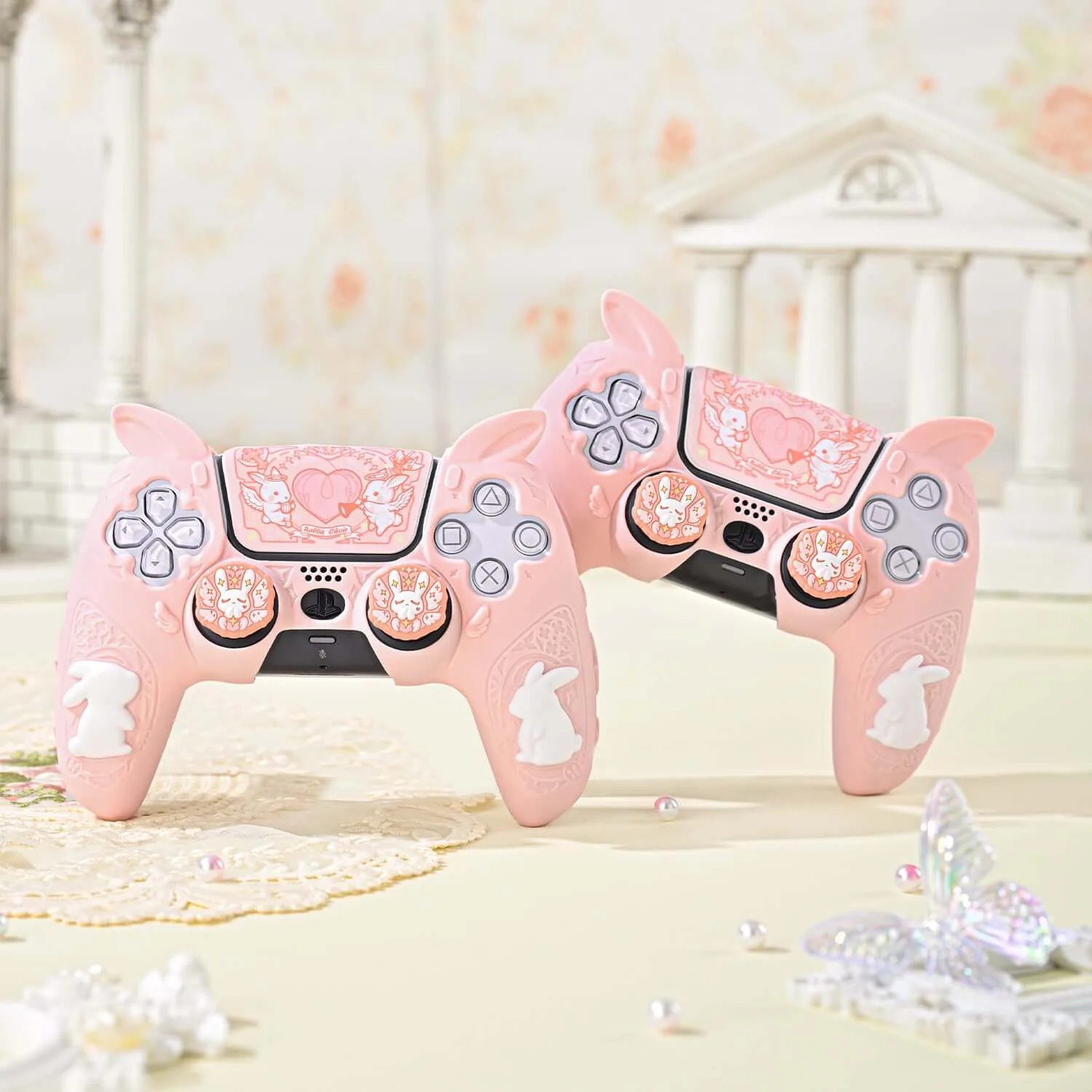
GeekShare Gothic Bunny Controller Skin: Full-cover style adds a coordinated decorative look while helping reduce everyday scratches and wear. The full coverage means you need to clean the entire surface evenly to avoid dirt buildup in crevices around buttons and grips.
GeekShare Gothic Bunny Controller Skin