Quick Answer
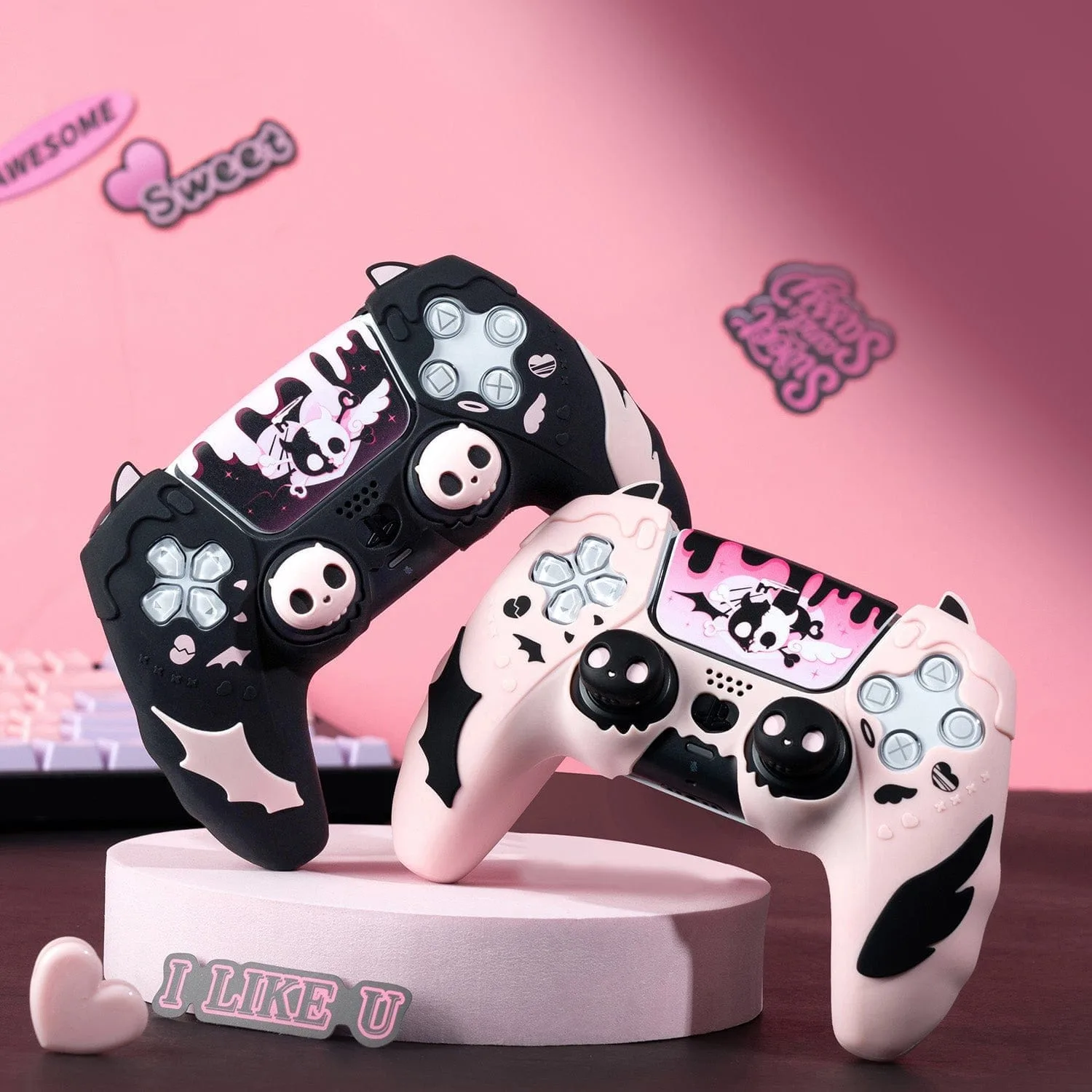
The GeekShare Pink Skull Silicone Controller Skin fits snugly over PS5 and Switch controllers. Follow these steps to apply it without wrinkles, bubbles, or misalignment.
Why Fit Matters for Silicone Skins
A loose or poorly applied silicone skin can shift during gameplay, collect dust underneath, or interfere with button presses. The GeekShare Pink Skull skin uses flexible silicone with textured grips, so getting the alignment right from the start ensures both protection and comfort.
Because the skin is designed for a precise fit, rushing the installation is the most common cause of frustration. Taking a few extra seconds to center it pays off in a smooth, secure feel.
What You Need Before You Start
Clean your controller with a dry microfiber cloth to remove fingerprints and dust. Oils from your hands can make the silicone slip during installation. Work in a well-lit area so you can see the edges clearly.
Step-by-Step Application Guide
- 1. Align the Top Edge First: Hold the skin by the top edge (near the PS button or Switch home button) and gently stretch it over the controller's top. Make sure the skull design is centered before pressing down. Common mistake: starting from the bottom often leads to a crooked skull graphic.
- 2. Press the Shoulder Buttons and Triggers: Work the silicone over the L1/R1 and L2/R2 buttons (or ZL/ZR on Switch). Use your fingertips to tuck the skin around each button, ensuring no silicone bunches up underneath. Checkpoint: each trigger should click freely without resistance from the skin.
- 3. Smooth the Grips and Sides: Starting from the center of the handles, press the textured grip areas outward toward the edges. This pushes out trapped air and prevents wrinkles along the sides. Common mistake: pressing the middle too hard before the edges are seated can create bubbles.
- 4. Tuck the Bottom Edge Around the Charging Port: For PS5 controllers, make sure the cutout for the USB-C port lines up exactly. For Switch controllers, verify the release button on the back is not covered. Gently pull the skin down and press the edges into place. Checkpoint: if the port cutout is misaligned, peel the skin back and re-center from the top.
- 5. Final Press and Test: Run your thumb over the entire surface, especially around the thumbsticks and D-pad, to ensure full contact. Then grip the controller normally and test every button, trigger, and analog stick for interference. If any button feels stiff, lift the nearby skin edge and re-seat it. Do not trim the silicone.
Product Details
-
GeekShare Pink Skull Silicone Controller Skin: Soft Silicone Protection – Made from flexible silicone to help protect your controller from scratches, dust, and everyday wear. The soft material stretches slightly during installation, so you can adjust it without tearing, but it also means you need to avoid overstretching around the thumbsticks.
GeekShare Pink Skull Silicone Controller Skin