Quick answer
Store your Gloomhaven metal coin upgrade in the supplied drawstring pouch or a dry, airtight container away from humidity and direct sunlight. Handle coins with clean, dry hands, and avoid abrasive polishes that strip the finish. If you notice a dull film or spots, clean gently with a soft dry cloth before the tarnish sets.
Gloomhaven
Why metal coins change over time
Metal coins react to the environment. Humidity, skin oils, and airborne sulfur compounds can leave a dull film, dark spots, or a greenish tinge. This is normal surface oxidation, not a defect. The goal is to slow it down, not to keep the coins in mint condition forever. A little patina can even look appropriate for a fantasy campaign, but heavy tarnish makes denominations harder to read at a glance.
Daily handling habits that prevent damage
Most wear happens during play. Keep a small tray or bowl on the table for the coin pool so players are not sliding coins across the board. Ask everyone to keep snacks and drinks away from the coin area. After the session, count the coins back into the pouch or container rather than leaving them loose in the box. Loose coins rub against cardboard and each other, which dulls the relief and creates fine scratches.
Storage setups that actually work
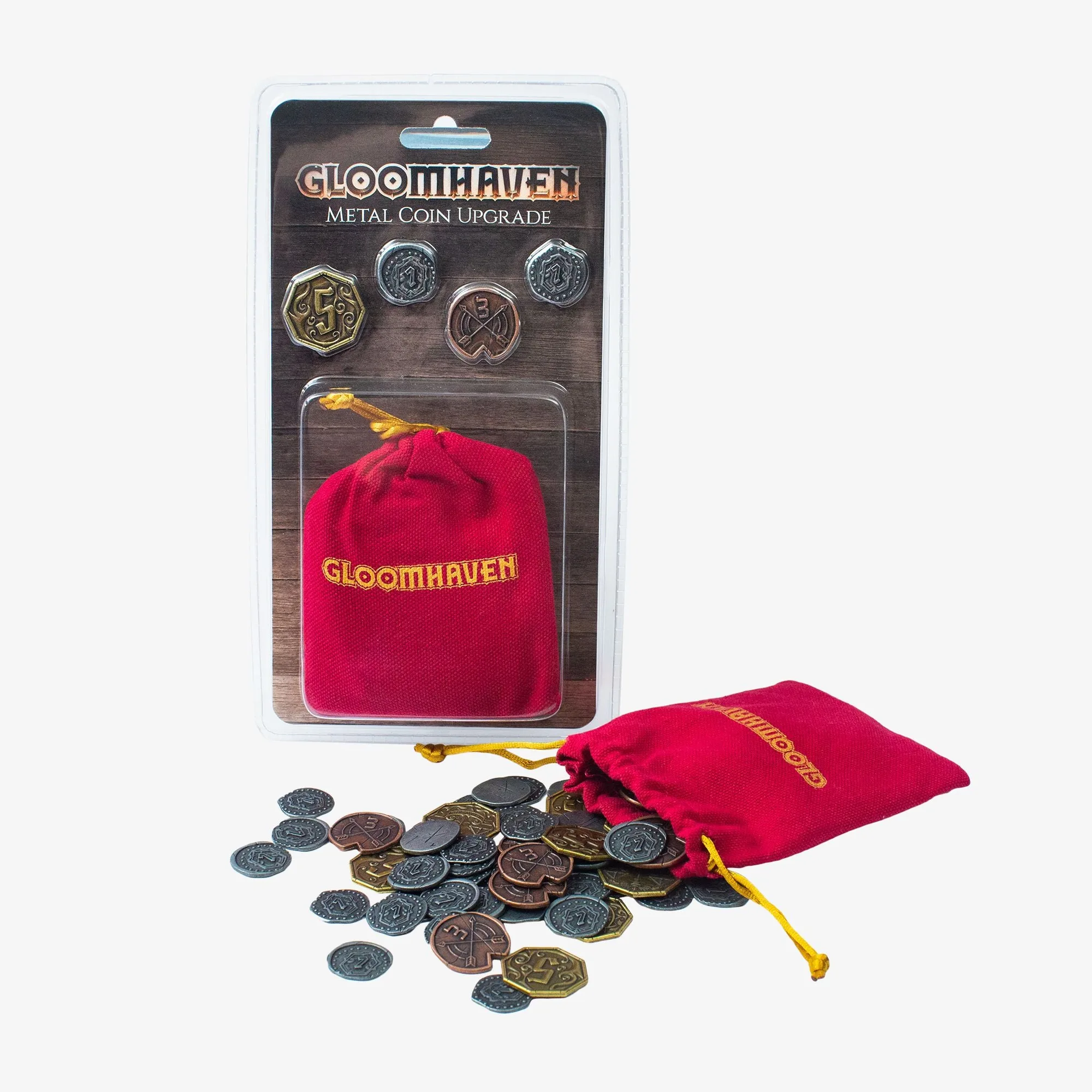
The Gloomhaven: Metal Coin Upgrade includes a drawstring pouch, which is a fine everyday home for the coins. For longer storage, place the pouch inside a hard plastic box or a zippered case with a desiccant packet. Keep the container in a room with stable temperature and low humidity. Avoid storing coins in a basement, garage, or attic where dampness and temperature swings accelerate tarnish. Do not store coins loose in a plastic bag with PVC, because that material can release gases that corrode metal over time.
Cleaning without ruining the finish
Start with the gentlest method: a dry, soft cloth and light pressure. For fingerprints, a barely damp cloth followed by a dry buff is usually enough. Skip vinegar, lemon juice, baking soda, and commercial metal polishes unless the manufacturer says otherwise. Those can strip a protective coating or leave an uneven shine. If a coin has heavy green corrosion, isolate it from the rest of the set so it does not spread, and accept that some discoloration may be permanent.
Diagnosis: common coin problems and fixes
- Dull film or light spots: Likely cause: humidity or skin oils from handling. Corrective action: wipe each coin with a dry microfiber cloth, then store with a desiccant packet. Checkpoint: if the film returns within a week, your storage spot is too humid. Move the container to a drier room.
- Fine scratches on the face: Likely cause: coins rubbing together loose in the box. Corrective action: return coins to the drawstring pouch or a divided tray after every session. Checkpoint: if scratches are already deep, further polishing will not remove them without losing detail. Stop polishing and focus on preventing more scratches.
- Green or dark corrosion: Likely cause: prolonged moisture exposure or contact with reactive materials. Corrective action: isolate affected coins, clean gently with a dry cloth, and replace the storage container. Checkpoint: if corrosion has pitted the surface, the coin is damaged beyond simple cleaning. Consider replacing the damaged coins rather than risking the rest of the set.
Product facts
- Gloomhaven: Metal Coin Upgrade: Compatible with all titles in the Gloomhaven Universe, this premium 60 ct. coin set contains x40 '1' coins, x10 '3' coins, x10 '5' coins, and x1 drawstring pouch. The pouch gives you an immediate storage option, and the mix of denominations means you can sort coins by value to reduce handling wear on the smaller coins.