Quick answer
The Gone Fishin' Platelight is an acrylic light-diffusing panel that mounts inside your PC case, and this guide covers what comes in the box and how to set it up for the best visual effect.
What makes the Gone Fishin' Platelight different
Unlike standard RGB strips or glass panels, the Gone Fishin' Platelight uses a high-quality acrylic sheet that sits in front of a Platelight LED source. The light diffuses through the acrylic, turning the printed artwork into a soft, backlit piece of art inside your computer. This gives you a clean, integrated look without visible wiring or hotspots.
The panel itself is lightweight and designed to fit most standard PC cases, though you should check your case's interior clearance before buying. The art is printed directly onto the acrylic, so there is no separate film or sticker to apply.
Trade-offs to consider before buying
The Gone Fishin' Platelight is sold as a panel only; you need to bundle it with a separate Platelight LED unit to get the backlit effect. This means two purchases if you don't already own a Platelight. The acrylic material is durable but can scratch if handled carelessly during installation, so take your time when mounting.
Because the effect relies on diffusion, the brightness and color accuracy depend on the Platelight model you pair it with. If you use a very bright or cool-white LED, the artwork may appear washed out. For best results, use a Platelight that matches the warm or neutral tone of the scene.
How to display the Gone Fishin' Platelight
- Check case compatibility: Measure the interior space where you plan to mount the panel. The acrylic sheet needs a flat surface and enough depth to fit behind the side panel or in a dedicated mounting slot.
- Pair with a compatible Platelight: Purchase a Starforge Systems Platelight LED unit separately. Attach the LED strip to the back of the acrylic panel or to the case frame behind it, ensuring even coverage for consistent diffusion. Bundle the panel with a Platelight at checkout to complete the set and avoid a second shipping cost.
- Mount the panel securely: Use the included adhesive or mounting brackets (if provided) to attach the acrylic panel to the case. Avoid overtightening screws or pressing hard on the center of the panel to prevent cracking or scratching. Handle the acrylic by the edges only to keep the printed surface clean and scratch-free.
- Adjust lighting position: Position the Platelight LED so it faces the back of the acrylic panel, not the edges. Test the brightness before finalizing the mount—dim the LED if the artwork looks washed out.
- Route cables neatly: Run the Platelight power cable behind the motherboard tray or along case cable channels. Keep the cable away from fans and heat sources to avoid interference.
Product details
-
Gone Fishin': Made of high quality, durable acrylic, these panels allow light from our Platelight to diffuse through, creating a gorgeous backlit piece of art, right inside of your computer. This means the artwork glows evenly without harsh LED spots, giving your build a polished, gallery-like appearance.
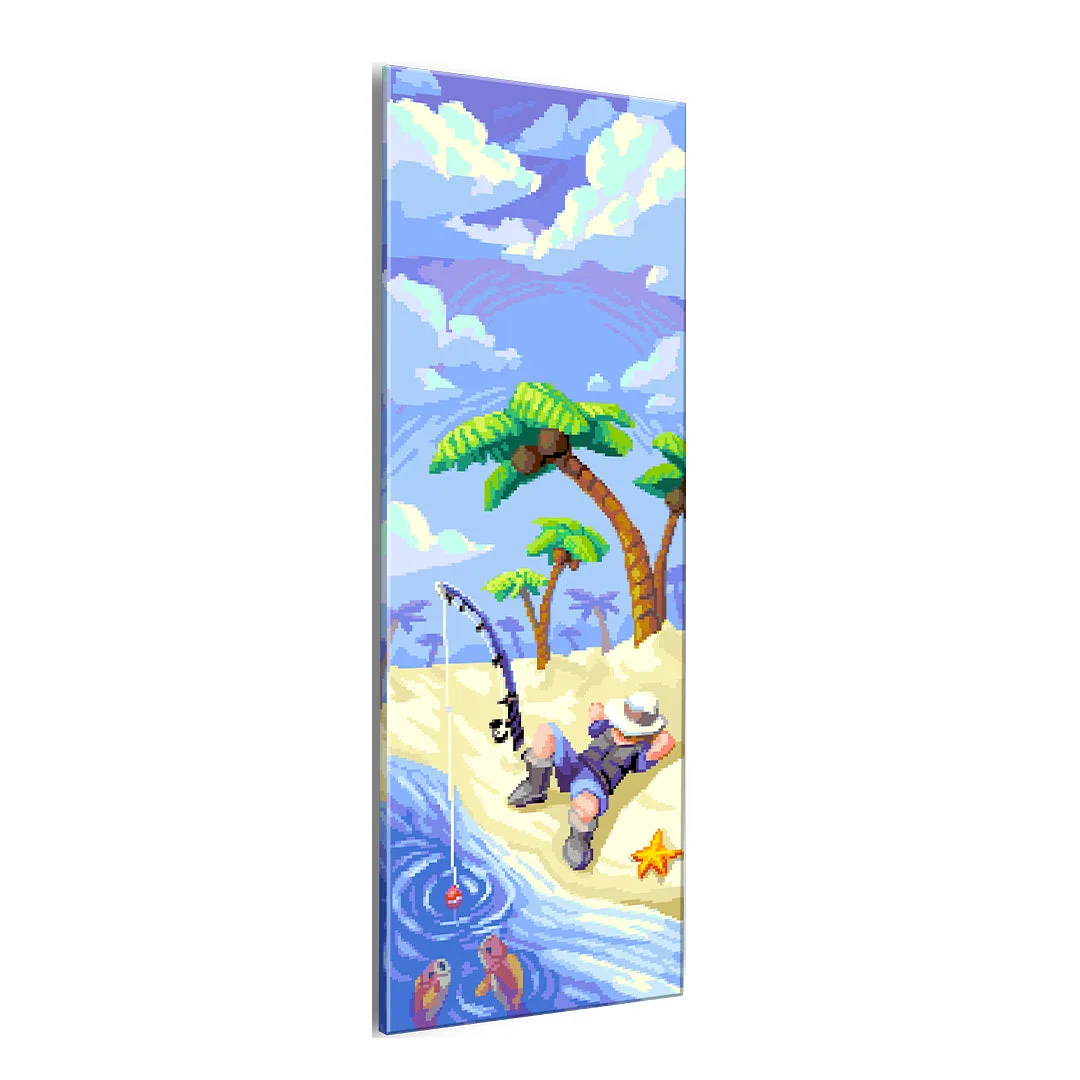
Gone Fishin'
Is the Gone Fishin' Platelight right for you?
Best for
- Gamers who want a custom, backlit art piece inside their PC without complex wiring
- Fans of the Gone Fishin' design who already own or plan to buy a Platelight LED unit
Not for
- Users who want a self-contained RGB panel with built-in LEDs (this requires a separate Platelight)
- Builders with very tight interior space who cannot fit an additional acrylic sheet behind the side panel