Quick answer
To use the belt clip on your SUPCASE Unicorn Beetle PRO holster case for the Google Pixel 7 Pro, slide the holster onto your belt or bag strap, then rotate the clip to your preferred angle. Press the phone firmly into the holster until it clicks, and press the release button to remove it.
Why the rotating holster design matters
The Unicorn Beetle PRO holster features a rotating belt clip that lets you adjust the phone's angle while it's still attached to your belt. This is useful when you want to view the screen or access the camera without taking the phone out of the case.
The clip rotates 360 degrees and locks into several positions. A common mistake is forcing the rotation beyond the lock points, which can wear down the mechanism over time. Always rotate gently until you feel the clip click into a new position.
How to use the belt clip: step by step
- Attach the holster to your belt or bag: Slide the open end of the belt clip over your belt, waistband, or bag strap. Push it down until the clip grips the material. Make sure the clip is fully seated before releasing. Do not attach the holster to thin or flimsy fabric — it may slip off. Use a belt or sturdy strap at least 1.5 inches wide.
- Rotate the clip to your preferred angle: Hold the holster body and rotate the clip clockwise or counterclockwise. You will feel it click into one of several locked positions. Stop at the angle that feels most comfortable for carrying or viewing. Never force the rotation past the click points. If it feels stuck, check that the clip is not pinched by the holster frame.
- Insert the phone into the holster: With the phone already inside the Unicorn Beetle PRO case, align the back of the case with the holster opening. Press down firmly until you hear a click — this means the retention tabs have locked the phone in place. If you do not hear a click, the phone may not be fully seated. Remove and reinsert. A loose phone can fall out when you bend or sit.
- Remove the phone from the holster: Press the release button on the back of the holster (usually a textured tab near the top). While holding the button, pull the phone upward and out. The clip stays on your belt. Do not yank the phone without pressing the release button — this can damage the retention tabs. Always use two hands: one to press the button, one to lift the phone.
Product facts
-
Google Pixel 7 Pro Unicorn Beetle PRO Rugged Holster Case-Metallic Green: Rugged design with a built-in holster for easy belt or bag attachment. The holster keeps your Pixel 7 Pro securely on your belt or bag, freeing your hands while protecting the phone from drops and bumps.
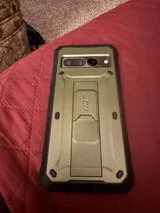
Google Pixel 7 Pro Unicorn Beetle PRO Rugged Holster Case-Metallic Green