Quick answer
Choose a Hall Effect keyboard if you want adjustable actuation and rapid trigger for competitive games, and you are comfortable relying on software to tune it. Choose a mechanical keyboard if you prefer fixed, predictable key feel, broad switch variety, and no dependency on magnetic sensing. Both are durable; the real difference is adjustability versus simplicity.
Hall Effect and mechanical keyboards look nearly identical on a desk, and both give you real switches with real travel. The difference is how each one registers a keypress, and that changes what you can adjust, how consistent the feel stays over time, and what you pay for the feature set.
This comparison sticks to the facts that matter when you are choosing: actuation behavior, rapid trigger, durability, and the practical trade-offs of each design. It also uses two concrete Endgame Gear examples, the KB65HE Hall Effect Gaming Keyboard and the OP1 Universal Switch Set, to show where each approach fits.
How each type registers a keypress
A mechanical keyboard closes a physical contact when you press a switch past its actuation point. That point is fixed by the switch itself, so a 2 mm actuation switch always actuates at roughly 2 mm unless you swap the switch. Feel and response are predictable, and the keyboard needs no special sensing hardware beyond the switch and PCB.
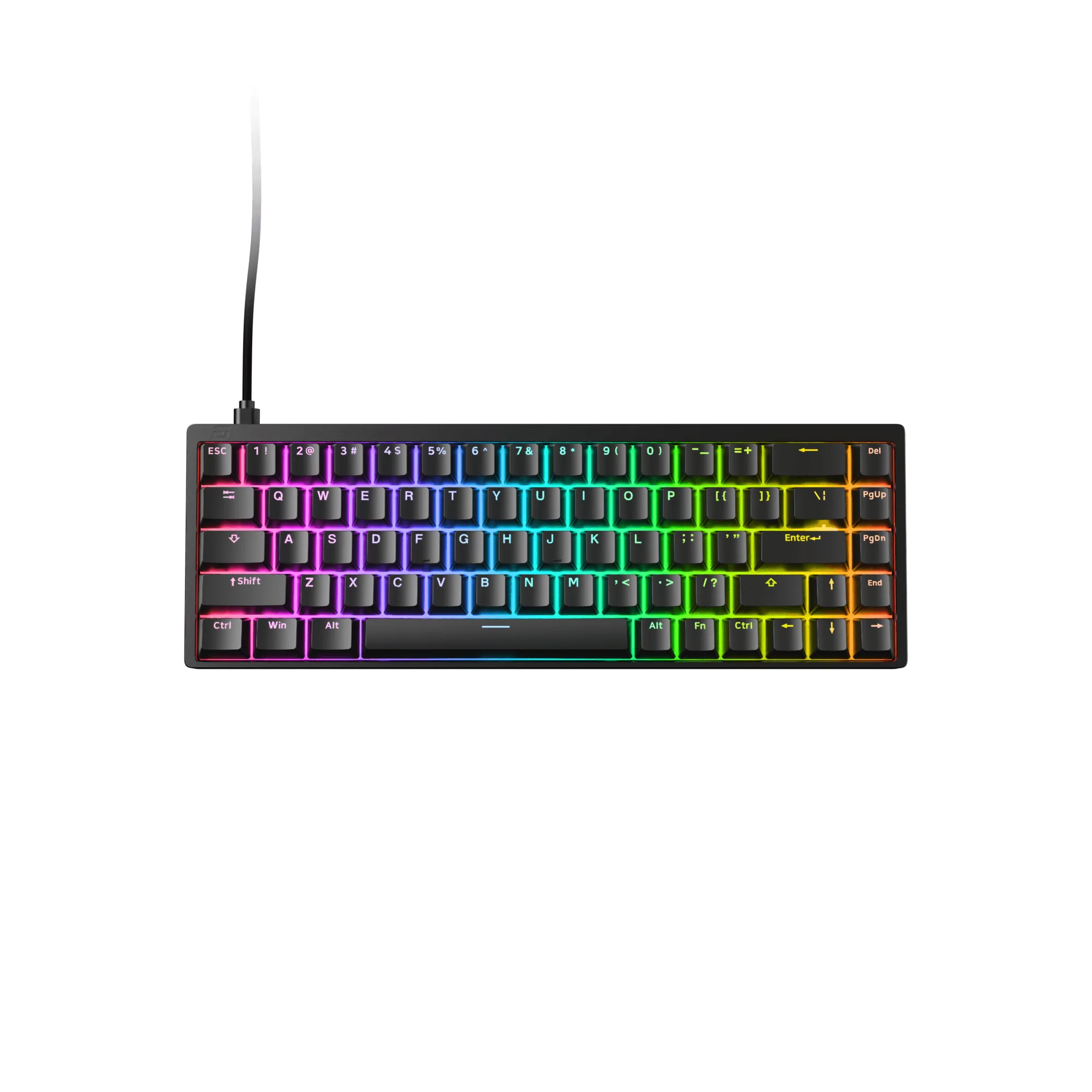
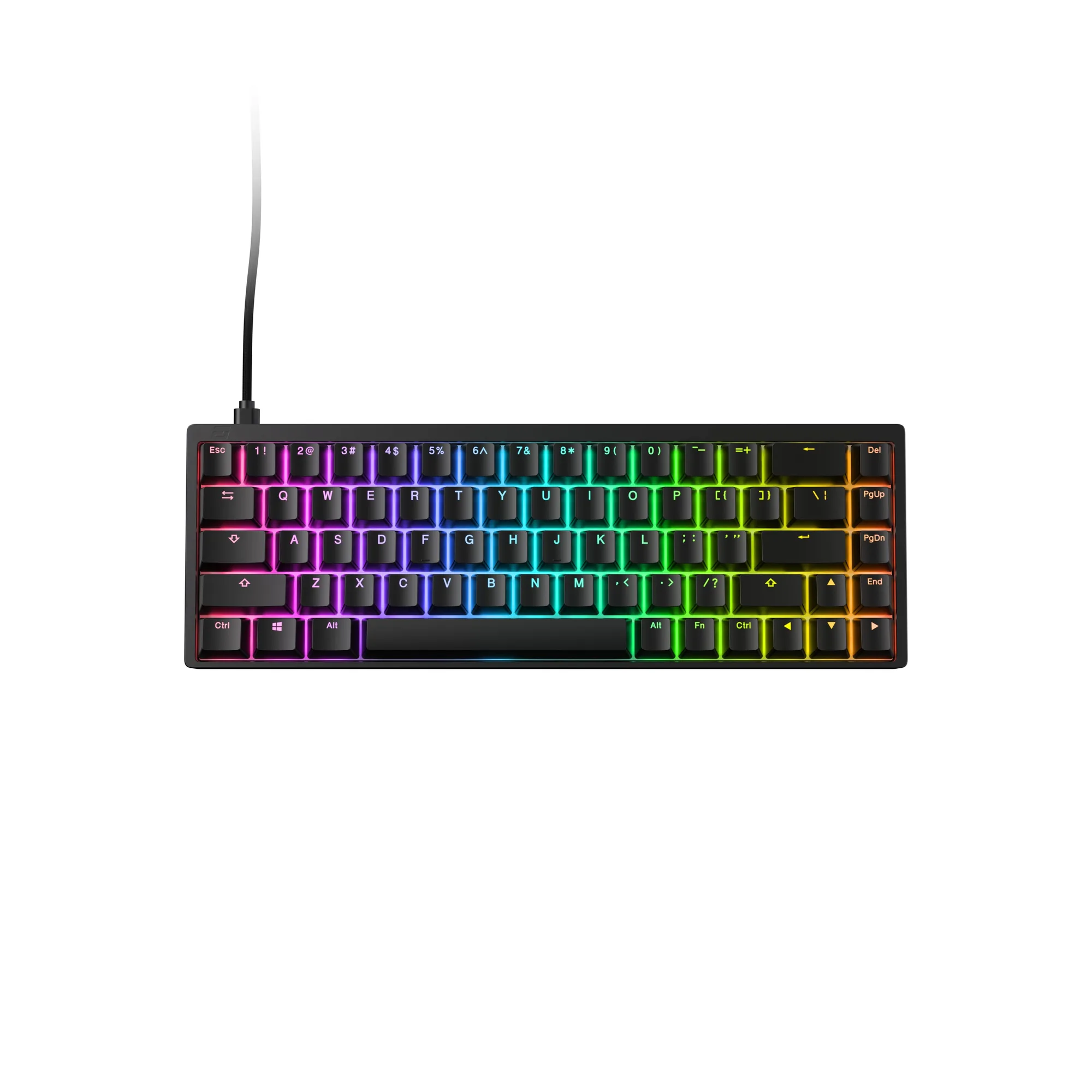
A Hall Effect keyboard uses magnetic sensing instead of a physical contact. The Endgame Gear KB65HE uses Hall Effect technology with Gateron KS-37B switches, and the catalog describes the result as unmatched durability and rapid trigger response. Because the board reads magnetic field changes, the actuation point can be adjusted in software rather than fixed by hardware.
- Mechanical: actuation point is set by the switch, not the keyboard firmware.
- Hall Effect: actuation point is adjustable through optional software, so one board can behave like several.
Adjustable actuation and rapid trigger
Adjustable actuation is the headline feature of Hall Effect boards. You can set a shallow actuation for faster inputs or a deeper one to reduce accidental presses, and you can change it per key or per game profile. This is why the phrase adjustable actuation keyboard comes up so often in competitive discussions.
Rapid trigger takes that further. Instead of waiting for a full release before the key can re-register, the board can reset the moment you move back past the actuation point. In practice, rapid trigger vs mechanical is a comparison of reset behavior: mechanical switches reset at a fixed physical point, while Hall Effect boards can reset dynamically. That matters most in games where you tap and re-tap the same key quickly.
- Set shallow actuation for movement keys and deeper actuation for keys you tend to brush accidentally.
- Test rapid trigger in a practice range before relying on it in a ranked match.
Durability and long-term consistency
Hall Effect switch durability is often cited as an advantage because there is no physical contact to wear out at the actuation point. The KB65HE's catalog description points to Hall Effect technology for unmatched durability, and that aligns with the contactless design. The trade-off is that the keyboard depends on its sensing electronics and firmware, so the board's longevity is tied to the whole system, not just the switches.
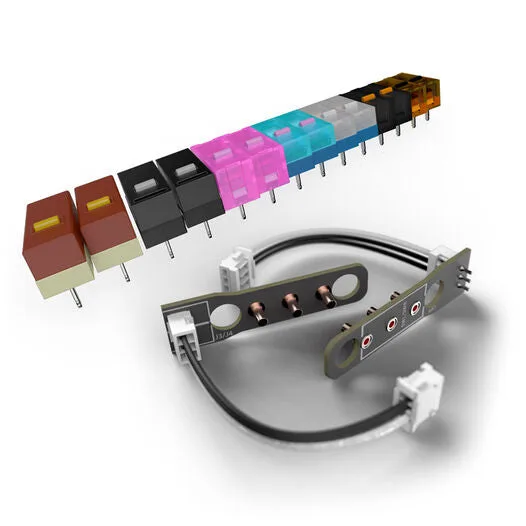
Mechanical switches wear at the contact point over time, but they are also widely replaceable and easy to understand. The OP1 Universal Switch Set shows the same logic on the mouse side: it uses universal sockets and supports a wide range of mechanical switches for quick, easy installation. That kind of swap-in flexibility is a mechanical advantage that Hall Effect boards do not offer in the same way.
- If you like changing switch feel, mechanical wins on modularity.
- If you want a consistent actuation point that does not drift with contact wear, Hall Effect is the stronger long-term bet.
Software, feel, and everyday use
Hall Effect boards lean on software. The KB65HE supports optional software for RGB lighting and key bindings, and that same software is where you tune actuation and rapid trigger. If you dislike installing configuration tools or you switch between many computers, that dependency is a real drawback.
Mechanical boards keep working the same way no matter what is installed. The trade-off is that you give up on-the-fly actuation changes. For typing, many people also prefer the fixed bottom-out feel of a mechanical switch, while Hall Effect boards can feel different because the sensing is magnetic rather than contact-based.
- Check whether the board's configuration software is available for your operating system before buying.
- If you share a keyboard across devices, save your profiles so you are not re-tuning every time.
What the KB65HE and OP1 Switch Set show about each path
The KB65HE is a compact Hall Effect board with Gateron KS-37B switches, an aluminum body, and Ducky Doubleshot PBT keycaps. It is the clearest example of the Hall Effect path: adjustable actuation, rapid trigger, and software-driven customization in a small form factor.
The OP1 Universal Switch Set is a mechanical example, but on the mouse side. It is not compatible with the OP1we, and it works with the OP1, OP1 RGB, and OP1 8k models equipped with mechanical switches. It shows what mechanical modularity buys you: you can change click feel without replacing the whole device. Hall Effect keyboards do not offer that same switch-swapping freedom.
- The KB65HE is the Hall Effect option to compare against any mechanical board you are considering.
- The OP1 Universal Switch Set is a reminder that mechanical systems reward tinkerers.
Trade-offs to weigh before you buy
- Adjustability vs predictability: Hall Effect lets you change actuation and use rapid trigger, but you must configure it. Mechanical gives you a fixed actuation point that behaves the same everywhere. Pick Hall Effect if you will actually tune it; pick mechanical if you want it to just work.
- Contactless durability vs swappable switches: Hall Effect removes the wearing contact at the actuation point, while mechanical switches can be replaced when they wear or when you want a different feel. Decide whether you value a sealed system or a repairable, moddable one.
- Software dependency vs plug-and-play: Hall Effect features like adjustable actuation depend on the board's software. Mechanical boards do not need configuration tools to deliver their core function. If you move between machines often, factor in how you will carry your profiles.
Product facts that clarify the choice
- KB65HE Hall Effect Gaming Keyboard - ANSI US: Features Hall Effect technology, Gateron KS-37B switches, an aluminum body, and Ducky Doubleshot PBT keycaps, with optional software for RGB lighting and key bindings. This is the adjustable-actuation path: you can tune response in software, and the aluminum body and PBT keycaps address build quality and long-term wear.
- OP1 Universal Switch Set - 2x Switch PCBs + 14 Switches: Compatible with the OP1, OP1 RGB, and OP1 8k models equipped with mechanical switches, and not compatible with the OP1we. It uses universal sockets and supports a wide range of mechanical switches for quick, easy installation. It shows the mechanical advantage in practice: you can change switch feel yourself, which is not something a Hall Effect keyboard offers.
Which one fits you
Choose this if
- Competitive players who want adjustable actuation and rapid trigger for faster re-taps.
- Buyers who are comfortable installing software and tuning profiles per game.
- Players who want a compact board with a durable aluminum body and PBT keycaps, like the KB65HE.
Skip this if
- You want a fixed, predictable key feel with no configuration required.
- You like swapping switches yourself and want that modularity on the keyboard.
- You frequently use computers where you cannot install the configuration software.
Hall Effect and mechanical keyboards are both solid choices, but they optimize for different things. If you want adjustable actuation and rapid trigger and you will use the software, a Hall Effect board like the KB65HE is the better fit. If you want fixed, predictable feel and the freedom to swap switches, stay mechanical. Match the board to how you actually play and maintain your gear, and the decision becomes straightforward.