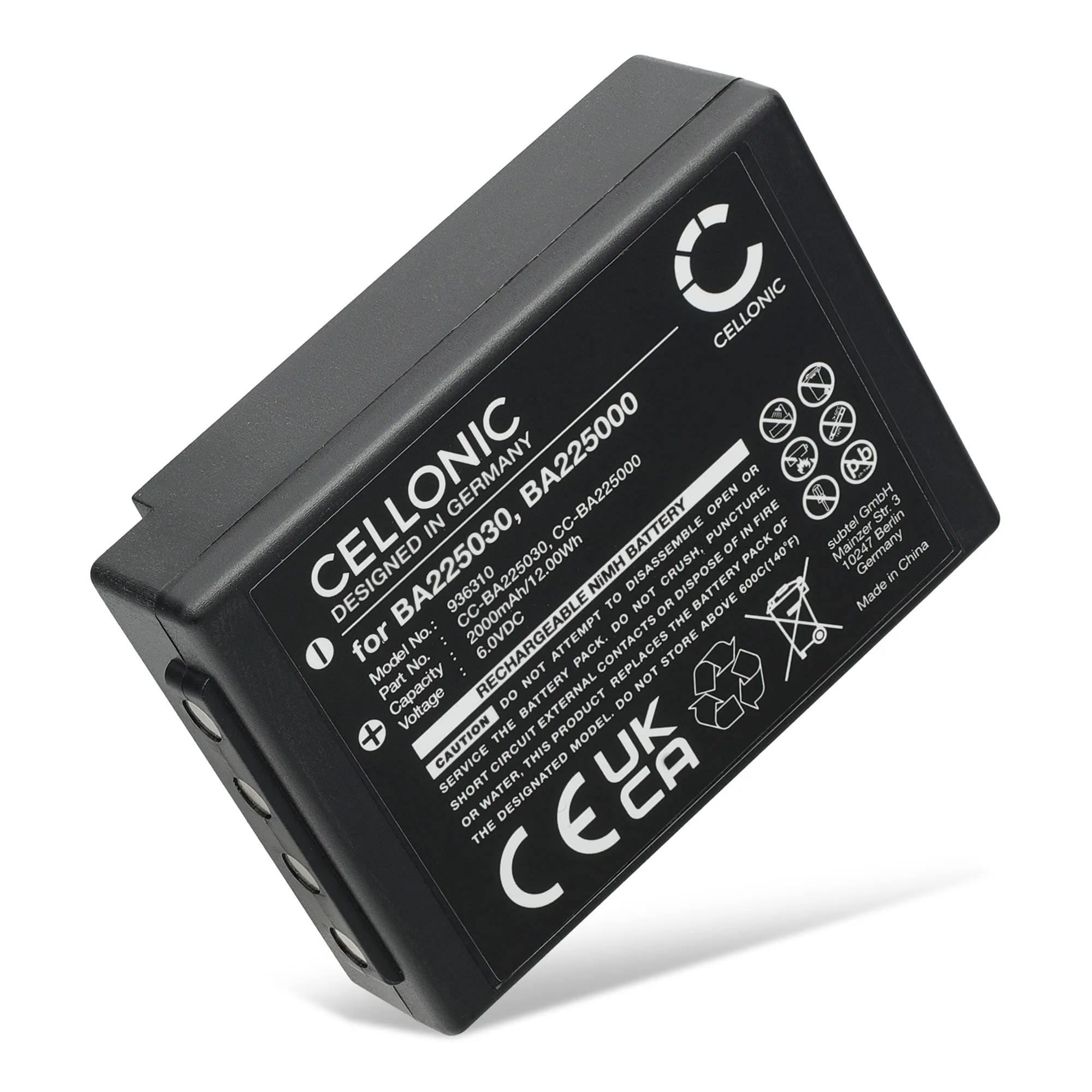
Quick answer
To replace the battery in an HBC Radiomatic Eco, Linus, Spectrum, or Technos transmitter, first identify your exact model and original part number, then order a compatible pack such as the 005-01-00615 / BA205000 / BA205030 / BA206000 replacement. Power the transmitter off, release the battery compartment latch, remove the old pack, and insert the new one until it clicks. Confirm the voltage and capacity match your original before charging.
Match your transmitter model to the correct battery part number
HBC Radiomatic uses several battery part numbers across its transmitter families. The 005-01-00615, BA205000, BA205030, and BA206000 numbers are often listed as interchangeable for the Eco, Linus 6, Spectrum 1, Spectrum 2, Spectrum A, Spectrum B, and Technos models, but you should always confirm your original pack's label first. Write down the model name from the transmitter housing and the part number printed on the old battery. If the label is worn, check the user manual or the inside of the battery compartment for a sticker. Ordering by part number is safer than ordering by model name alone because some transmitters were shipped with different battery options over their production run.
Prepare the transmitter for a safe swap
Before you open the battery compartment, switch the transmitter off and remove it from any charger or docking station. If your transmitter has a removable key or enable switch, remove it and keep it with you. Work on a clean, dry surface away from metal debris that could short the battery contacts. Have the new battery within reach so you can transfer it without setting the old pack down on a conductive surface. If the old battery is swollen, do not force it out; stop and seek professional service because a swollen pack can be damaged further during removal.
Remove the old battery without damaging the compartment
Most HBC Radiomatic transmitters use a latch or sliding cover on the battery compartment. Press or slide the release, then lift the cover away. Some packs are held by a connector rather than a clip; if so, press the connector's locking tab before pulling it apart. Never pull on the wires themselves. If the pack feels stuck, check for a second latch or a small screw that secures the battery door. Forcing a stuck pack can crack the housing or bend the contact pins, which may require a full transmitter repair.
Install the new pack and verify the fit
Align the new battery's contacts with the transmitter's terminals and slide it in until it seats fully. You should feel a click or a firm stop, and the pack should not wobble. If your replacement uses a connector, push it in until the tab locks. Close the compartment cover and make sure it sits flush. Then turn the transmitter on and check that the display or LED indicators show a normal charge level. If the transmitter does not power on, remove the pack and recheck the contact alignment before assuming the battery is faulty.
Charge and test before returning to full operation
New batteries often arrive partially charged. Charge the pack fully using the original HBC charger or a charger rated for the same voltage and chemistry. Do not use a charger designed for a different battery type. After a full charge, run a short function test on your machine at low speed to confirm the transmitter holds its charge and communicates reliably. If the run time is noticeably shorter than expected, check that the capacity matches your original pack and that the battery is not a lower-capacity substitute.
Step-by-step HBC Radiomatic battery replacement
- Identify the original part number: Read the label on your old battery and note the model name from the transmitter housing. Cross-check both against the replacement listing. If the label is unreadable, check the user manual or the inside of the battery compartment for a sticker before ordering.
- Power down and remove the transmitter from its charger: Switch off the transmitter, remove any key or enable switch, and disconnect it from the charger or docking station. Never swap a battery while the transmitter is charging; residual current can damage the new pack's contacts.
- Open the battery compartment: Press or slide the latch to release the cover. If the pack uses a connector, press the locking tab before separating it. Do not pull on the wires. If the pack resists, look for a second latch or a securing screw.
- Remove the old battery: Lift the pack straight out. If it is swollen, stop and have the transmitter serviced rather than forcing it. A swollen battery is a safety risk; do not attempt to compress or puncture it.
- Insert the new battery: Align the contacts and slide the pack in until it clicks or seats firmly. Close the cover flush. A wobbling pack means it is not fully seated; reopen and reseat before use.
- Charge fully and test: Use the original HBC charger or one rated for the same voltage and chemistry. Run a short low-speed function test after charging. If run time is short, verify the capacity matches your original pack and that the contacts are clean.
Replacement battery options
- 005-01-00615 BA205000 BA205030 BA206000 Battery for HBC Radiomatic Eco Linus 6 Spectrum 1 Spectrum 2 Spectrum A Spectrum B Technos 2000mAh Battery Rep: 2000mAh high-capacity replacement for HBC Radiomatic Eco, Linus 6, Spectrum 1, Spectrum 2, Spectrum A, Spectrum B, and Technos transmitters. Replaces part numbers 005-01-00615, BA205000, BA205030, and BA206000. This single pack covers multiple HBC transmitter families, so you can order by your original part number without hunting for a model-specific battery.


