Quick Answer
For 4K at 60Hz, choose an HDMI 2.0 cable rated for 18Gbps. Older HDMI 1.4 cables were built for lower bandwidth and may not carry 4K at 60Hz reliably, so they're a poor match for modern TVs, monitors, and consoles. If you're buying new cables today, an 18Gbps HDMI 2.0 set is the safer default.
What Actually Changes Between HDMI 1.4 and HDMI 2.0
The practical difference is bandwidth. HDMI 2.0 is specified for 18Gbps, which is what allows 4K at 60Hz along with support for UHD, 3D, 2160p, 1080p, ARC, and Ethernet on the RitzGear cables in this comparison. An older HDMI 1.4 cable was designed around a lower bandwidth ceiling, so it may work for 1080p but can struggle when you ask it to carry a 4K 60Hz signal over a longer run.
That matters because a cable that 'works' at 1080p can still fail at 4K 60Hz. You may see a blank screen, intermittent dropouts, or a display that falls back to a lower resolution or refresh rate. If you're asking 'do I need HDMI 2.0,' the honest answer is: yes, if your source and display are both capable of 4K 60Hz and you want that signal to arrive intact.
How to Match Cable Length and Pack Size to Your Setup
Length is where most 4K HDMI cable comparisons get practical. Short runs between a streaming stick and a wall-mounted TV are easy; long runs across a room to a projector are where bandwidth headroom and build quality matter more. The RitzGear options here span 8 ft to 25 ft, so measure the actual path your cable will take, including any bends around furniture or through cable management, before choosing.
Pack size is the other half of the decision. A single long cable is right for one projector run, while a multi-pack makes sense if you're wiring several devices at once, such as a TV, a monitor, and a game console. Buying the pack that matches your device count usually costs less per cable than buying individually later.
Braided Nylon and Gold Plating: What They Do and Don't Do
Braided nylon jacketing and gold-plated connectors are durability and corrosion-resistance features, not bandwidth upgrades. They help a cable survive repeated plugging, tight bends, and long-term use, which is useful for cables that stay connected behind a desk or TV. They do not turn an HDMI 1.4 cable into an HDMI 2.0 cable, and they don't change the 18Gbps rating on the RitzGear models listed here.
Treat these features as build-quality signals. If two cables both carry the 18Gbps HDMI 2.0 rating you need, the braided nylon and gold plating are reasonable tiebreakers for a cable you'll handle often or leave in place for years.
Trade-Offs to Weigh Before You Buy
- Longer cable vs. signal reliability: A 25 ft run reaches a projector across a room but gives you less margin than a short 8 ft run, so keep bends gentle and avoid unnecessary extensions. Choose the shortest length that still reaches your device.
- Multi-pack value vs. unused cables: A 5-pack lowers the per-cable cost, but only if you actually have five devices to connect; otherwise you're paying for spares you may never use. Count your devices before picking pack size.
- Braided nylon vs. basic jacketing: Braided nylon and gold plating add durability for cables that stay plugged in or get moved often, but they don't change the 18Gbps rating. Pay for build quality only when the cable will see wear.
Product Facts
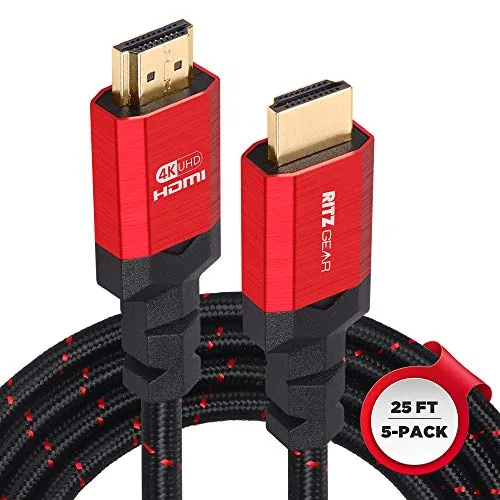
- RitzGear 4K HDMI Cables | 5-Pack of 25 Ft. High-Speed 18Gbps HDMI 2.0 Connectors | Durable Braided Nylon, Gold Plating, 4K @ 60Hz Ultra HD, 3D, 2160p, 1080p & Ethernet Support for TV, Laptop & Gaming: 5-pack of 25 ft. high-speed 18Gbps HDMI 2.0 cables with braided nylon and gold plating, supporting 4K at 60Hz, UHD, 3D, 2160p, 1080p, ARC, and Ethernet. The 25 ft length and 5-pack suit long projector runs or wiring several rooms at once, where a single short cable wouldn't reach.
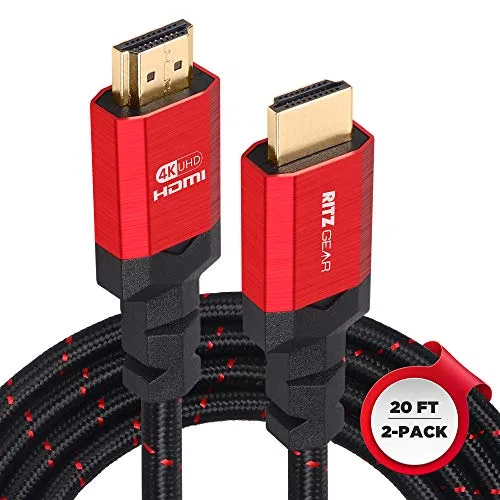
- RitzGear 4K HDMI Cables | 2-Pack of 20 Ft. High-Speed 18Gbps HDMI 2.0 Connectors | Durable Braided Nylon, Gold Plating, 4K @ 60Hz Ultra HD, 3D, 2160p, 1080p & Ethernet Support for TV, Laptop & Gaming: 2-pack of 20 ft. high-speed 18Gbps HDMI 2.0 cables with braided nylon and gold plating, positioned for casting a computer screen to another display. A two-cable set at 20 ft covers a desk-to-TV or desk-to-projector setup without buying more cables than you need.
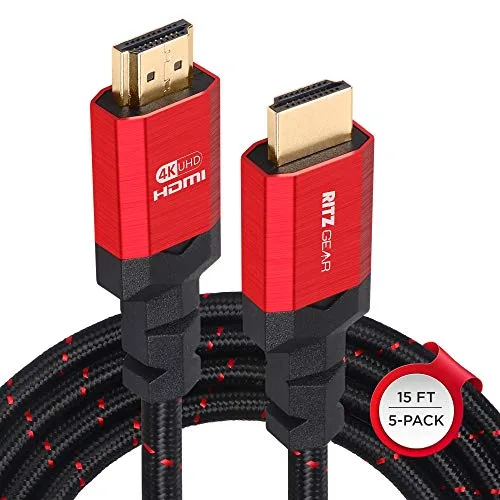
- RitzGear 4K HDMI Cables | 5-Pack of 15 Ft. High-Speed 18Gbps HDMI 2.0 Connectors | Durable Braided Nylon, Gold Plating, 4K @ 60Hz Ultra HD, 3D, 2160p, 1080p & Ethernet Support for TV, Laptop & Gaming: 5-pack of 15 ft. high-speed 18Gbps HDMI 2.0 cables with braided nylon and gold plating, supporting 4K at 60Hz, UHD, 3D, 2160p, 1080p, ARC, and Ethernet. The 15 ft length and 5-pack fit medium runs and multi-device setups, such as a TV, monitor, and console in the same room.
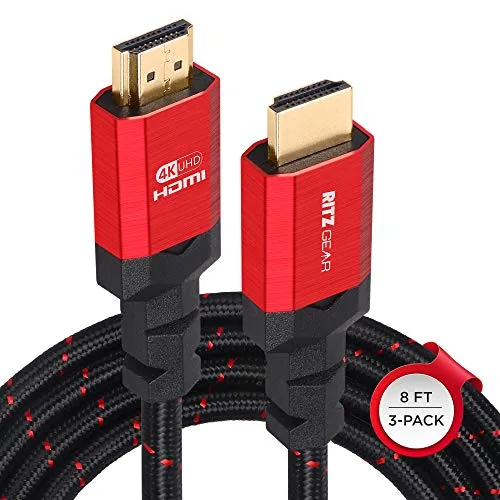
- Ritz Gear 4K HDMI Cables | 3-Pack of 8 Ft. High-Speed 18Gbps HDMI 2.0 Connectors | Durable Braided Nylon, Gold Plating, 4K @ 60Hz Ultra HD, 3D, 2160p, 1080p & Ethernet Support for TV, Laptop & Gaming: 3-pack of 8 ft. high-speed 18Gbps HDMI 2.0 cables with braided nylon and gold plating, positioned for adding multiple display options at home or in an office. Short 8 ft runs are ideal for devices sitting close together, like a streaming stick, Blu-Ray player, and TV on one stand.
Is an 18Gbps HDMI 2.0 Cable Right for You?
Best for
- 4K TVs, monitors, and projectors that need 4K at 60Hz
- Multi-device setups where a 3-pack or 5-pack covers several connections
- Longer runs to a projector or across a room, where 15 ft to 25 ft is needed
Not for
- Setups limited to 1080p, where an older HDMI 1.4 cable may already be sufficient
- Buyers who only need one short cable and don't want spare cables in a multi-pack
- Anyone expecting braided nylon or gold plating to add bandwidth beyond the 18Gbps rating