Quick answer
Install the SmallRig HDMI Cable Clamp #3000 on your A7S III cage to lock the HDMI cable in place and prevent the most expensive repair on that camera body.
Why a dedicated clamp matters for the A7S III
The HDMI port on the Sony A7S III is soldered directly to the main board. A single hard tug on the cable can rip the port off the board, requiring a repair that often exceeds the cost of the clamp many times over. A dedicated clamp like the SmallRig HDMI Cable Clamp #3000 bolts to the matching cage and grips the cable housing, not the port, so any pull transfers to the cage instead.
Generic cable ties or velcro straps can slip or put sideways pressure on the connector. The SmallRig clamp is machined to match the exact geometry of the A7S III cage (#3000), so the cable sits parallel to the body and the lock is secure. It won't fit other cages correctly, but for this specific setup it's a precise, low-profile solution.
Installation steps
- Mount the cage on the camera: Ensure the SmallRig cage #3000 is properly attached to the Sony A7S III body. All screws should be snug but not overtightened. Common mistake: installing the clamp before the cage is fully seated can misalign the clamp and damage the HDMI port.
- Attach the HDMI cable to the camera: Plug the HDMI cable fully into the camera's HDMI port. Make sure the connector is seated straight and clicks in place. Checkpoint: if the cable feels loose or angled, remove and reseat it before proceeding.
- Position the clamp over the cable: Place the SmallRig HDMI Cable Clamp over the cable connector so the clamp's groove aligns with the cable housing. The clamp should sit flush against the cage. Common mistake: forcing the clamp when the cable is not aligned can scratch the cage or bend the connector.
- Secure the clamp with the included screw: Thread the screw through the clamp into the cage's threaded hole. Tighten until the clamp holds the cable firmly, but do not overtighten — the clamp should not deform the cable housing. Checkpoint: after tightening, gently tug the cable near the clamp. The cable should not move. If it does, tighten slightly more.
- Route the cable away from the rig: Use cable ties or a cable management arm to secure the HDMI cable along your rig, leaving enough slack near the clamp to avoid tension. Common mistake: pulling the cable tight from the clamp to the recorder can transfer strain back to the clamp and loosen it over time.
Product fact
-
SmallRig HDMI Cable Clamp for A7S III Cage #3000: A dedicated HDMI cable clamp for the SmallRig Sony A7S III cage (#3000). Bolts to the cage and locks the HDMI cable against the camera body so a tug on the cable can't break the port. This prevents the most expensive repair on an A7S III — a broken HDMI port — for a fraction of the cost of the repair.
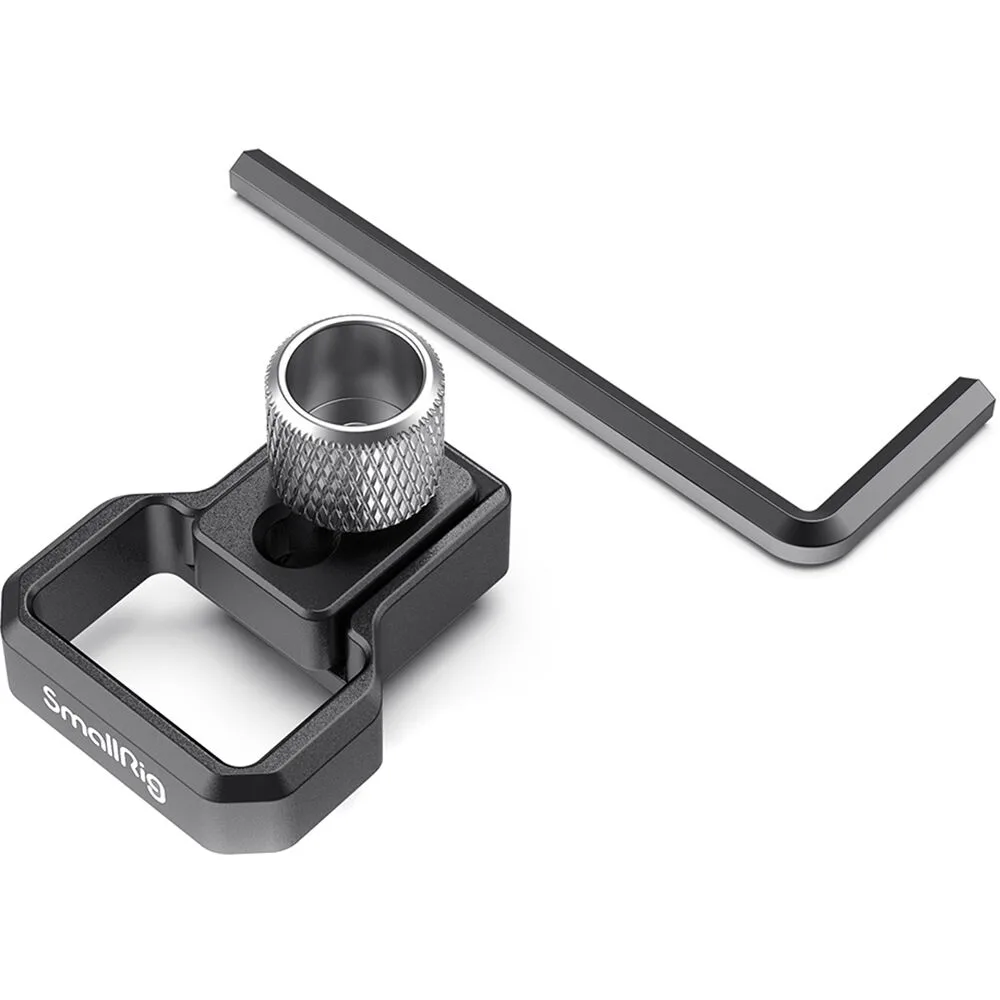
SmallRig HDMI Cable Clamp for A7S III Cage #3000