Quick answer
Choose a heavy triple monitor mount that supports your monitors' VESA pattern (75, 100, or 200) and weight. The SimXPro Integrated Triple Screen Setup Heavy handles up to 32-inch displays and supports VESA 100/200, making it a solid choice for most sim racing triples.
Why VESA pattern matters for triple mounts
The VESA pattern (distance between mounting holes in mm) must match your monitor's rear plate. Common patterns for sim racing monitors are 75×75, 100×100, and 200×200. A mount that supports multiple patterns gives you flexibility for future monitor upgrades.
Heavier monitors (over 15 lbs) often use larger VESA patterns like 100×100 or 200×200 for better weight distribution. A mount designed for heavy-duty use should include these patterns to avoid adapter plates that add bulk and potential flex.
Weight capacity and rigidity trade-offs
An integrated triple mount attaches directly to your cockpit frame, reducing floor space but transferring all monitor weight to the rig. Heavy-duty mounts use thicker aluminum extrusions (like 40×80 mm) to minimize flex during aggressive driving.
If your monitors exceed 20 lbs each, look for a mount rated for at least 60 lbs total. The SimXPro Integrated Triple Screen Setup Heavy uses premium 40×80 mm profiles for added rigidity, which reduces vibration and keeps the screens aligned under load.
Monitor size limits on integrated mounts
Most integrated triple mounts specify a maximum screen size, typically 27 to 32 inches. Exceeding this can cause the side arms to sag or the center plate to twist. The SimXPro Heavy mount supports displays up to 32 inches, which covers the majority of sim racing monitors.
If you plan to use 34-inch ultrawides or larger, you may need a floor-standing triple stand instead of an integrated mount. Integrated mounts are more compact but have stricter size limits.
Decision rules for choosing a heavy triple mount
- Check your monitor's VESA pattern: Measure the distance between mounting holes on the back of your monitor. If it's 100×100 or 200×200, the SimXPro Heavy mount works directly. For 75×75, confirm the mount includes that pattern or use an adapter plate (adds thickness). Measure before you buy to avoid returns.
- Verify total weight capacity: Add the weight of all three monitors. If each weighs 15 lbs, you need at least 45 lbs capacity. The SimXPro Heavy mount is built for heavier displays, but always check the spec sheet for the exact limit. Leave a 20% margin for safety and cable weight.
- Confirm monitor size limit: Integrated mounts have a max screen size. For 32-inch or smaller, the SimXPro Heavy mount is suitable. For larger monitors, consider a floor-standing triple stand that supports bigger screens without cockpit interference. Measure your monitor's diagonal and compare to the mount's limit.
- Decide between integrated and floor-standing: Integrated mounts save floor space and keep the rig compact, but they transfer all weight to the cockpit. Floor-standing mounts are more adjustable and handle larger monitors but take up more room. Choose integrated for a clean, space-saving setup with monitors up to 32 inches.
Product facts
-
SimXPro Integrated Triple Screen Setup Heavy - VESA 75-100-200 - Black: Supports VESA 100/200 patterns and fits displays up to 32 inches. This covers the most common monitor sizes and mounting patterns used in sim racing, so you can mount most 27-32 inch monitors without adapters.
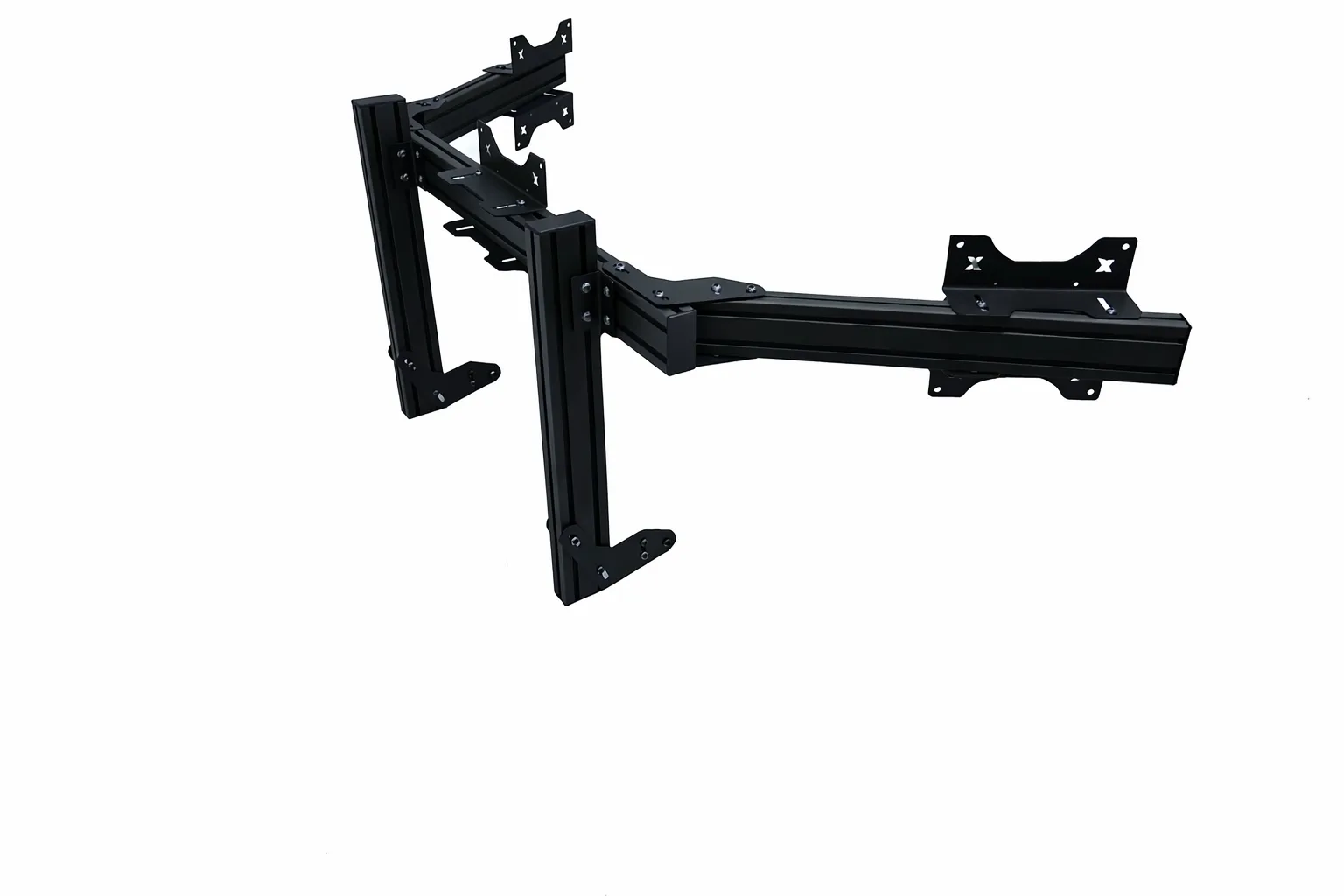
SimXPro Integrated Triple Screen Setup Heavy - VESA 75-100-200 - Black
-
SimXPro Integrated Triple Screen Setup Heavy - VESA 75-100-200 - Black: Uses premium 40×80 mm aluminum profiles for reduced flex. Thicker extrusions keep your three screens aligned during hard braking and cornering, reducing the need for frequent re-alignment.
Who should buy this mount
Best for
- Sim racers with 27-32 inch monitors who want a rigid, space-saving triple setup
- Users who already have a sturdy cockpit and want an integrated mount that supports VESA 100/200 patterns
Not for
- Racers with 34-inch or larger ultrawide monitors (need a floor-standing stand)
- Users with monitors that only have a 75×75 VESA pattern (may require an adapter)