Quick Answer
Configure your Hollyland VenusLiv by connecting to Wi-Fi, entering RTMP server details from your streaming platform, and verifying the stream before going live.
Why Proper Setup Matters for Streaming
The Hollyland VenusLiv is built for uninterrupted live streaming, but incorrect configuration can lead to buffering or dropped streams. Its aerospace-grade cooling system prevents overheating, but network settings and RTMP endpoints must be accurate for a stable broadcast.
Setup Steps
- Connect to Your Network: Power on the VenusLiv and navigate to the Wi-Fi settings. Select your network and enter the password. A wired Ethernet connection is more stable for high-bitrate streams. Double-check that the camera obtains an IP address; a failed connection is often due to incorrect Wi-Fi credentials.
- Enter RTMP Server Details: Go to the streaming settings menu. Enter the RTMP URL and stream key from your platform (e.g., Facebook, YouTube, Twitch). Copy these exactly from your platform's encoder setup page. A common mistake is including extra spaces or line breaks from the copied stream key – paste into a text editor first to verify.
- Configure Video and Audio Settings: Set your desired resolution, frame rate, and bitrate. For most platforms, 1080p at 30 fps with a bitrate of 6-8 Mbps works well. Ensure the audio source is selected and levels are not peaking. If you experience buffering, lower the bitrate rather than the resolution – viewers notice pixelation less than frozen frames.
- Test Your Stream: Start a private or unlisted stream to your platform. Monitor the camera's status LED – a solid green indicates a successful connection. Watch the stream on another device to confirm audio/video sync. Always test before a live event; many platforms require a few seconds to establish the connection.
- Monitor Thermal Performance: Place the VenusLiv in an open area with good airflow. The built-in cooling system works silently but can be less effective if the camera is enclosed or near heat sources. If the camera feels warm to the touch after 30 minutes, reposition it – prolonged heat can reduce component lifespan.
Product Facts
-
Hollyland VenusLiv – Caméra: The Hollyland VenusLiv features an advanced aerospace-grade heat dissipation system to prevent overheating during extended streaming sessions. This means you can stream for hours without worrying about the camera shutting down, but you still need proper ventilation around the unit.
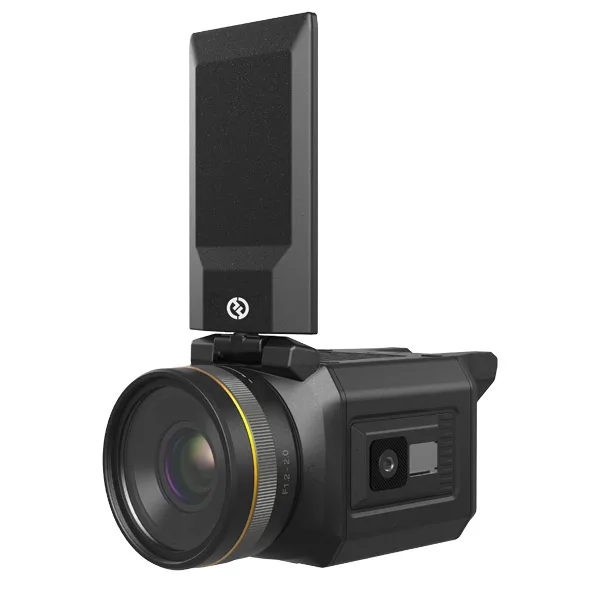
Hollyland VenusLiv – Caméra