Quick Answer
The Hot Toys Doc Brown Deluxe 1/6 scale figure offers a wealth of screen-accurate accessories and features; follow these steps to unbox, inspect, and display your BTTF collectible with confidence.
Why the Deluxe Version Matters
The Deluxe Version of the Hot Toys Doc Brown figure includes extra accessories and a double box option for collectors who prioritize protection. If you plan to keep the box pristine, the double box is a smart choice. However, the standard version might suffice if you display the figure immediately and prefer to save on shipping weight.
Unboxing and Displaying Your Doc Brown Figure
- Inspect the Outer Box: Check the shipping box for damage before opening. If you chose the double box option, the outer cardboard sleeve provides extra protection. Remove the figure box carefully. A dented outer box doesn't affect the figure, but document damage for shipping claims.
- Open the Figure Box and Check Accessories: Lift the lid and remove the plastic tray. Verify all accessories are present: the Plutonium case, lab coat, goggles, and extra hands. Compare against the included checklist. Missing accessories are rare, but photograph the contents immediately for your records.
- Assemble the Lab Scene Display: Position the Plutonium case and science experiment props on a shelf or in a detolf case. Place Doc in a dynamic pose—one hand on the case, goggles pushed up. Use the figure stand for stability. Avoid direct sunlight to prevent fabric fading on the lab coat.
Product Facts
-
Hot Toys - 1/6 Scale Figure - Back to the Future - Doc Brown (Deluxe Version): The figure includes a Plutonium case and a science experiment setup, referencing Doc's iconic line: 'It requires something with a little more kick - Plutonium.' These accessories allow you to recreate the lab scene from Back to the Future, adding narrative depth to your display.
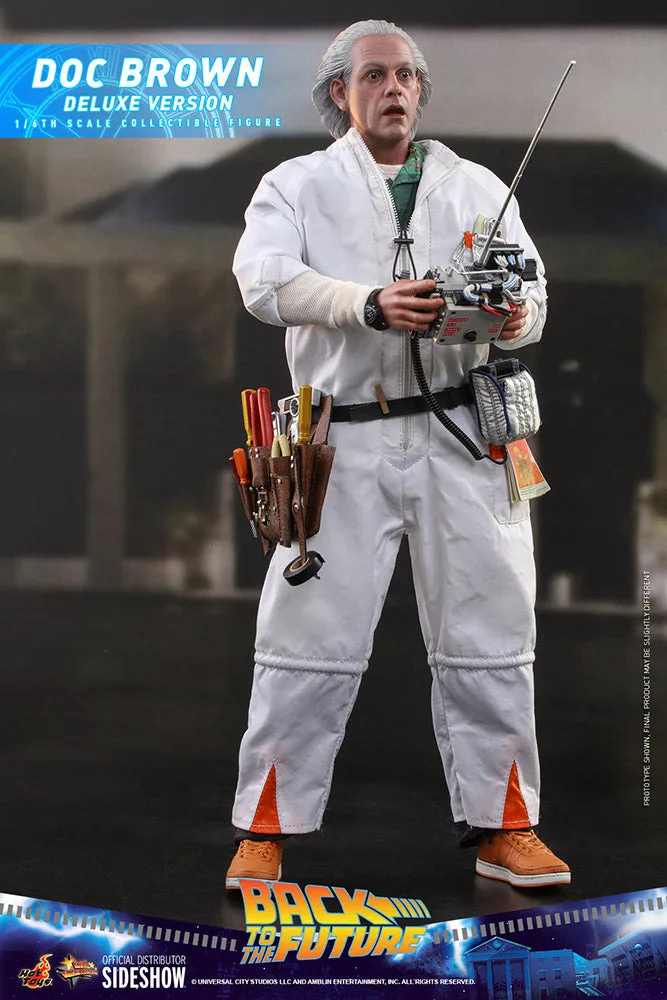
Hot Toys - 1/6 Scale Figure - Back to the Future - Doc Brown (Deluxe Version)