Quick answer
To set up the HOTAS Flight Sim Mounts for the TRX, you slide the left and right mount brackets onto the cockpit's side rails, then secure your joystick and throttle bases before adjusting the angle and position to match your seated reach.
What you need to know before you start
These mounts are designed specifically for the Trak Racer TRX (V1/V2) cockpit frame. They are not a universal clamp – they rely on the TRX's side channels for a secure fit. Check that you have the correct cockpit model before ordering.
The kit includes both left and right brackets, which means you get a symmetrical dual-control setup ready for most HOTAS systems. If you only need one side, you can keep the other bracket as a spare or store it for future expansion.
Step-by-step installation and adjustment
- 1. Attach the mount brackets: Slide the left mount bracket onto the left side rail of the TRX cockpit and the right bracket onto the right side rail. Finger-tighten the clamp screws enough to prevent movement but do not fully lock them yet. A common mistake is over-tightening before positioning, which makes later adjustment difficult without loosening again.
- 2. Mount your HOTAS hardware: Place your joystick base on the left mount plate and your throttle on the right mount plate (or vice versa). Use the provided or compatible bolts to attach them firmly through the plate's mounting holes. Check that the bolt heads are flush and do not protrude below the plate – they can interfere with the clamp mechanism if too long.
- 3. Adjust height and angle: Loosen the pivot bolts on each mount to tilt the plate. Set the angle so that your wrist stays neutral when gripping the stick. Then slide the entire bracket up or down the rail to achieve a comfortable elbow angle (close to 90 degrees). Many users forget to test the full range of joystick deflection – ensure the stick does not hit the cockpit frame at extreme positions.
- 4. Tighten and lock: Once both mounts are positioned symmetrically, fully tighten all clamp screws and pivot bolts. Do a final wiggle test to confirm there is no play. Re-check the bolts after your first session – vibration can loosen them over time.
Mount kit details
-
HOTAS Flight Sim Mounts for TRX (V1/V2) Simulators – Left and Right Side: Left & Right Flight Sim Kit — for TRX cockpits. This Flight Sim Mount Kit mounts directly to the left and right side of the TRX, giving you a complete dual flight control setup purpose-built for your cockpit. You get a matched pair that aligns consistently, making the installation symmetrical and reducing guesswork during positioning.
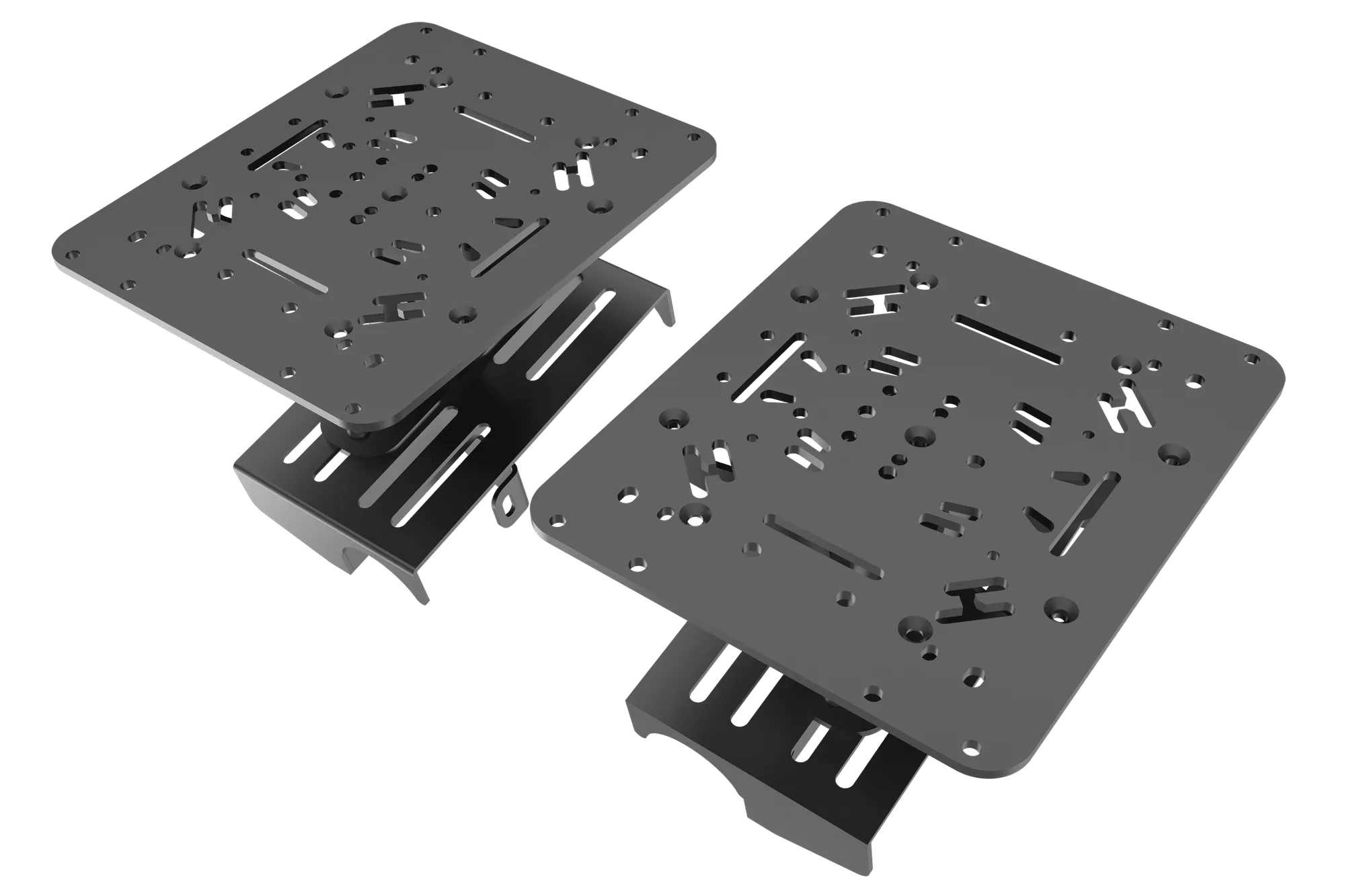
HOTAS Flight Sim Mounts for TRX (V1/V2) Simulators – Left and Right Side