Quick Answer
To adjust your electric height adjustable desk, first set your seated elbow height, then program your standing height so your elbows stay at 90 degrees. Alternate every 30–60 minutes using a sit-stand routine, and fine-tune for small spaces by keeping your monitor at arm's length.

electric height adjustable desk
An electric height adjustable desk only improves your posture if you adjust it correctly. Many people set the height once and forget it, missing the benefits of movement. This guide walks you through the exact steps to calibrate your desk for both sitting and standing, so you can work comfortably and avoid strain.
Whether you're using a compact desk in a home office or a full-size model in a corporate setting, the principles are the same: align your body, program your presets, and build a routine that keeps you moving.
Why Proper Adjustment Matters
When your desk is too high or too low, you compensate by hunching, reaching, or raising your shoulders. Over time, this leads to neck pain, wrist strain, and fatigue. An electric height adjustable desk is designed to let you match the desk surface to your body, not the other way around. The key is to find your neutral posture: elbows at 90 degrees, wrists straight, and monitor at eye level.
For those concerned about posture, an electric height adjustable desk for posture is only effective when you use it actively. Studies suggest that alternating between sitting and standing every 30 to 60 minutes reduces discomfort and boosts energy. But without correct heights, you may still end up in awkward positions.
- Measure your elbow height from the floor while sitting – that's your seated desk height.
- Stand up and measure again – that's your standing desk height.
Step-by-Step Adjustment Process
Start by sitting in your chair with your feet flat on the floor. Adjust the desk so your forearms are parallel to the ground and your elbows form a 90-degree angle. Your wrists should be straight when typing. This is your optimal seated height. Note this number on the desk's digital display or mark it with a tape.
Next, stand up and raise the desk until your elbows are again at 90 degrees. This is your standing height. If you have a memory preset function, save both heights. If not, write them down. For a small space, you may need to lower the desk slightly to accommodate a monitor arm or to prevent the desk from hitting a shelf.
- Use a tape measure to record both heights for consistency.
Creating a Sit-Stand Routine
An electric desk sit stand routine should be gradual. Start with 20 minutes sitting and 5 minutes standing, then slowly increase standing time. Many ergonomic experts recommend a 1:1 or 2:1 ratio of sitting to standing over a full day. Listen to your body – if you feel tired, sit down. The goal is to keep moving, not to stand all day.
Set reminders on your phone or use the desk's built-in timer if available. The key is consistency. Over time, you'll find a rhythm that works for you. For home office users, this routine can break up long periods of screen time and improve focus.
- Alternate every 30–60 minutes for best results.
Fine-Tuning for Small Spaces and Home Offices
In a small space, your electric height adjustable desk may need to tuck under a shelf or fit next to a wall. Ensure that when raised to standing height, the desk doesn't hit overhead objects. Also, consider cable management to prevent tangles when the desk moves. A compact desk like the https://snuglivingcoai.shop/products/float-micro-275662Float Micro from Humanscale offers ergonomic seating that pairs well with a small desk, but for the desk itself, measure your clearance carefully.
For a home office, lighting and monitor placement are crucial. Position your monitor at arm's length and at eye level to avoid neck strain. If you use a laptop, consider a separate keyboard and mouse so your arms remain at the correct height. An adjustable keyboard tray can help if your desk is slightly too high.
- Measure the space above your desk before raising it fully.
Your 5-Step Adjustment Checklist
- Measure your seated elbow height: Sit with feet flat and adjust the desk until your elbows are at 90 degrees. Record the height. Checkpoint: Your wrists should be straight when typing.
- Measure your standing elbow height: Stand and raise the desk until your elbows are again at 90 degrees. Record this height. Checkpoint: Your shoulders should be relaxed, not raised.
- Program your presets: Save both heights using the memory function, or mark them with tape if your desk lacks presets. Checkpoint: You can switch positions without re-measuring.
- Set a sit-stand timer: Use a timer to alternate every 30–60 minutes. Start with 20 minutes sitting, 5 standing. Checkpoint: Increase standing time gradually as you adapt.
- Adjust your monitor and accessories: Position your monitor at eye level and arm's length. Use a monitor arm if needed. Ensure your keyboard and mouse are at the same height as your elbows. Checkpoint: You should not have to reach or hunch.
Products That Complement Your Setup
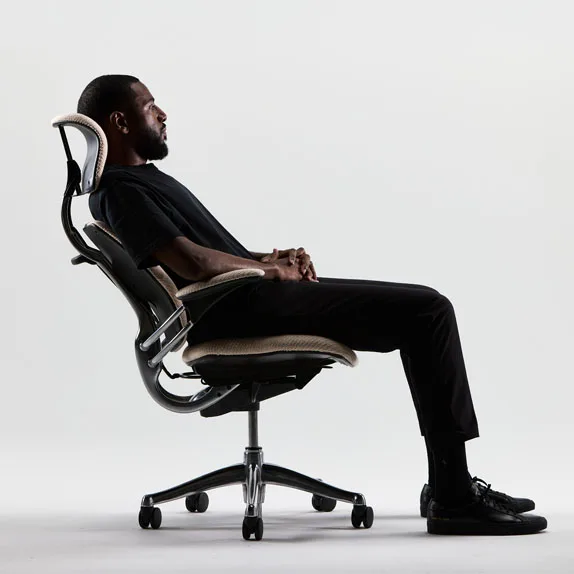
- Float Micro: The Float Micro from Humanscale offers a compact, ergonomic seating solution designed for active sitting. Its innovative mechanism allows for natural movement and continuous micro-adjustments, promoting better posture and comfort throughout the workday.Compact design ideal for smaller workspaces or multi-user environmentsPatented weight-sensitive recline automatically adjusts to the user's bodyDurable construction... Pairing your adjustable desk with a chair that supports movement ensures your seated posture remains dynamic, reducing the risk of stiffness.
- Monitor Arm Desk Mount: Humanscale's M/Flex multi-monitor arm system provides unprecedented flexibility and ergonomic performance for today's agile work environment. A monitor arm lets you position your screen at the correct height for both sitting and standing, so you don't have to adjust your desk to match the monitor.
Adjusting your electric height adjustable desk is a simple process that pays off in comfort and productivity. Measure your elbow heights, program your presets, and stick to a sit-stand routine. With the right setup, you'll create a workspace that supports your body whether you're in a small home office or a large conference room.