Quick Answer
Attach the T1C EZ Adjust Concealment Claw to your Tier 1 Concealed Elite holster by aligning it with the pre-drilled holes, securing it with the included hardware, and adjusting the arm to your preferred pressure. Use a hardware pack for best results.
Why the Claw Needs Proper Alignment
The EZ Adjust claw uses a patented design with a Hex pattern for added structural integrity. If you misalign the arm or overtighten the screws, you can reduce the claw's ability to push the holster grip toward your body, which is its main job. Take your time to center the claw over the mounting holes before tightening.
Step-by-Step Installation
- Gather Your Tools and Parts: You need the T1C EZ Adjust Concealment Claw (NON Light Bearing for non-WML holsters, Light Bearing for weapon-mounted light models), a hardware pack (screws and nuts), and a small Phillips or flathead screwdriver. The claw works only with Elite Series holsters. Using the correct claw version for your holster type prevents fit issues.
- Position the Claw on the Holster: Hold the claw against the inside of your holster (the side that faces your body) so the arm points outward. Align the two screw holes on the claw with the pre-drilled holes on the holster. The Hex pattern should face away from the holster body. If the holes don't line up, you may have the wrong claw version or the holster isn't an Elite model.
- Insert and Tighten the Screws: Place a screw through each hole from the outside of the holster, then thread a nut onto each screw from the inside (claw side). Tighten them snugly with a screwdriver—do not overtighten, as polymer can strip. A little thread locker helps keep them secure over time. Overtightening can crack the claw or strip the threads. Snug is enough.
- Adjust the Claw Arm Position: The arm has multiple adjustment slots. Slide the arm in or out to change how much pressure it applies against your belt. A shorter arm gives more aggressive concealment; a longer arm reduces pressure for easier reholstering. Test the position by holstering and checking the grip angle. Start with the middle slot and adjust based on how the holster feels when worn.
- Test and Fine-Tune: Wear the holster with your usual belt and firearm. Walk around, sit, and bend to see if the claw holds the grip close to your body. If the holster tilts away, tighten the arm one slot. If it feels too tight, loosen it one slot. Recheck screws after a few days of carry. A properly adjusted claw keeps the grip flush against your body without printing.
Product Details
-
T1C EZ Adjust Concealment Claw™ - NON Light Bearing: Made from high durability injection polymer with a Hex pattern for structural integrity. Ambidextrous placement capability with adjustable pressure stacks and arm. This design lets you fine-tune how much the claw pushes the holster against your belt, improving concealment without sacrificing draw speed.
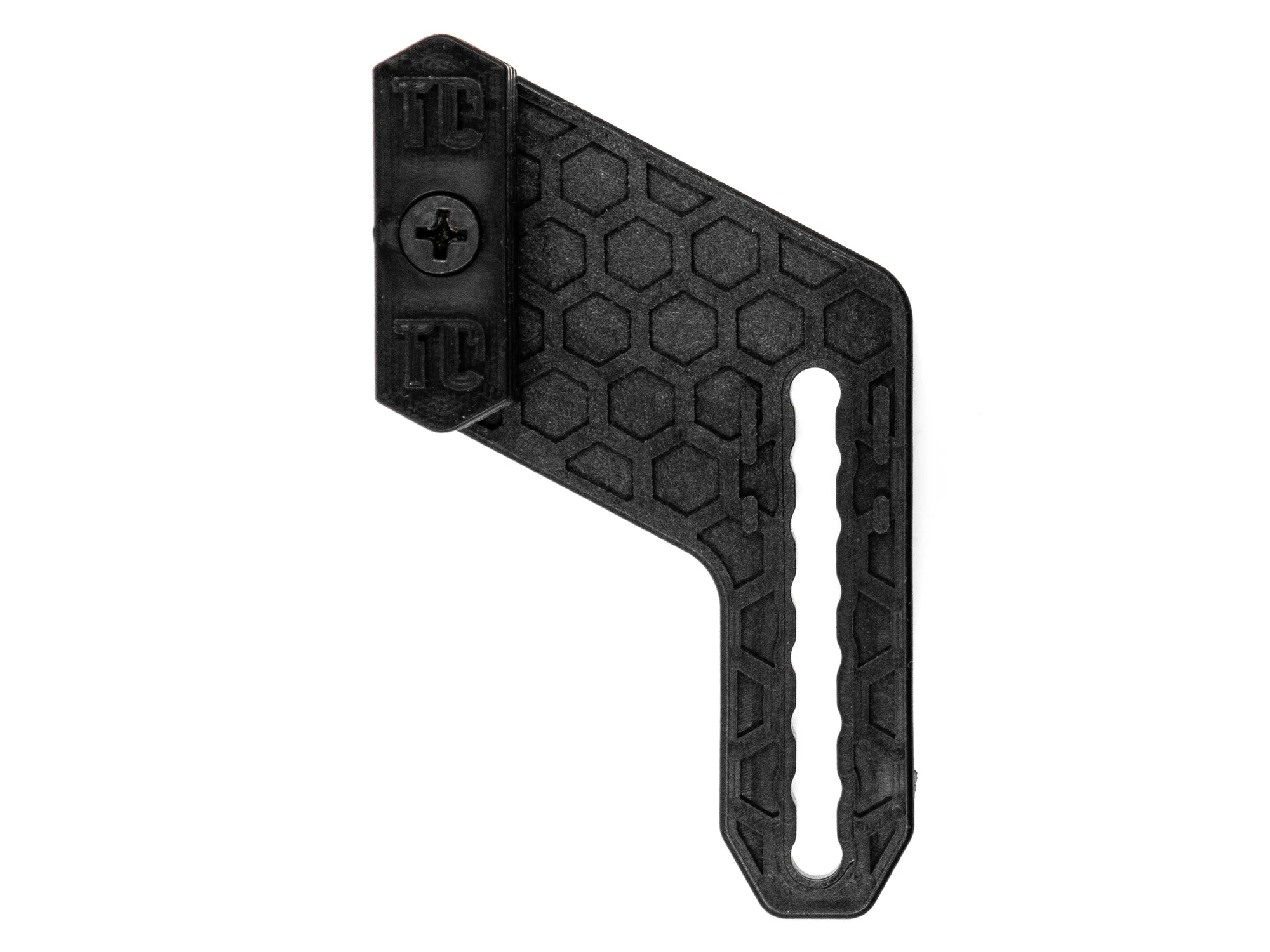
T1C EZ Adjust Concealment Claw™ - NON Light Bearing