Quick Answer
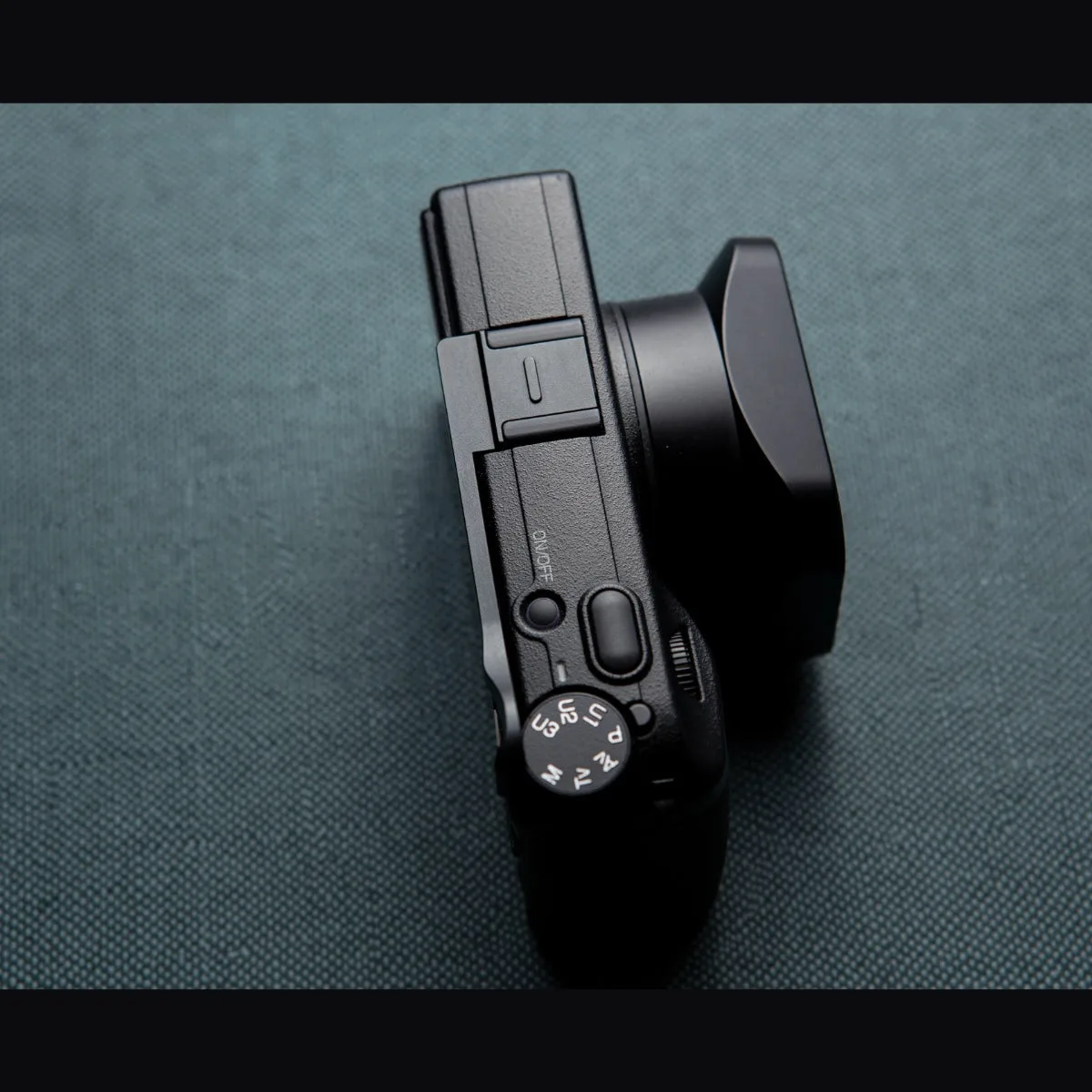
Attaching a thumb grip to your Ricoh GR is a simple process: clean the camera's hot shoe, slide the grip in from the back, and tighten the locking screw until snug. Always check that the grip does not block any controls before use.
Before You Start: What You Need
Before attaching your thumb grip, gather a soft, dry cloth and ensure your camera is powered off. The grip typically mounts onto the camera's hot shoe, so you'll want to inspect that area for any dust or debris that could affect the fit.
If your grip came with a small hex key or screwdriver, have it ready. Some grips use a locking screw that needs to be tightened, while others may use a simple slide-in design. Check the grip's instructions to know which type you have.
Understanding the Fit on Ricoh GR Models
The Ricoh GR series has a compact body, and a thumb grip adds a secure rest for your thumb, improving one-handed handling. The grip is designed to sit against the camera body without blocking any controls, so you can still access all buttons and dials easily.
For the Ricoh GR III and GR IV, the hot shoe is in the same location, so the installation process is similar. However, always verify that the grip is specifically designed for your model, as the shape of the camera body can vary slightly between versions.
Step-by-Step Installation Guide
- Step 1: Clean the Hot Shoe: Use a soft, dry cloth to wipe the camera's hot shoe, removing any dust or debris. This ensures a snug fit and prevents scratches. Checkpoint: The hot shoe should be completely clean before proceeding.
- Step 2: Align the Grip: Hold the thumb grip so that its mounting slot aligns with the hot shoe. Slide it in from the back of the camera, ensuring it sits flush against the body. Common mistake: Forcing the grip in at an angle can damage the hot shoe. If it doesn't slide in smoothly, realign and try again.
- Step 3: Tighten the Locking Screw: If your grip has a locking screw, tighten it gently using the provided tool. Turn clockwise until snug, but avoid over-tightening, which could strip the threads. Checkpoint: The grip should feel secure but still allow easy removal when needed.
- Step 4: Test the Fit: Hold the camera in your hand and check that the grip feels comfortable and does not interfere with any controls. Test all buttons and dials to ensure full access. If any control is blocked, remove the grip and re-adjust its position.
Product Facts
- SquareHood Thumb Grip for Ricoh GRIV: Our thumb grip for the GR IV, available in black anodised aluminium and solid brass. The grip is designed to give a better grip when holding the camera in one hand. The grip does not block any of the controls on the camera. This grip is tailored for the Ricoh GR IV, ensuring a precise fit that enhances one-handed stability without sacrificing access to any buttons or dials.


