Quick answer
To build Metropolis Cityscape Corner Sprues, you need to clip the industrial and smooth brick corners from the sprue, then attach them to your terrain using the included Y, E, S, and other stacking clips.
Why Corner Sprues Matter for Your Terrain
Corner sprues are essential for creating realistic, enclosed buildings in your cyberpunk city. Without them, your structures will have open edges that look unfinished and lack structural integrity. The Metropolis Cityscape Corner Sprues provide both industrial and smooth brick corner options, letting you match the aesthetic of your existing terrain pieces.
Understanding the Clip System
The key to a sturdy build lies in the included clips: Y, E, S, and others. Each clip type serves a specific connection purpose. The Y-clips often join corners at a 90-degree angle, while E and S clips secure walls to floors or other straight sections. Watch the official explanation video (linked in the product description) to see each clip in action before you start assembling.
Step-by-Step Assembly Guide
- 1. Identify and Cut the Corners: Remove the four Industrial Corners and four Smooth Brick Corners from the sprue using a hobby knife or clippers. Clean any remaining sprue nubs with a file. Common mistake: cutting too close to the corner can damage the brick texture. Leave a small nub and sand it flat.
- 2. Sort the Clips: Separate the Y, E, S, and other clips from the sprue. Refer to the product’s explanation video to identify each clip type and its intended use. Checkpoint: If you lose a clip, the corner won't lock in place. Store clips in a small container.
- 3. Attach a Corner to a Wall Section: Slide the appropriate clip (usually a Y-clip for corners) into the slot on the wall panel, then press the corner piece onto the clip until it clicks. Repeat for all four corners. Common mistake: forcing the clip can break the plastic. If it doesn't click, check alignment.
- 4. Secure the Building Structure: Once all corners are attached, connect the wall sections using E and S clips to form a complete room or building. Ensure all connections are tight for stability. Checkpoint: Test the structure by gently shaking it. Loose clips mean you missed a connection.
- 5. Final Adjustments: Inspect the assembled terrain for any gaps or misaligned corners. Adjust clips or swap corner types (industrial vs. smooth brick) for visual variety. Takeaway: You can mix corner styles on the same building for a more detailed cyberpunk look.
Product Details
-
Metropolis Cityscape: Corner Sprues: This sprue includes 4 Industrial Corners, 4 Smooth Brick Corners, and extra Y, E, S and other clips. You get enough corners for one building and the clips needed to attach them, making it a complete expansion kit for your Metropolis terrain.
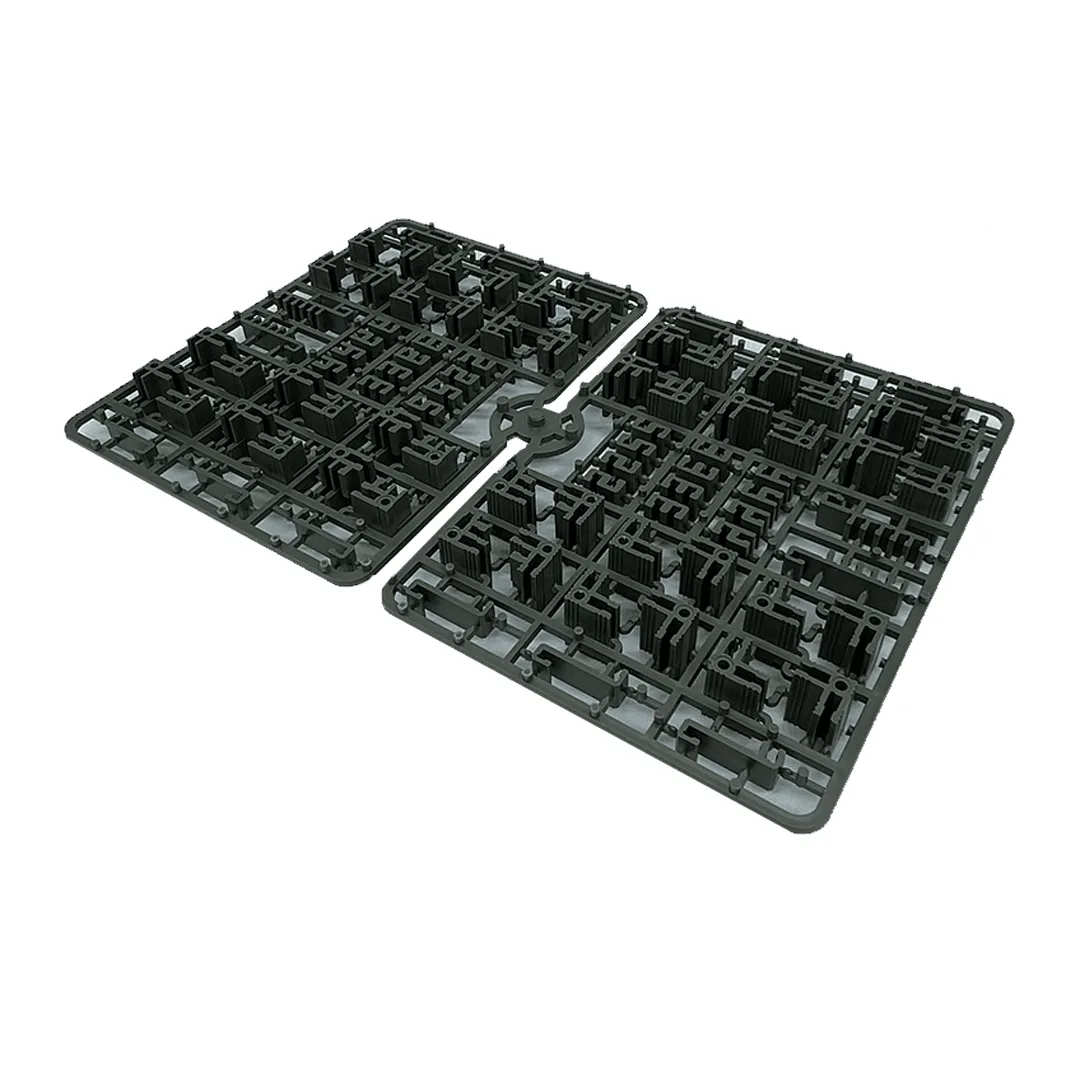
Metropolis Cityscape: Corner Sprues