Quick answer
Work bottom-up: mount the camera to the cage, attach the baseplate and rods, balance the rig on your shoulder or tripod, then add the top handle, monitor, and accessories last. Tighten every connection as you go and re-check balance after each addition. This order prevents stripped threads, sagging rods, and a rig that fights you on set.
Start with the cage-to-camera connection
Before anything else, seat the camera in the cage and secure it with the cage's own mounting screw. A cage that shifts even slightly will throw off every accessory you add later, so check that the camera sits flush and the screw is snug but not over-torqued. If your cage uses a removable top plate, leave it off for now so you can reach the camera's controls and ports during the build.
Add the baseplate and rods before anything heavy
The baseplate and rod setup is the foundation of a shoulder or tripod rig. Attach the baseplate to the cage's bottom, then slide the rods through and tighten the rod clamps. Set the rods so they extend forward roughly to the front of the lens and backward enough to mount a shoulder pad or counterweight. A common mistake is tightening the rods before checking that they are parallel; if one rod sits higher, every accessory you clamp to them will sit crooked.
Once the rods are set, balance the rig. Put it on your shoulder or a tripod head and slide the baseplate forward or back until the camera stays level without you holding it. Mark that position with a piece of tape so you can return to it if the rig gets knocked around.
Mount the top handle and monitor in the right order
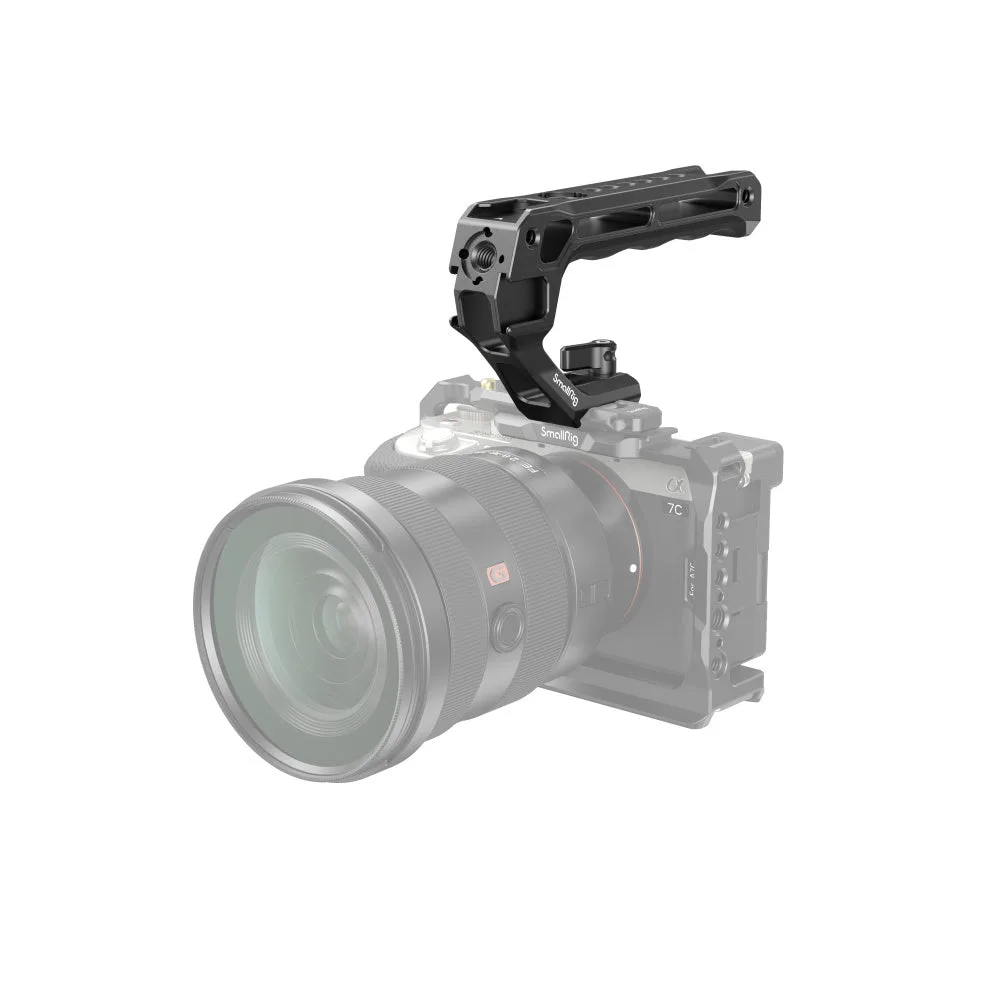
With the baseplate and rods locked, add the top handle. A NATO-rail handle is faster to remove than a screw-down handle, which matters when you need to strip the rig down for a gimbal or a tight space. Slide the handle onto the rail, confirm it is fully seated, then tighten the locking lever. If your handle has a safety pin or stop screw, engage it so the handle cannot slide off if the lever loosens.
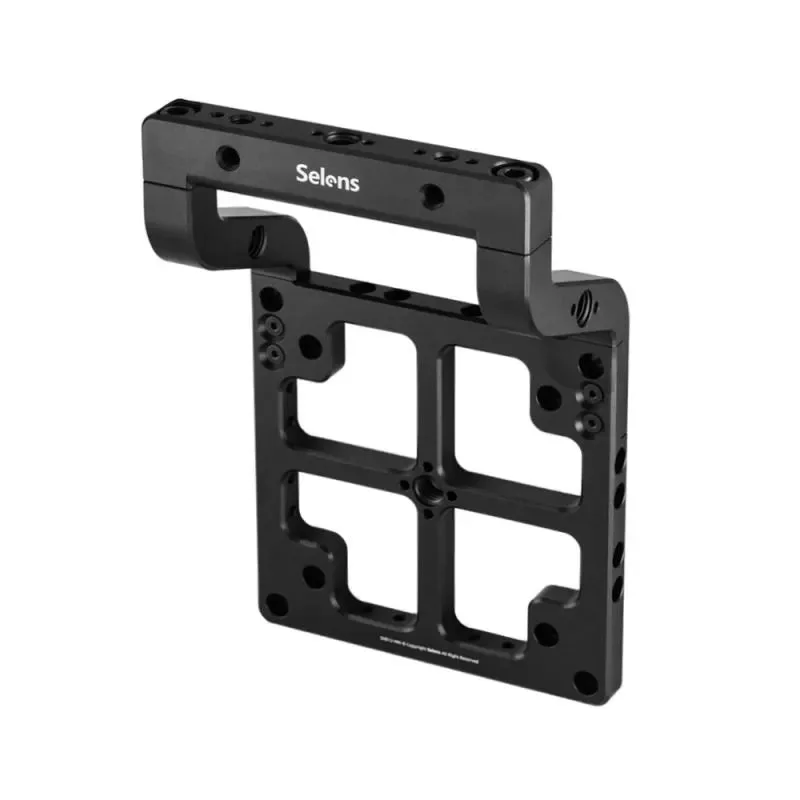
Next, mount the monitor. A monitor handle gives the operator or 1st AC a positive grip when adjusting or hand-carrying the monitor between setups, which reduces the chance of grabbing the screen or a cable. Position the monitor so it does not block the camera's top ports or the handle, and route its cable along the cage with a strain relief loop before you plug it in.
Secure every accessory and check for flex
Accessories such as a monitor mount, wireless transmitter, or battery plate should be tightened in place, but not so hard that you crush a thin cage wall. Use the correct screw length for the thread depth; a screw that is too long can bottom out and damage the camera or cage. After each addition, grip the rig and gently try to flex it. If you feel movement, find the loose connection now rather than on a shoot day.
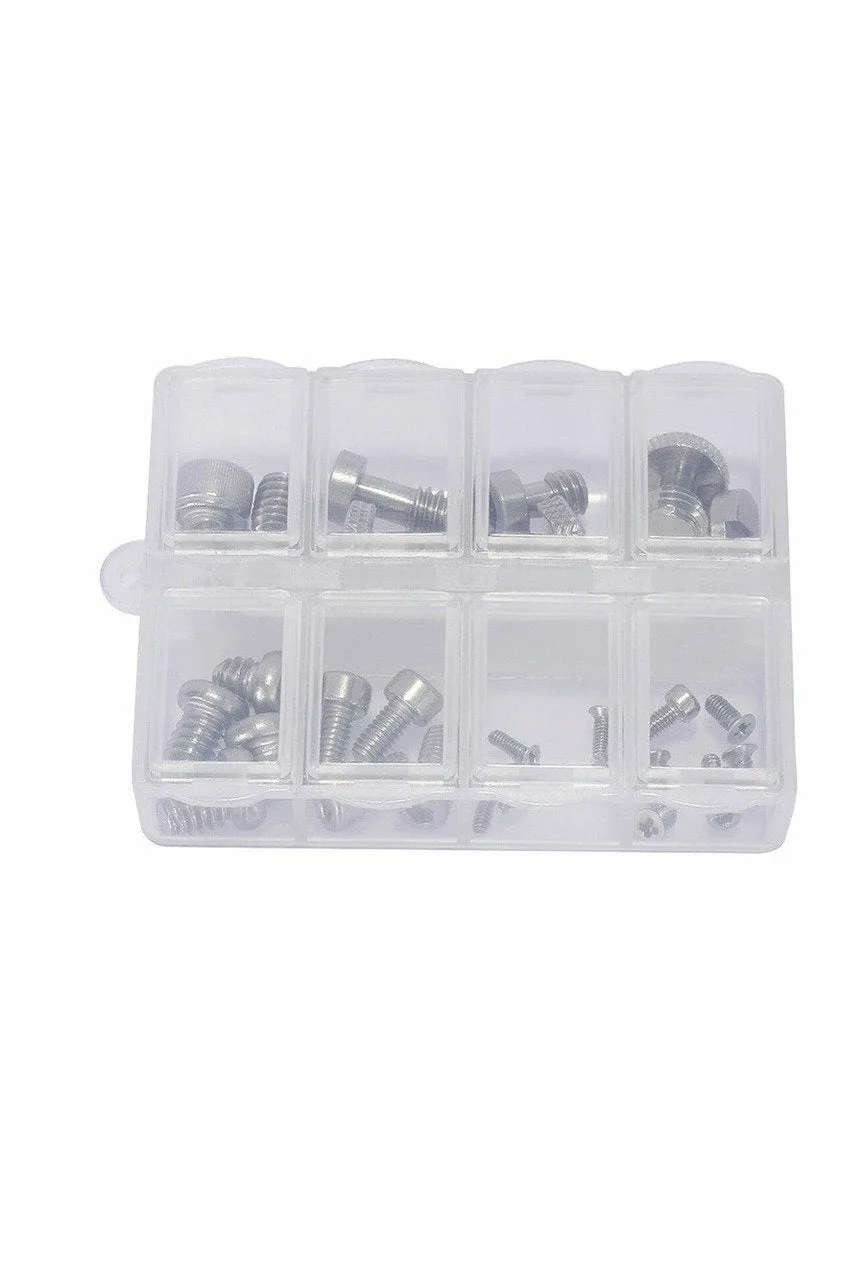
Keep a small screw set in your bag. A camera-accessory screw set covers the common thread sizes and head types used by plates, cages, handles, and clamps, so you can replace a lost screw without improvising. Check the thread sizes and head types shown for the exact model before you buy, since a set that does not match your rig is just extra weight.
Step-by-step build order
- Seat the camera in the cage: Attach the camera to the cage with its mounting screw, check that it sits flush, and leave the top plate off until the base is done. Checkpoint: the camera should not shift when you press on a corner.
- Attach the baseplate and rods: Mount the baseplate to the cage bottom, slide the rods through, and tighten the rod clamps only after confirming the rods are parallel. Mistake to avoid: tightening rods while one sits higher than the other.
- Balance the rig: Put the rig on your shoulder or a tripod head and slide the baseplate until the camera stays level without support, then tape the position. Checkpoint: the rig should balance with your hands off it for a few seconds.
- Mount the top handle: Slide a NATO-rail handle onto the rail, confirm it is fully seated, tighten the locking lever, and engage any safety pin or stop screw. Mistake to avoid: relying on the lever alone without the safety stop.
- Add the monitor and route cables: Mount the monitor so it clears the top ports and handle, then run its cable along the cage with a strain relief loop before plugging it in. Checkpoint: the monitor should not move when you gently push on its mount.
- Secure accessories and flex-test: Tighten each accessory with the correct screw length, then grip the rig and try to flex it to find any loose connection. Next step: keep a screw set in your bag so a loose screw does not end the shoot.
Parts that make this build easier
- SmallRig NATO Top Handle(Lite)3766: The SmallRig 3766 is the Lite version of SmallRig's NATO-rail top handle. It mounts on a NATO rail and gives you a top grip for handheld camera-rig operation. If your cage has a NATO rail, this handle slides on and off without tools, which speeds up switching between handheld and gimbal setups.
- SmallRig Screw Set for Camera Accessories #AAK2326: SmallRig Screw Set for Camera Accessories #AAK2326 is a camera-accessory screw set for a camera rig that needs securing compatible plates, cages, handles, clamps, or camera-support accessories. A dedicated screw set means you are not hunting through a loose bin for the right thread when a plate or handle comes loose mid-build.
- Selens Monitor Handle: The Selens SVB12-MH is a monitor handle for on-set director's monitors. It gives the operator or 1st AC a positive grip when adjusting, repositioning, or hand-carrying the monitor between setups. A monitor handle reduces the temptation to grab the screen or a cable when repositioning the monitor, which helps protect both the monitor and its connections.