Quick answer
To care for a bio-braided USB-C cable, handle it gently, avoid tight bends, clean it with a dry cloth, and store it loosely. These steps keep the braid intact and extend its lifespan.
Why bio-braided cables need different care
Bio-braided cables use plant-based materials that are more eco-friendly than traditional plastic, but they can be slightly more sensitive to heat and moisture. The braid adds durability, yet the underlying cable still benefits from mindful handling.
A common mistake is treating a braided cable like a standard rubber one—yanking it from the port or wrapping it tightly. The braid protects against abrasion, but sharp bends can stress the internal wires over time.
Trade-off: durability vs. flexibility
Braided cables are tougher on the outside but can be less flexible than silicone or rubber cables. This means they resist cuts and scrapes but may not bend as tightly. Respect the cable's natural curve to avoid kinks.
If you need a cable for tight spaces, a silicone cable might be more pliable. But for everyday use where durability matters, a bio-braided cable is a solid choice.
6 steps to maintain your bio-braided cable
- Unplug by the connector: Always grip the connector, not the cable, when removing it from a device or charger. Pulling the cable can strain the internal wires and loosen the braid over time. Check that the connector sits firmly without wiggle after each unplug.
- Avoid sharp bends and kinks: Do not fold the cable at a tight angle or wrap it around small objects. Instead, loop it in a loose circle with a diameter of at least 3-4 inches. Sharp bends can break the internal conductors and create permanent kinks. If you see a kink, gently straighten the cable and store it loosely to let the braid recover.
- Clean with a dry microfiber cloth: Wipe the braid and connectors with a dry microfiber cloth to remove dust and oils. Do not use water or cleaning solutions, as moisture can seep into the braid and affect the cable's performance. For stubborn spots, slightly dampen the cloth—but never apply liquid directly to the cable.
- Store loosely in a dedicated pouch: When not in use, coil the cable loosely and place it in a soft pouch or organizer. Avoid hanging it by the cable or leaving it tangled in a drawer, which can cause abrasion and stress points. A simple cable tie or velcro strap works—just don't pull it too tight.
- Keep away from heat and direct sunlight: Bio-based materials can degrade faster when exposed to prolonged heat or UV light. Avoid leaving the cable on a sunny windowsill or near a radiator. Store it in a cool, dry place. If the braid feels brittle or discolored, reduce sun exposure and check for damage.
- Inspect regularly for wear: Every few weeks, run your fingers along the braid and check the connectors for cracks or fraying. Early detection helps you replace the cable before it fails or damages your device. If you see exposed wires or a loose connector, stop using the cable immediately.
Product spotlight
-
543 USB-C to USB-C Cable (Bio-Braided): The Anker 543 USB-C to USB-C Cable features a bio-braided exterior designed for durability and reduced environmental impact. Its braided surface resists everyday wear, but proper care—like avoiding sharp bends and cleaning gently—keeps it looking and working well for years.
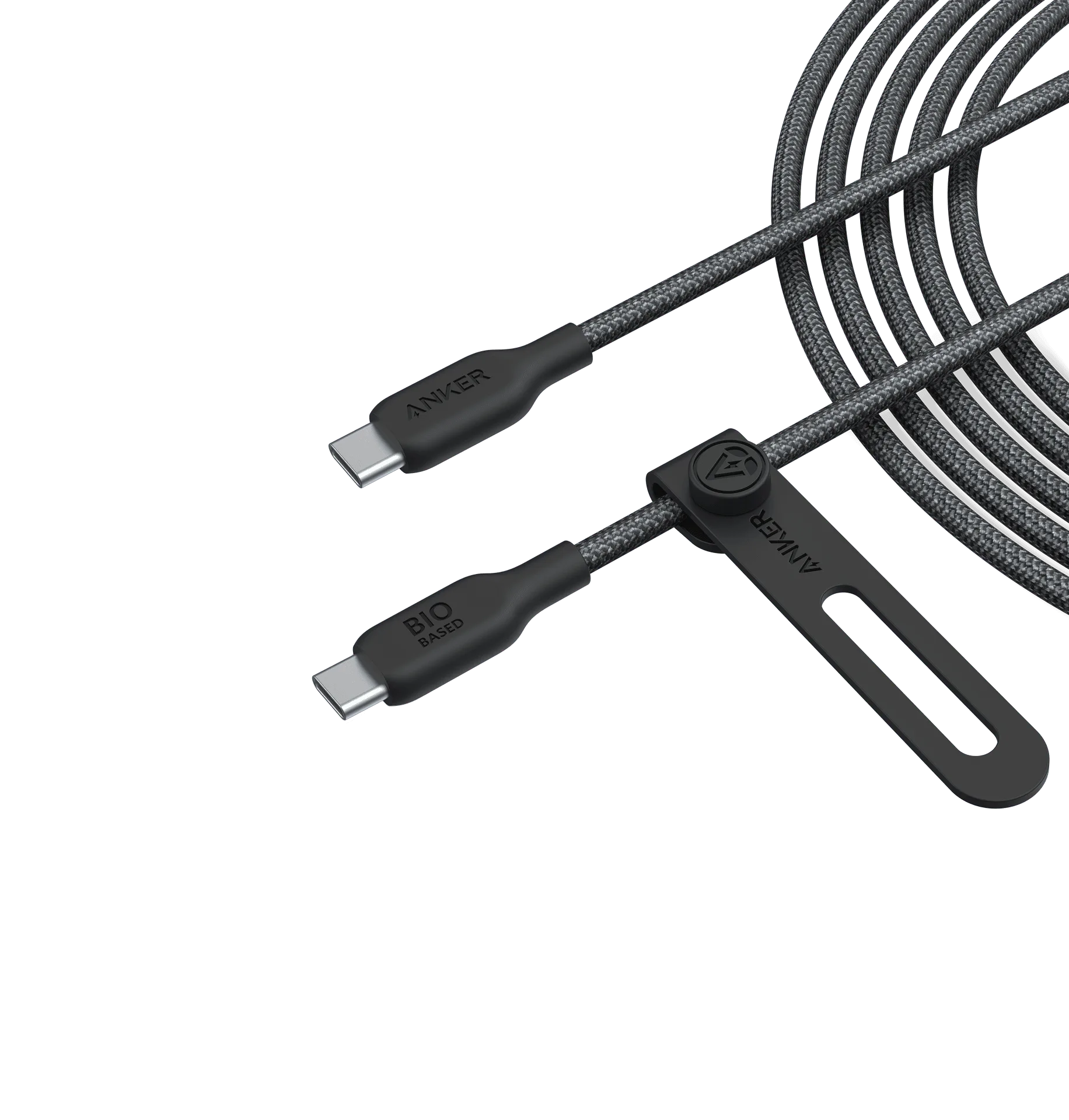
543 USB-C to USB-C Cable (Bio-Braided)